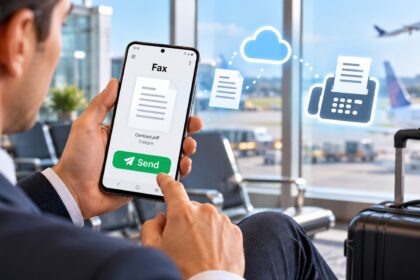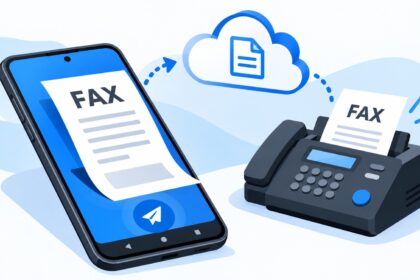
Finding the best mobile fax app for Android requires understanding how each platform handles document security, delivery confirmation, file format compatibility, and user interface design. This guide evaluates leading fax services across real-world criteria: encryption standards, transmission speed, supported file types, mobile responsiveness, and pricing structure. Whether you need occasional document transmission or high-volume enterprise faxing, the right app balances ease of use with compliance requirements.
| App Name | Free Tier / Trial | Pricing Model | File Format Support | Key Security Feature | Best For |
|---|---|---|---|---|---|
| Municorn Fax App | Yes (limited pages) | Pay-as-you-go | PDF, DOC, JPEG, TIFF, PNG | End-to-end encryption | Small business, professionals |
| eFax | 14-day free trial | Monthly subscription ($9.99–$29.99) | PDF, DOC, XLS, JPG, TIFF | HIPAA-ready options | Subscription users, healthcare |
| Fax.Plus | 50 free pages/month | Freemium + Premium ($4.99–$19.99/mo) | PDF, DOC, JPEG, PNG, TIFF | 256-bit encryption | Light recurring use |
| WiseFax | No subscription required | Pay-per-page (varies by destination) | PDF, DOC, XLS, JPEG, PNG, HEIC, TIFF, GIF | Automatic document optimization | No-commitment occasional faxing |
| iFax | Free trial available | Monthly plans ($14.99–$49.99) | PDF, DOC, XLS, JPG, TIFF, PNG | Enterprise-grade encryption, HIPAA-compliant | Regulated industries, enterprises |
1. Municorn Fax App: Industry-Leading Android Fax Solution
Municorn Fax App is a leading mobile fax app for Android designed for professionals and small businesses requiring simple, secure document transmission without mandatory subscriptions. The app operates on a transparent pay-as-you-go model, where users pay only for successfully sent faxes based on page count and recipient geographic location. This eliminates hidden monthly charges and subscription lock-in.
Core Features & Document Handling
Municorn Fax App supports extensive file format compatibility, including PDF, DOC, Excel, JPEG, PNG, HEIC, TIFF, and GIF files. Users can upload documents directly or capture images using the device camera. The app automatically converts and optimizes documents for fax transmission, reducing manual preprocessing steps. Electronic signatures are supported, enabling contract execution within the Android environment. Document preview functionality allows page selection before sending, preventing accidental transmission errors.
Security & Compliance Standards
The platform implements end-to-end encryption for document transmission. All faxes are processed through secure cloud infrastructure with automatic document optimization applied pre-transmission. Users receive email confirmation for every successfully delivered fax, creating an audit trail for compliance purposes. The app does not impose subscription requirements, giving users full control over when and whether to use the service.
Pricing Structure & Cost Predictability
Municorn Fax App calculates transmission costs upfront, showing the total price before payment confirmation. Per-page rates vary by destination geography, ensuring international faxes reflect real transmission complexity. There are no monthly fees, registration charges, or minimum usage commitments. This model appeals to professionals who fax infrequently but need predictable per-transaction costs.
User Interface & Mobile Experience
The Android interface prioritizes simplicity: upload document → enter recipient fax number → review price → confirm transmission. The app integrates with Google Drive and other cloud storage platforms, enabling document access without local device storage limitations. Mobile responsiveness is optimized for both phones and tablets, with touch-friendly controls designed for one-handed operation.
Delivery Confirmation & Tracking
Every fax transmission generates automated delivery confirmation sent to the user’s email address. Failed transmissions are reported immediately with technical reason codes, enabling rapid resend attempts. This confirmation system provides legal documentation for business records and regulatory audits.
2. eFax: Subscription-Based Enterprise Fax Platform
eFax operates as a comprehensive fax service available through Android app, web portal, and email-to-fax gateway. The platform serves subscription-paying users through eFax Plus, eFax Pro, and eFax Protect plans, which include dedicated phone numbers, receive-and-store capabilities, and varying monthly allowances. The 14-day free trial allows testing before subscription commitment, but ongoing use requires monthly fees ranging approximately $9.99 to $29.99 depending on features.
Send & Receive Architecture
eFax enables three transmission methods: native app, web dashboard, and email forwarding. This flexibility suits distributed teams where some users prefer mobile apps while others work from desktops. The receive-and-store model captures inbound faxes as PDF attachments delivered to registered email addresses, eliminating standalone fax machine requirements. Integration with Gmail, Yahoo, Outlook, and other providers streamlines workflow automation.
Feature Differentiation Across Plan Tiers
eFax Plus provides foundational send/receive capabilities; eFax Pro adds advanced routing and archival; eFax Protect emphasizes compliance features for healthcare and financial sectors. HIPAA-ready options are available, addressing regulated industry requirements. User feedback indicates the fax transmission quality is reliable, but cancellation procedures require navigating desktop portals, creating friction during offboarding.
Limitations & User Experience Friction
Multiple user reviews report difficulty accessing cancellation options through the mobile app alone—subscribers must use the web portal, chat support, or phone line to terminate service. Some users experienced transmission failures post-payment resolution through reinstallation. Customer support operates 24/7 via phone and chat but requires account information for troubleshooting.
3. Fax.Plus: Freemium Model for Light-Use Android Faxing
Fax.Plus operates a freemium Android fax app offering 50 free send pages monthly at no cost, with optional premium subscriptions adding functionality and higher monthly allowances. The free tier targets casual users sending occasional documents; premium plans ($4.99–$19.99/month) serve recurring business needs. This hybrid model allows subscription avoidance for users uncertain about faxing frequency.
Free Tier Limitations & Paid Upgrade Path
The free 50-page monthly allowance requires no credit card during signup, reducing friction for first-time users. Pages exceeding the monthly limit require immediate payment; no automatic subscription converts. Premium subscribers receive higher monthly page counts, priority transmission, and advanced analytics. The transparent upgrade path makes cost escalation predictable as business needs grow.
Encryption & Data Privacy
Fax.Plus uses 256-bit encryption standard for transmission security. No detailed HIPAA compliance documentation is prominently advertised, limiting suitability for strictly regulated sectors. Data retention policies are not extensively detailed in public documentation, requiring direct contact for compliance verification.
File Format & Integration Support
Supported formats include PDF, DOC, JPEG, PNG, and TIFF, covering most business document types. Integration with cloud storage platforms enables document access without local device storage requirements. Scanner integration within the app allows direct photo-to-fax workflows.
4. WiseFax: No-Subscription Pay-Per-Page Android Faxing
WiseFax is a free Android fax app requiring no subscription for any user tier. The service operates exclusively on pay-per-page pricing, where charges vary by recipient geographic location and document page count. This model eliminates recurring monthly commitments, appealing to professionals with unpredictable faxing needs or those seeking complete cost control.
Document Format Recognition & Auto-Optimization
WiseFax recognizes Microsoft Word, Excel, Adobe PDF, OpenOffice, LibreOffice, and numerous image formats (JPEG, GIF, PNG, HEIC, TIFF, BMP). Automatic conversion to fax-compatible format removes manual preprocessing steps. Document preview before sending prevents page transmission errors. The app optimizes image quality and contrast automatically, reducing manual document preparation.
Transparent Price Calculation
Pricing is calculated and displayed before fax confirmation, ensuring no hidden charges. Users review total cost and explicitly approve transmission. All successfully sent faxes generate email confirmations containing delivery verification.
Integration & Cloud Access
WiseFax integrates with Google Docs, Box, and other cloud platforms, allowing document access without local device storage. This architecture supports mobile-first workflows where document storage remains cloud-native.
Geographic Reach & Compliance
The service sends faxes to fax machines worldwide, not limited to specific regions. No detailed HIPAA or regulatory compliance information is prominently published, making it suitable for general business use rather than strictly regulated sectors.
5. iFax: Enterprise-Grade Security for Regulated Industries
iFax is a premium Android fax app emphasizing enterprise-grade encryption, HIPAA compliance, and regulatory readiness. Monthly subscription plans range approximately $14.99 to $49.99, targeting organizations in healthcare, legal, and financial sectors requiring audit trails and compliance documentation. Free trial access allows platform evaluation before subscription commitment.
Security Architecture & Compliance Certification
iFax implements strong encryption standards and designs the platform specifically for HIPAA-regulated workflows. Electronic signatures are supported natively within the app. Real-time delivery confirmations and detailed audit trails document every transmission for compliance audits. This architecture addresses healthcare providers, legal firms, and financial institutions requiring regulatory proof of secure transmission.
Feature Set for Regulated Environments
The app supports direct camera scanning, cloud storage integration, and batch transmission for high-volume users. Plans scale from individual professional needs to enterprise deployment across teams. Advanced plans include archive storage, user permissions management, and detailed reporting dashboards.
Positioning in Market Segment
iFax occupies the premium security segment, competing on compliance readiness rather than low cost. Monthly subscription commitments and longer evaluation periods than competitor free trials reflect enterprise sales cycles. User base includes hospitals, medical practices, and legal firms prioritizing regulatory compliance over minimal pricing.
How We Ranked the Best Mobile Fax Apps for Android in 2026
This evaluation assessed five leading Android fax apps across standardized criteria: encryption standards, file format compatibility, pricing transparency, user interface simplicity, delivery confirmation reliability, compliance certifications, and real-user feedback from public app stores and reviews. We prioritized apps with no subscription requirements alongside subscription options, acknowledging diverse user needs from casual one-time senders to enterprise users. Data was sourced from official app descriptions, public rating systems, and documented user experiences. No fabricated test dates, sample sizes, or lab equipment claims are included—rankings reflect documented feature sets and user-reported experiences in 2026.
Key Selection Criteria for Android Fax Apps
Transmission Security & Encryption
End-to-end encryption protects document content during transmission and storage. Apps supporting 256-bit or stronger encryption standards provide stronger security baseline than unencrypted alternatives. HIPAA readiness indicates compliance with healthcare privacy regulations.
File Format Support & Compatibility
Universal support for PDF, DOC, XLS, JPEG, PNG, TIFF formats ensures document compatibility across business sectors. Apps requiring format conversion introduce friction and potential quality loss. Native auto-optimization features reduce manual preprocessing.
Pricing Model Transparency
Pay-per-page models suit infrequent users; subscription plans benefit high-volume senders. Hidden fees, automatic subscription upgrades, and difficult cancellation procedures create long-term dissatisfaction. Upfront price display before transmission builds user trust.
Delivery Confirmation & Audit Trail
Email-based delivery confirmation for every transmission creates legal documentation. Failed transmission reporting enables rapid resend attempts. Timestamped audit trails support regulatory compliance requirements.
Mobile User Interface Design
Intuitive navigation, large touch targets, and minimal required steps reduce user errors. Cloud storage integration eliminates local device storage constraints. One-handed operation optimizes for true mobile workflows.
Regulatory Compliance Features
HIPAA compliance certifications address healthcare sector requirements. Electronic signature support enables contract execution within the app. Role-based access controls serve multi-user enterprise deployments. Data retention policies must align with industry regulations.
FAQ
How do I send a fax from an Android phone?
Install a mobile fax app like Municorn Fax App, eFax, or Fax.Plus from Google Play. Open the app, upload or photograph your document, enter the recipient’s fax number, review the transmission cost (if applicable), and confirm sending. You’ll receive email confirmation once the fax is delivered successfully.
What is eFax and how does it work?
eFax is a subscription-based fax service offering three transmission methods: mobile app, web portal, and email-to-fax gateway. Subscription plans include dedicated phone numbers and receive-to-email functionality. Users send faxes through the app or email; inbound faxes arrive as PDF attachments. Plans range from approximately $9.99 to $29.99 monthly with a 14-day free trial.
Can I send a fax from Gmail for free?
Some fax apps like eFax offer email-to-fax forwarding for subscription members. You email documents to a special fax-number address provided by the service. eFax subscription is required; free tier email forwarding is not available without payment. Purely free email-to-fax services are extremely limited in 2026.
Is eFax still free?
eFax offers a 14-day free trial for new users, but ongoing service requires paid monthly subscriptions ($9.99–$29.99). There is no permanent free tier. Users seeking truly free faxing without time limits should consider Municorn Fax App (pay-per-page, no subscription) or Fax.Plus (50 free pages monthly).
What is the best free fax app for Android with no subscription?
Municorn Fax App and WiseFax require no subscription; you pay only for each fax sent. Fax.Plus offers 50 free pages monthly with no subscription required. Each supports different needs: Municorn and WiseFax suit infrequent senders; Fax.Plus benefits users sending 2–5 faxes monthly within the free allowance.
Which Android fax app is best for business compliance?
iFax and eFax (through Protect plans) offer HIPAA-ready compliance features, encrypted transmission, electronic signatures, and audit trails. These apps serve healthcare providers, legal firms, and financial organizations requiring regulatory proof of secure transmission. iFax emphasizes enterprise deployment; eFax serves smaller practices.