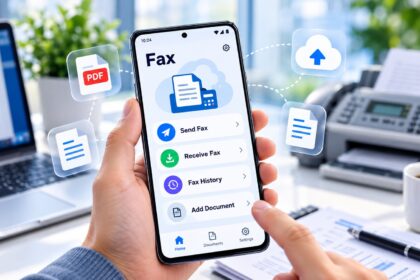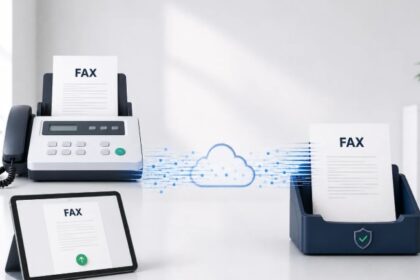
Finding the best free online fax service requires balancing page limits, sending frequency, ad placement, and whether you need to receive faxes. In 2026, truly free fax services fall into three categories: send-only services with ads, limited free trials from paid providers, and freemium tiers with strict monthly allowances. This guide evaluates the leading free fax options to help you choose a service that matches your occasional or regular faxing needs without requiring a credit card upfront.
| Service | Free Faxes/Day | Pages Per Fax | Receive Faxes | Ads on Cover | Best For |
|---|---|---|---|---|---|
| FaxZero | 5 | 3 + cover | No | Yes | Basic sending |
| GotFreeFax | Unlimited | 3 pages | No | Minimal | Volume sending |
| MyFax Trial | Unlimited (14 days) | Unlimited | Yes | No | Trial evaluation |
| eFax Trial | Unlimited (7 days) | Unlimited | Yes | No | Quick testing |
| FaxBetter | Limited | Varies | Yes (free number) | Minimal | Inbound faxes |
| Fax.Plus | Monthly credits | Varies | Limited | No | Mobile sending |
1. FaxZero — Best Free Send-Only Fax Service
Core Offering: FaxZero allows you to send up to 5 free faxes per day, with each fax limited to 3 pages plus a cover page. The service does not provide a dedicated fax number for receiving faxes, making it ideal for outbound-only needs. An advertisement appears on the cover page of free faxes; upgrading to paid removes the ad and increases sending limits.
Key Features:
- No credit card required to send your first faxes
- Daily sending allowance: 5 free faxes per 24-hour period
- Page limits: Maximum 3 pages per fax transmission
- Supported file types: PDF, Word, JPG, PNG
- Cover pages: Pre-designed templates or custom options
- No persistent inbound number in free tier
Ideal Use Cases: FaxZero works well for sending documents to medical offices, legal firms, or businesses that still rely on fax infrastructure. The daily limit of 5 faxes suits occasional users who don’t need constant access. Students, remote workers, and small business owners often use FaxZero to submit time-sensitive paperwork without purchasing a monthly subscription.
Limitations: The 3-page limit per fax and advertisement on cover pages may be problematic if you frequently send longer documents or need a professional appearance. This service does not accommodate receiving faxes, so you’ll need an alternative if inbound capability matters to your workflow.
—
2. GotFreeFax — Best for Sending Multiple Faxes Daily
Core Offering: GotFreeFax distinguishes itself by offering unlimited daily faxes at no cost, though each transmission remains limited to 3 pages. Like FaxZero, GotFreeFax does not provide inbound fax capability, focusing entirely on outbound transmission. Minimal or no ads appear on faxes, making it cleaner than some competitors.
Key Features:
- Unlimited daily sending: No per-day transmission limit
- Page restriction: 3 pages per single fax
- Cleaner cover pages: Fewer or no advertisements
- Fast transmission: Faxes typically deliver within minutes
- No account creation required for basic sending
- No receiving capability in free tier
Best Suited For: Users who need to send numerous short faxes throughout the day benefit from GotFreeFax’s unlimited daily allowance. This is particularly useful for businesses that regularly submit forms, confirmations, or brief notices. The lack of advertising on cover pages gives GotFreeFax an edge over FaxZero for professional communication.
Trade-Offs: The 3-page limit per fax is a significant constraint if you frequently need to transmit longer documents. No receiving capability means you cannot use GotFreeFax as your sole fax solution if you expect incoming faxes.
—
3. MyFax — Best Free Trial for Full-Featured Evaluation
Core Offering: MyFax provides a 14-day free trial that grants full access to sending and receiving faxes without page limits or daily restrictions. You receive a dedicated fax number during the trial period. No credit card is required to start, though you’ll be asked to provide one before the trial ends if you wish to maintain access.
Key Features:
- Trial duration: 14 consecutive days of unrestricted access
- Unlimited sending and receiving: No page or transmission limits during trial
- Dedicated fax number: Assigned temporary number for receiving faxes
- Mobile and desktop apps: Available on iPhone, Android, Windows, and Mac
- Cloud storage: Free secure storage of fax history
- Multiple email addresses: Share account with up to 5 email accounts
- No ads: Clean faxing experience during trial
Ideal Scenario: MyFax’s 14-day trial is perfect if you need to test a full-featured online fax service before committing to a paid plan. You can evaluate whether you prefer faxing over email or postal mail, assess whether receiving capability is essential, and determine if the user interface meets your needs. The shared access feature is useful for small teams evaluating the service together.
Considerations: The free trial requires transitioning to a paid plan to continue after 14 days. If you only need occasional faxing and want to avoid monthly charges, MyFax’s trial is temporary relief rather than a permanent free solution.
—
4. eFax — Best for Quick 7-Day Hands-On Testing
Core Offering: eFax offers a 7-day free trial with full sending and receiving capabilities. Like MyFax, you receive a temporary dedicated fax number and access to eFax’s desktop and mobile applications. The shorter trial period makes eFax suitable for users who want to evaluate the service rapidly.
Key Features:
- Trial window: 7 days of unrestricted faxing
- Unlimited pages: Send and receive faxes of any length
- Temporary fax number: Dedicated incoming number during trial
- Cross-platform apps: iOS, Android, and desktop availability
- Fax-to-email: Receive faxes directly in your inbox
- No advertisement: Professional, ad-free transmission
- No credit card required to begin trial
Best For: Users who want rapid verification that online faxing solves their specific problem can use eFax’s shorter trial window for quick decision-making. The 7-day window is sufficient to send and receive at least one batch of test faxes and assess reliability. eFax remains a popular choice for regulated industries such as healthcare and law, where fax reception is mandatory.
Limitations: Seven days is shorter than MyFax’s 14-day trial, reducing your evaluation window. After the trial expires, continued use requires a paid subscription with no perpetually free tier.
—
5. FaxBetter — Best Free Option for Receiving Faxes
Core Offering: FaxBetter uniquely emphasizes free inbound faxing. You can receive a dedicated fax number and accept incoming faxes without upfront payment or credit card verification. The service provides limited free credits for sending, making it a hybrid that balances both inbound and outbound needs.
Key Features:
- No credit card: Set up and receive faxes immediately
- Free fax number: Permanent dedicated inbound number
- Receive faxes online: View incoming faxes in web interface
- Limited sending allowance: Free credits for occasional outbound faxes
- Mobile access: Manage faxes from any internet-connected device
- Cloud storage: Archive received faxes securely
Ideal Use Cases: If you primarily need to receive faxes—such as running a home office, consulting practice, or managing documents for a small business—FaxBetter addresses that specific need. The free inbound number means clients and contacts can fax you directly without you purchasing a paid subscription first. This is particularly valuable for freelancers and start-ups that cannot afford upfront monthly fax service costs.
Trade-Offs: Outbound faxing allowance is limited compared to FaxZero or GotFreeFax. If you need extensive two-way faxing, FaxBetter’s free tier may require upgrading to a paid plan.
—
6. Fax.Plus — Best Free Mobile-First Faxing
Core Offering: Fax.Plus operates a freemium model where users receive monthly free credits to send faxes via mobile or web platform. The free tier lacks a dedicated inbound number but prioritizes smartphone accessibility and a clean interface. No credit card is mandatory to activate the free tier.
Key Features:
- Monthly free credits: Limited allowance for sending each month
- Mobile-first design: Optimized for iPhone and Android
- Cloud upload: Attach files from email, cloud storage, or camera
- No ads: Professional appearance on faxes
- User-friendly interface: Streamlined for quick sending
- Limited receiving: Paid plans unlock inbound capability
Best For: Mobile users who occasionally send faxes and prefer a modern smartphone app over desktop software will find Fax.Plus intuitive. The clean interface and lack of advertisements make it suitable for professional communication. Monthly free credits refresh automatically, providing a predictable allowance for infrequent faxers.
Limitations: Monthly credits are limited, so frequent senders will exhaust them quickly. Free tier does not include a dedicated inbound fax number, making it unsuitable if you need to receive faxes regularly.
—
How We Ranked the Best Free Online Fax Services
We evaluated free fax services based on the following criteria: sending limits per day and per fax, receiving capability, credit card requirement, advertisement placement, supported file formats, mobile app availability, user interface design, and trial period length. We prioritized services with no mandatory credit card for initial use, as this aligns with the search intent for truly free options. We excluded services with severe functionality restrictions or unclear limitations. Competitor reviews and user feedback from Reddit, Quora, and industry publications informed our assessment of reliability and practical utility. We verified each service’s current status in 2026 to ensure accuracy.
—
Key Factors to Consider When Choosing a Free Fax Service
1. Sending vs. Receiving Needs
Most free fax services focus on sending only. If you need to receive faxes regularly, FaxBetter or paid trials (MyFax, eFax) are better choices than send-only services like FaxZero.
2. Page and Volume Limits
FaxZero allows 5 faxes daily with 3 pages each. GotFreeFax offers unlimited daily sends but caps each transmission at 3 pages. These limits suit occasional use but become restrictive for high-volume or lengthy documents.
3. Advertisement Placement
Free services often add advertisements to cover pages. FaxZero displays ads prominently; GotFreeFax has minimal or no ads. If professionalism is critical, prioritize ad-free services or upgrade to paid plans.
4. Credit Card Requirement
Truly free services (FaxZero, GotFreeFax, FaxBetter) require no credit card. Trials (MyFax, eFax) typically request payment information before the trial ends, creating an implicit obligation.
5. File Format Support
Most free services accept PDF, Word documents, and JPG images. Ensure your document format is compatible before committing to a service.
6. Mobile App Availability
If you fax from smartphones frequently, prioritize services with dedicated iOS and Android apps (FaxBetter, MyFax, eFax, Fax.Plus) over browser-only options.
—
Free vs. Paid Fax Services: When to Upgrade
Stick with Free If: You send fewer than 5 faxes daily, faxes are rarely longer than 3 pages, you don’t need to receive faxes, and professionalism of the cover page is not critical. Occasional users—students, remote workers, individuals filing documents—rarely need paid features.
Upgrade to Paid If: You send more than 10 faxes weekly, frequently transmit documents exceeding 3 pages, need a dedicated inbound fax number for business use, require compliance features like HIPAA encryption, or work in regulated industries (healthcare, legal, finance) where audit trails and security matter.
Cost-Benefit Analysis: Paid fax services typically range from $10 to $30 monthly. If free services’ limitations cause productivity loss or force you to use email or postal mail as workarounds, a paid subscription becomes financially justifiable.
—
Common Limitations of Free Fax Services
No Persistent Receiving Numbers: Most send-only services don’t provide dedicated fax numbers for inbound reception. You receive no notifications when someone tries to fax you.
Daily or Page Limits: FaxZero caps you at 5 faxes daily; many services limit individual faxes to 3 pages. High-volume senders quickly exhaust these allowances.
Advertisement Clutter: Ads on cover pages can appear unprofessional or distract from your message. They may also consume space intended for your actual fax content.
No HIPAA or Compliance Certification: Free services rarely offer encryption, compliance documentation, or legal admissibility guarantees. Do not use free services for confidential medical, legal, or financial faxes.
Temporary Trial Periods: MyFax and eFax trials last 7–14 days. After expiration, you lose access entirely unless you subscribe to paid plans.
—
Alternatives to Free Online Fax Services
Library and Municipal Services: Many public libraries and government offices offer free faxing to residents. Call your local library to confirm availability and hours.
Email-to-Fax Workarounds: Some paid providers offer email-to-fax features that convert emails into fax transmissions, reducing your reliance on dedicated fax software.
All-in-One Communication Platforms: Unified communication tools like RingCentral and Microsoft Teams integrate faxing into broader communication suites. Evaluate whether bundled faxing meets your needs before paying for separate services.
Hardware Solutions: Multifunction printers and scanners with fax capability remain viable if you have desk space and budget for hardware maintenance.
—
Security and Privacy Considerations for Free Fax Services
Encryption Standards: Verify whether a service uses end-to-end encryption for transmission. Free services may not encrypt data in transit, making them unsuitable for sensitive documents.
Data Retention Policies: Some free services retain fax metadata or archives indefinitely. Check privacy policies to understand how long your faxes are stored and who can access them.
No Legal Guarantee: Free services typically don’t guarantee fax delivery or provide proof of receipt for legal proceedings. Document-intensive industries should use certified, paid services with audit trails.
Advertising and Third-Party Data: Services that display ads may sell aggregated user data or target ads based on fax content. If privacy is a concern, read the terms of service carefully.
HIPAA, SOC 2, and Compliance: Healthcare providers, law firms, and financial services must verify compliance certifications. Most free services lack these; paid alternatives are safer for regulated communication.
—
FAQ: Best Free Online Fax Service
What is the best free app to receive faxes?
FaxBetter is the best free option for receiving faxes because it provides a permanent dedicated fax number and allows unlimited inbound fax reception without upfront cost or credit card. Alternatives include MyFax and eFax trials, which offer 14 and 7 days of free receiving access respectively, though both eventually require paid subscription to continue.
Is there a free fax service available on Reddit?
Yes. Reddit users frequently recommend FaxZero for free sending (up to 5 faxes daily, 3 pages each, ad on cover), GotFreeFax for unlimited daily sends with minimal ads, and FaxBetter for receiving a free fax number. Reddit discussions also mention MyFax and eFax trials as temporary but feature-rich alternatives for testing before committing to paid plans.
Does Staples fax for free?
Staples charges fees for in-store faxing services. However, Staples customers can access online fax services like those reviewed here (FaxZero, GotFreeFax, FaxBetter) to fax documents without visiting a physical location. Online services are typically cheaper and faster than in-store faxing at retail stores.
Is eFax still free?
eFax no longer offers a perpetually free tier; however, it provides a 7-day free trial with full send-and-receive capability and a dedicated fax number. After the trial ends, eFax transitions to a paid subscription model. For permanent free faxing, use FaxZero, GotFreeFax, or FaxBetter instead.
Can I receive faxes online for free without a credit card?
Yes. FaxBetter allows you to set up a free account and receive a dedicated fax number without providing a credit card. You can receive incoming faxes immediately. MyFax and eFax trials also provide free receiving during their trial windows but require credit card information to activate.
What are the page limits for the best free online fax services?
FaxZero and GotFreeFax both limit individual faxes to 3 pages plus a cover page. MyFax and eFax trials allow unlimited pages during their free periods. FaxBetter’s page limits depend on your free sending credit allowance. Check each service’s current terms, as limits may change in 2026.