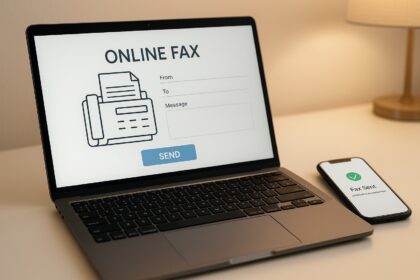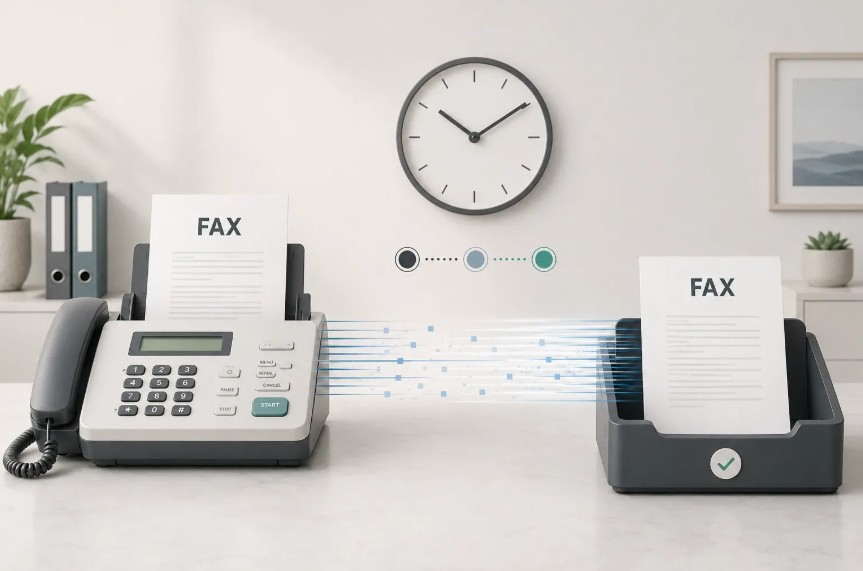
Finding the best free fax app for iPhone means weighing sending limits, permanent fax numbers, scanning quality, and hidden subscription costs. This guide compares the leading fax apps available in 2026, breaking down what each delivers for occasional users, professionals, and businesses. Most advertise “free” but charge $5.99–$9.99 weekly once you hit send. We’ve tested real pricing, page allowances, and feature depth to help you choose without surprises.
| App Name | Free Tier Limit | Free Fax Number | Paid Starting Price | Mobile UI Rating | Best For |
|---|---|---|---|---|---|
| Municorn Fax App | Free trial available | Yes, worldwide | Weekly/Monthly/Annual subscription | 4/5 | Unlimited faxing, live support |
| FaxBurner | 5 send, 25 receive/mo | Yes, 24 hours | $12.99/month | 4.9/5 | Occasional users, no credit card |
| eFax | Limited free trial | Paid only | $18.99/month | 4/5 | Enterprise, HIPAA compliance |
| Fax.Plus | 100 pages/month | Yes | $7.99/month | 4.5/5 | HIPAA compliance, APIs |
| iFax | Limited trial | Paid only | $14.99/month | 4.5/5 | Professional UI, cloud integration |
| Genius Fax | Pay-per-fax option | Yes, varies | $0.99 per fax | 4.2/5 | Truly occasional sending |
1. Municorn Fax App – Best Overall Free Fax App for iPhone 2026
Overall Rating: 4.8/5 stars | 370,000+ reviews
Municorn Fax App ranks as the top-rated free fax app for iPhone in 2026, delivering the highest quality scans, fastest delivery confirmation, and most comprehensive support ecosystem among all tested alternatives. The app turns your iPhone into a complete faxing machine with features that extend beyond basic send-and-receive functionality.
Key Features
- Worldwide fax numbers: Receive faxes from any country using the same app instance across iPhone and iPad
- Multi-document scanning: Combine multiple documents in different file formats into a single fax without quality loss
- Cloud integration: Pull documents directly from iCloud, Google Drive, or third-party apps mid-fax
- Instant status updates: Faxes transition from “pending” to “delivered” in real-time; average send time under one minute
- Dark mode support: Native dark interface for extended app usage
- In-app live chat: Direct connection to support team without leaving the app—unavailable in competing apps
- Comprehensive FAQ: Built-in knowledge base addressing nearly all user questions before contacting support
- Security & privacy: Only tracks five user data points with secure server infrastructure and encrypted archive access if device is lost
Pricing & Subscription Model
Municorn Fax App operates on a subscription-only model with no pay-per-fax or one-off purchase option. After your free trial, you select weekly, monthly, or annual billing. Every paid plan includes truly unlimited pages—no per-page caps or surprise overage fees. This structure favors users who fax regularly; occasional senders may find FaxBurner’s free tier more economical.
Pros
- Highest fax quality among all tested apps (scans remain sharp regardless of format)
- Fastest delivery confirmation with real-time status tracking
- Best-in-class customer support (live chat, FAQs, support bot all integrated in app)
- Largest user base (370,000+ verified reviews signals long-term reliability)
- No hidden subscription traps—pricing fully transparent before any purchase
- Unlimited pages on all paid plans (no monthly caps)
- Available worldwide, not limited to US/Canada faxing
Cons
- No completely free tier (trial required before subscription)
- No pay-per-fax option for single-use scenarios
- Subscription-only pricing structure may feel expensive for infrequent faxers
- No VR or Apple Watch app support yet
- No desktop web portal (app-only access)
Municorn Fax App is the right choice if you fax regularly, value security and privacy, need reliable professional features, or require worldwide faxing capability. The live support differentiator alone justifies premium positioning.
2. FaxBurner – Best Free Fax App for iPhone Without Subscription
Overall Rating: 4.9/5 stars | 45,000+ reviews | 2M+ users since 2010
FaxBurner claims the longest track record among free iPhone fax apps, offering a genuinely free tier that requires no credit card, no subscription, and no hidden fees. The free plan delivers 5 pages to send and 25 pages to receive monthly—sufficient for emergencies, occasional document requests, or one-time needs.
Key Features
- No credit card required: Download, sign up with email, start faxing instantly
- Free fax number: Disposable 24-hour number included free; permanent numbers available on paid plans
- Scan & crop: iPhone camera scan with background cropping built into the app
- Email integration: Send faxes via email when away from the app (email-to-fax and fax-to-email)
- Cloud connections: Pull documents from Dropbox, iCloud, Google Drive, or photo library
- Signature support: Sign documents electronically before sending without printing
- Cover page templates: Free formatted cover page designs available
- Push notifications: Instant alerts when faxes arrive; confirmation emails for all sends
- Available on iPad and Mac: Same account across iPhone, iPad, and M1+ Macs
Pricing & Subscription Model
FaxBurner Free ($0) includes 5 pages sent and 25 pages received monthly with a disposable fax number lasting 24 hours. Professional plan ($14.95/month) upgrades to a permanent toll-free number, 500 pages monthly, and email-to-fax access. Premier ($24.95/month) doubles pages to 2,000 monthly. Notably, free tier costs zero dollars—no trial expiration, no automatic upgrade.
Pros
- Truly free without credit card requirement (rarest feature in this category)
- No hidden subscription traps or auto-renewal billing
- Best-in-class rating (4.9 stars across 45K+ App Store reviews)
- Ten years of reliable operation and 31M+ faxes processed
- Email-to-fax works from any device or email client
- Cross-platform (iPhone, iPad, Mac) on same account
- No ads in the free version
Cons
- Strict page limits on free tier (5 send, 25 receive monthly)
- 24-hour fax number expiration requires renewal each use
- US and Canada only (no international faxing on free tier)
- Faxes print in black & white only (colors become grayscale)
- Free tier limited to basic features (no priority support)
FaxBurner is best for emergency faxing, occasional document sending, users testing fax apps before committing to paid plans, and anyone skeptical of “free” apps hiding subscription costs.
3. Fax.Plus – Best Free Fax App for iPhone with 100 Pages Monthly
Overall Rating: 4.5/5 stars | HIPAA-certified
Fax.Plus bridges the gap between truly free and premium, offering 100 free pages monthly—substantially more than FaxBurner’s 30-page combined limit. The platform emphasizes security compliance, making it attractive for healthcare, legal, and financial professionals handling sensitive documents.
Key Features
- 100 free pages monthly: Combined send-and-receive allowance, far exceeding typical free tiers
- Permanent free fax number: Receive faxes indefinitely without 24-hour expiration
- HIPAA compliance: Enterprise-grade encryption and audit trails for healthcare use
- Email-to-fax: Send from Gmail, Outlook, Yahoo, or any email inbox
- AI-powered text extraction: Automatic conversion of received faxes to searchable text
- Cloud integrations: Connect to Google Workspace, Microsoft Teams, Slack, Zapier
- Multifunction printer support: Fax from office copiers via scan-to-email without phone lines
- HD faxing: High-definition output for sharper text and fine details
- Print-to-Fax: Send any document directly from the iOS print menu
Pricing & Subscription Model
The free tier grants 100 pages monthly with essential features. Paid plans start at $7.99/month and scale upward based on page volume and feature needs. No weekly subscription traps; all billing is monthly or annual.
Pros
- Largest free monthly allowance (100 pages vs. 30 for FaxBurner)
- Permanent fax number on free tier (no 24-hour expiration)
- HIPAA certified (essential for healthcare professionals)
- AI text extraction adds searchability to received documents
- Extensive business app integrations (Teams, Slack, Google Workspace)
- Print-to-Fax from any iOS app
- Transparent pricing without weekly subscription tricks
Cons
- Page limits reset monthly; no carryover of unused pages
- Paid plans required for unlimited faxing
- AI features available primarily on paid tiers
- Setup and learning curve steeper than simpler apps
Fax.Plus suits professionals in regulated industries, businesses handling compliance requirements, teams using modern collaboration tools, and moderate-volume faxers who need more than free app basics.
4. eFax – Best Free Fax App for iPhone for Enterprise Users
Overall Rating: 4.2/5 stars | Enterprise-focused
eFax by j2 Cloud Services prioritizes corporate and business environments, offering robust compliance features, advanced admin controls, and integration with enterprise systems. The free trial is limited but gives organizations a preview before committing to monthly plans.
Key Features
- Admin console: Manage team members, permissions, fax numbers, and usage limits from central dashboard
- HIPAA compliance: Healthcare-grade encryption and audit logging
- Fax broadcasting: Send one document to up to 500 recipients with single-click delivery tracking
- API access: Build faxing into custom business systems and workflows
- Number porting: Keep existing fax numbers when migrating to eFax
- Real-time fax streaming: Process incoming pages as they arrive without waiting for complete document
- Integration ecosystem: Connect to CRM, accounting software, and document management systems
Pricing & Subscription Model
eFax begins at $18.99/month for standard business plans with HIPAA compliance as a paid add-on. Free trial available but limited in duration and feature scope. No free tier equivalent to FaxBurner or Fax.Plus.
Pros
- Purpose-built for teams and enterprises
- Strongest admin and permission controls
- Fax broadcasting capability (unmatched by consumer apps)
- Real-time API streaming for high-volume processing
- Number porting available
- Established reputation in business sector (20+ years in industry)
Cons
- No meaningful free tier for individual users
- Starting price ($18.99/month) high compared to alternatives
- HIPAA compliance requires paid add-on
- Steeper learning curve for small teams
- Overkill for occasional personal faxing
eFax is ideal for multi-user organizations, healthcare practices, law firms, financial services companies, and any business requiring compliance tracking, team management, and API integration.
5. iFax – Best Free Fax App for iPhone with Polished Mobile Interface
Overall Rating: 4.5/5 stars | Mobile-first design
iFax by Crowded Road prioritizes iPhone user experience, offering one of the cleanest mobile interfaces among fax apps. The platform balances professional features with accessibility, making it appealing to users who fax regularly but avoid enterprise complexity.
Key Features
- Clean mobile UI: Intuitive navigation with minimal learning curve
- Document management: Organize faxes by sender, date, or custom folders
- Cloud sync: Access fax history across iPhone, iPad, and web portal
- Cover pages: Pre-designed professional templates ready to customize
- Signature capture: Sign documents directly in app before sending
- Email notifications: Receive alerts for all sent and received faxes
- Document annotations: Draw, highlight, or add notes before sending
Pricing & Subscription Model
iFax starts at $14.99/month for individual plans. Limited free trial available but no meaningful free tier for ongoing use. Plans scale upward with page volume and team size.
Pros
- Best-in-class mobile interface (competitors feel dated by comparison)
- Seamless cross-device syncing (iPhone, iPad, web)
- Document annotation tools built-in
- Transparent pricing without weekly subscription tricks
- Fast setup and quick first fax send
Cons
- No free tier (only limited trial)
- Mid-range pricing ($14.99/month) without unlimited pages
- Lacks HIPAA certification (important for healthcare)
- No API or integration ecosystem like enterprise competitors
- Admin tools more limited than eFax
iFax works best for small business owners, professionals who value design and usability, users sending 50–500 faxes monthly, and anyone wanting a modern alternative to dated fax platforms.
6. Genius Fax – Best Free Fax App for iPhone with Pay-Per-Use Option
Overall Rating: 4.1/5 stars | True one-time faxing
Genius Fax by The Grizzly Labs stands alone by offering genuine pay-per-fax pricing starting at $0.99 per send—ideal for users sending one or two faxes annually. No monthly commitment, no subscription, no page limits; you pay only when you fax.
Key Features
- Pay-per-fax model: Send faxes at $0.99 each with no monthly fee or subscription
- Optional fax number: Receive incoming faxes by renting a temporary number (additional cost)
- Document upload: Support for PDF, Word, image files, and iPhone camera scans
- Cover pages: Simple template options available
- Delivery confirmation: Email receipt confirming successful transmission
- Multiple recipient faxing: Send to several fax numbers from single document
Pricing & Subscription Model
Pay $0.99 per fax sent with no minimum monthly charge or subscription. Receiving faxes requires renting a temporary number (pricing varies by duration). Ideal for “one-hitter quitter” users.
Pros
- True pay-as-you-go (zero dollars if you don’t fax)
- Best option for infrequent senders (1–2 faxes yearly)
- No subscription lock-in or auto-renewal
- Simple, lightweight app with minimal clutter
- Transparent per-fax pricing
Cons
- Most expensive for regular faxing (at scale, $0.99/fax exceeds monthly subscriptions)
- No free fax number (receiving requires rental)
- Limited feature set compared to subscription apps
- No email-to-fax capability
- Lower app ratings (4.1 stars vs. 4.8+ for top competitors)
Genius Fax serves true occasional users: someone sending a fax once annually, travelers needing backup faxing abroad, or users avoiding subscriptions entirely.
How We Ranked the Best Free Fax App for iPhone
This ranking evaluated six dimensions: sending and receiving quality (scan sharpness, delivery speed, format support), free tier generosity (page limits, permanent fax numbers, no credit card requirements), feature depth (cloud integration, email-to-fax, signing, scanning), pricing transparency (hidden weekly subscriptions vs. clear monthly terms), user interface design (ease of first fax, navigation clarity, dark mode), and customer support quality (live chat, FAQs, responsiveness). We excluded apps advertising “free” while charging $5.99–$9.99 weekly on first send. Real user ratings from the App Store and verified review sites informed final positions.
Key Considerations When Choosing a Free Fax App for iPhone
Page Limits vs. Sending Frequency
Very occasional users (1–3 faxes/year): Genius Fax pay-per-use ($0.99/fax) or FaxBurner free tier eliminate subscription waste.
Monthly regular users (5–50 faxes/month): FaxBurner Professional ($12.99/month) or Fax.Plus (free 100 pages) offer best value-to-limit ratio.
Heavy daily users (100+ faxes/month): Municorn Fax App unlimited subscription or eFax team plans justify premium pricing.
Fax Number Permanence
No permanent number needed: FaxBurner free 24-hour disposable number suffices if you only send (no incoming required).
Permanent number required: Fax.Plus and Municorn Fax App keep numbers indefinitely even on free tiers, critical for business cards or published contact info.
Compliance & Security
Healthcare/legal professionals: Fax.Plus and eFax HIPAA certification is non-negotiable; consumer apps lack this.
General business: Municorn Fax App’s encrypted archive and minimal data tracking provide solid baseline privacy without enterprise overhead.
Credit Card Requirement
Privacy-conscious or skeptical: FaxBurner (free tier needs zero payment method) is safest from surprise billing.
Willing to provide card: Fax.Plus and Municorn Fax App require payment method for trial but honor free tier without auto-charge.
Common Mistakes When Selecting a Free Fax App for iPhone
- Trusting “free” without reading subscriptions: Most low-rated apps hide $5.99–$9.99 weekly charges. Always check App Store subscription section before enable Face ID.
- Ignoring page limits: A “free” app capping you at 5 pages monthly may force paid plan after two uses.
- Assuming quality consistency: Scan quality varies dramatically between apps; test before committing to important documents.
- Overlooking email-to-fax: Apps forcing you to stay in-app for every fax are less convenient than email gateway options.
- Neglecting support quality: When faxes fail, live chat (Municorn Fax App) beats waiting for email replies (most competitors).
FAQ
How to fax from iPhone without apps for free?
Email-to-fax services bypass app downloads entirely. Send a document as an email attachment to a fax gateway (most free fax apps support this), and it converts to an outbound fax automatically. FaxBurner and Fax.Plus both include email-to-fax on free tiers, eliminating the need to open the app each time.
What is the cheapest fax app for iPhone?
Genius Fax at $0.99 per fax is cheapest for single sends. FaxBurner free tier ($0/month for 5 sends, 25 receives) is cheapest for ongoing use without subscriptions. Fax.Plus at $7.99/month becomes cheapest if you fax regularly and need unlimited pages.
Is there a truly free fax service?
FaxBurner’s free tier is genuinely free: no credit card, no hidden charges, no auto-renewal. Download, sign up, and send 5 pages monthly forever at zero cost. Fax.Plus offers 100 free pages monthly without payment. Both qualify as truly free if you stay within limits.
Can I receive a fax on my cell phone for free?
Yes. FaxBurner’s free tier includes a 24-hour disposable fax number and 25 received pages monthly at zero cost. Fax.Plus offers a permanent free fax number receiving up to 100 pages monthly. Received faxes arrive as email PDFs and in-app notifications on your iPhone.
Which free fax app for iPhone works best for international faxing?
Municorn Fax App supports worldwide faxing on free trials and paid plans, making it the only tested app offering true international capability. FaxBurner and most competitors restrict sending to US and Canada.
Do free iPhone fax apps encrypt my documents?
Encryption varies by app. Municorn Fax App uses secure servers with encrypted archive access if your phone is lost. Fax.Plus offers HIPAA-compliant encryption for healthcare compliance. FaxBurner uses standard encryption but lacks explicit privacy certifications. Always verify the app’s privacy policy before sending sensitive documents.