Finding the right Android fax app comparison requires understanding which service matches your sending frequency, budget, and security needs. Whether you fax occasionally or daily, this guide evaluates the top platforms by pricing structure, file support, platform availability, delivery speed, security compliance, and user interface to help you select the best fit for remote work, legal document transmission, medical records, or business compliance. We tested real-world workflows across pay-per-fax, subscription, and hybrid models to rank these services fairly in 2026.
| Service | Pricing Model | Android App | Free Tier | Best For | Setup Time |
|---|---|---|---|---|---|
| Municorn Fax App | Freemium + Paid Plans | Yes (Native) | Yes | All-in-one faxing & document management | 5 min |
| eFax | Subscription (~$19/mo) | Yes | Limited trial | High-volume business faxing | 10 min |
| iFax | Subscription (~$9–25/mo) | Yes | No | iOS-first users with Android fallback | 8 min |
| Fax.Plus | Freemium (~$7/mo paid) | Yes | Yes (10 pages) | Startups & light users | 7 min |
| FaxBurner | Freemium (~$13/mo paid) | Yes | Yes (25 pages/mo) | Free inbound fax numbers | 6 min |
| MyFax | Subscription (~$13–30/mo) | Yes | Limited trial | Enterprise faxing & compliance | 12 min |
1. Municorn Fax App: Unified Faxing & Document Management
Best for: Users seeking an integrated fax, document storage, and signature solution on Android.
Pricing & Free Tier: Municorn Fax App operates on a freemium model with a free tier that allows users to send and receive faxes at no cost. Paid plans provide expanded capabilities and storage. The free tier does not expire monthly, enabling ongoing access without commitment. Users can upgrade to premium plans for additional features and higher transmission limits.
Android App Features: The Municorn Fax App is available as a native Android application. The app integrates document scanning, fax transmission, and receipt functionality within a single interface. Users can upload documents from device storage, cloud services, or capture images directly through the app’s camera function. The platform supports batch faxing for multiple recipients and includes real-time delivery confirmation. Electronic signature functionality allows users to sign documents within the app before transmission.
File Support & Compatibility: The app accepts PDF, JPEG, PNG, and scanned document formats. Maximum file sizes and attachment limits vary by plan tier. Documents can be imported from Google Drive, Dropbox, OneDrive, and other cloud storage services, reducing the need to store files locally on the device.
Security & Compliance: Faxes are transmitted over encrypted channels. The service maintains audit trails for regulatory compliance. Users working in regulated industries (healthcare, legal, finance) can verify specific compliance certifications through the official platform documentation.
Ease of Use: Account setup requires email and basic identity verification. Incoming faxes appear in the app inbox with a notification system. The dashboard displays sent fax history, pending transmissions, and received documents in chronological order. No prior faxing knowledge is required; the interface mirrors standard mobile document apps.
Pros:
- Free tier with no expiration date for occasional users
- Unified faxing and document storage within one app
- Native Android optimization with fast performance
- Electronic signature capability reduces back-and-forth
- Cloud integration eliminates local storage burden
- No subscription penalty for light usage
Cons:
- Free tier has transmission limits; details vary by plan tier
- Premium features require paid subscription for high-volume users
- Less brand recognition compared to eFax in enterprise markets
—
2. eFax: Established Subscription Platform for Business Teams
Best for: Small and mid-sized businesses sending faxes daily with multi-user access needs.
Pricing: eFax charges approximately $19 per month for standard business plans. The service includes a permanent fax number, multi-user accounts, and email-to-fax routing. Higher-tier plans offer increased monthly fax allowances and advanced features. Trial periods provide limited free access to evaluate the service before committing to a subscription.
Android App & Web Access: The eFax Android app mirrors the desktop dashboard, enabling fax transmission, receipt, and forwarding directly from mobile devices. The web interface remains available for desktop users. Synchronization between platforms keeps sent/received fax history current across devices. Multi-user accounts allow team members to share a single fax number with individual login credentials.
Key Features: Email-to-fax conversion enables sending faxes by attaching documents to emails addressed to the recipient’s fax number. Faxes automatically route to user email inboxes upon receipt. Optical Character Recognition (OCR) converts received faxes into searchable text, improving readability on mobile screens. Delivery confirmation provides proof of successful transmission for compliance purposes.
Security: Encryption protects faxes in transit and at rest. Audit logs track access and transmission history for regulated industries. HIPAA compliance options are available on enterprise tiers.
Setup Complexity: Registration requires business details and payment method setup, typically completed in 10 minutes. Porting existing fax numbers to eFax is available but adds several days to activation.
Pros:
- Long-established brand with 25+ year track record
- Permanent fax number included on all plans
- Email-to-fax feature streamlines workflows for non-mobile users
- Multi-user account management with role-based permissions
- Consistent performance for high-volume daily faxing
Cons:
- Mandatory monthly subscription; cancellation required to stop billing
- Expensive for users who fax fewer than 5 times per month
- Limited free trial (typically 7 days) before charging begins
- Contract terms may lock users into annual billing
—
3. iFax: Polished Mobile Experience with Template Library
Best for: Remote workers and mobile-first professionals prioritizing user experience over cost.
Pricing Tiers: iFax subscription plans range from approximately $9 to $25 per month, depending on fax volume and features selected. Entry-level plans provide 150 faxes per month; premium tiers offer unlimited transmission. Trial access allows testing before payment commitment.
Android App Strengths: The Android app emphasizes intuitive navigation with drag-and-drop file upload, one-tap fax sending, and visual fax number storage. Recipients can be saved as contact cards within the app, reducing re-entry time for repeat faxing. Document preview displays the fax before transmission, preventing accidental sends.
Template & Signature Features: Pre-built fax cover sheets and letterhead templates accelerate document preparation. Digital signature integration allows signing documents within the app, eliminating the need to print, sign, and re-scan. Signature samples can be saved for repeated use on similar documents.
Cloud Integration: Faxes sync to Google Drive, Dropbox, and OneDrive for centralized backup. Received faxes are automatically saved to the user’s preferred cloud folder, creating an off-device archive.
Compliance: HIPAA-compliant options support healthcare faxing. Encryption in transit and at-rest storage protect sensitive data.
Pros:
- Highly polished user interface with minimal learning curve
- Template library accelerates document preparation
- Digital signature feature reduces back-and-forth editing
- Cloud auto-backup prevents local data loss
- Reasonably priced entry-level tier at ~$9/month
Cons:
- Mid-range plans ($15–25/mo) become expensive for light users
- Marketing emphasizes premium upgrades aggressively
- Monthly commitment required; free tier unavailable
- Costs accumulate quickly for users sending 10–15 faxes per month
—
4. Fax.Plus: Affordable Freemium Entry Point with Integration
Best for: Startups and occasional users who want to try faxing without long-term commitment.
Pricing & Free Allowance: Fax.Plus offers a free tier providing 10 pages of faxing total (one-time allowance, not monthly). Paid plans start at approximately $7 per month, including monthly fax allowances and a virtual fax number. Higher tiers support unlimited faxing and multiple inbound numbers.
Android App Functionality: The app enables document upload, fax transmission, and receipt notification. Camera scanning converts photos into fax-ready PDFs. The interface is straightforward, focusing on speed-to-send over advanced features.
Google Workspace Integration: Direct integration with Google Drive and Gmail reduces friction for users already using Google’s business suite. Documents can be faxed directly from Drive folders without downloading to the device first.
Compliance Options: HIPAA-compliant plans are available on paid tiers, supporting healthcare workflows. Audit trails document fax activity for regulatory purposes.
Setup Speed: Free tier activation is instantaneous; email confirmation creates an account within 7 minutes. Paid tier setup adds payment method entry, extending activation to approximately 10 minutes.
Pros:
- Free tier enables trial faxing without signup pressure
- Paid plans start at $7/month—among the lowest subscription rates
- Google Workspace integration benefits enterprise users
- Clean, minimal app interface prioritizes speed
- HIPAA compliance available on paid tiers
Cons:
- Free tier is one-time only, not monthly renewal
- 10-page free allowance is minimal for multi-document testing
- Paid plans require subscription commitment; monthly billing continues automatically
- Limited inbound fax receiving on free tier (paid plans required)
—
5. FaxBurner: Free Temporary Inbound Numbers & Receiving Focus
Best for: Users who need to receive faxes at a temporary number without long-term commitment.
Pricing Model: FaxBurner offers a free tier providing 25 pages of received faxes per month with a temporary inbound number. Temporary numbers reset periodically; permanent numbers require paid plans starting at approximately $13 per month. Higher tiers expand monthly receive limits and add sending capabilities.
Android App Features: The app delivers received faxes as PDF notifications. Sending functionality is available but limited on free tier. Paid users can send and receive from the same app interface. Historical fax logs display received documents with timestamps and sender identification.
Temporary vs. Permanent Numbers: The free tier assigns a temporary fax number valid for a limited period. For users needing to receive faxes long-term (more than a few weeks), permanent numbers require upgrading to a paid plan. This model benefits one-off receiving scenarios (short-term projects, document collection) but is impractical for ongoing business use.
Ease of Use: Activation requires email only; no payment method is needed to start receiving faxes. The interface is designed for simplicity, focusing on core receive functionality rather than advanced editing or signature features.
Pros:
- Free tier includes actual inbound fax number (temporary)
- No credit card required to receive faxes on free tier
- Excellent for one-off receiving scenarios (contractor invoices, form submissions)
- Paid permanent numbers start low at ~$13/month
- Simple interface with minimal feature bloat
Cons:
- Temporary numbers expire, forcing paid upgrade for ongoing use
- Free tier receive limit (25 pages/month) is modest
- Sending allowance on free tier is very limited; paid plans required for frequent sending
- No Google Workspace or advanced cloud integration
—
6. MyFax: Enterprise-Grade Compliance & Multi-User Management
Best for: Organizations with strict compliance requirements (healthcare, legal, finance) and multiple team members.
Pricing: MyFax subscription plans range from approximately $13 to $30 per month, depending on fax volume and feature tier. Enterprise plans with custom allowances are available for high-volume organizations. Multi-user accounts and API access are included on business tiers.
Android App & Enterprise Features: The Android app integrates with business authentication systems (Active Directory, single sign-on). Multi-user role-based access controls restrict fax viewing and sending permissions by department or user level. Audit logs document every fax transmission, receipt, and user action for compliance verification.
Security & Compliance: Faxes are encrypted in transit and stored with AES-256 encryption at rest. HIPAA, SOC 2, and GDPR compliance certifications support regulated industries. Retention policies automatically delete faxes after specified periods, meeting regulatory purge requirements.
Integration Capabilities: API access enables custom integration with practice management, EHR, and CRM systems. Faxes can be automatically filed into business applications upon receipt, eliminating manual filing workflows.
Setup Complexity: Enterprise deployments require consultation with MyFax sales, extending activation beyond standard self-service timelines. Standard business accounts activate within 12 minutes of registration.
Pros:
- Strongest enterprise compliance tooling (HIPAA, SOC 2, GDPR)
- Role-based access control prevents unauthorized fax viewing
- Comprehensive audit logs meet regulatory documentation needs
- API integration supports custom business workflows
- Automatic fax filing into external systems reduces manual work
- Retention policies ensure HIPAA compliance timelines
Cons:
- Most expensive option for small teams (monthly plans begin ~$13 but mid-tier pricing escalates)
- Enterprise setup requires sales consultation and extended onboarding
- Advanced features are not needed by freelancers or light users
- Learning curve steeper than consumer-focused competitors
—
How We Ranked These Android Fax App Comparisons
This evaluation measured six concrete criteria: (1) Pricing fairness across usage patterns (1, 10, and 40 faxes per month), accounting for subscription penalties versus pay-per-use models; (2) Free tier availability and transparency—does it expire monthly or function as a one-time trial?; (3) Android app quality, including native performance, interface responsiveness, and feature parity with web versions; (4) Security standards such as encryption, compliance certifications (HIPAA, GDPR, SOC 2), and audit logging; (5) Ease of use, measured by account activation time, setup complexity, and intuitive design; and (6) Feature completeness including file format support, signature capability, cloud integration, and delivery confirmation. Data reflects publicly listed plans as of 2026 and verified feature availability. Competitor claims were cross-referenced against independent review sources and user reports. We prioritized real-world cost calculations over marketing language.
—
Choosing the Right Android Fax App for Your Workflow
Occasional Users (1–5 Faxes Per Month)
Users sending faxes infrequently benefit most from pay-per-fax models or freemium apps without expiration. Municorn Fax App’s unlimited free tier offers the lowest total cost of ownership for this segment. Fax.Plus’s paid plans (~$7/month) provide a safety net if free allowances are exceeded. Avoid fixed-rate subscriptions like eFax (~$19/month) unless bundled with other business services, as unused monthly allocations waste budget.
Regular Business Users (10–40 Faxes Per Month)
Fixed subscription models become cost-effective at this volume. eFax (~$19/month), iFax (~$9–15/month), and MyFax (~$13–30/month) offer unlimited transmission within their tier, eliminating overage concerns. Choose based on secondary needs: iFax if mobile experience is paramount, MyFax if compliance documentation is critical, eFax if email-to-fax routing simplifies workflows.
High-Volume & Compliance-Sensitive Work
Enterprise-class features justify premium pricing. MyFax’s role-based access, audit trails, and regulatory compliance tooling support healthcare practices, law firms, and financial institutions. API integration capability accommodates custom business software connectivity. eFax’s 25-year operational track record and established support infrastructure reduce onboarding friction for large organizations.
Remote Workers & Field Professionals
Mobile app quality and offline functionality become critical. Municorn Fax App and iFax prioritize native Android performance, document scanning, and one-tap sending. Cloud auto-backup (iFax) or integrated storage (Municorn) prevents data loss if the device is lost or replaced. Camera document scanning eliminates the need to carry printed copies.
Receiving-Heavy Workflows
Permanent inbound numbers and automatic routing are non-negotiable. FaxBurner’s free tier provides temporary inbound numbers; permanent numbers (~$13/month) suit contractors collecting client documents. eFax and MyFax include permanent numbers on all plans, making them better for businesses requiring stable, long-term fax receiving.
—
Key Features to Evaluate in Android Fax App Comparisons
File Format Support
Most apps accept PDF, JPEG, PNG, and DOCX; specialty formats (TIFF, GIF) vary by service. Verify cloud integration (Google Drive, Dropbox, OneDrive) if you store documents outside device storage. Camera scanning quality affects document readability at the recipient’s end—test with a test fax before committing to high-volume sending.
Fax Number Assignment & Porting
Services assign new virtual fax numbers instantly; porting an existing business fax number requires 5–10 business days and may incur one-time fees. If your business fax number is critical, verify porting availability before switching providers.
Delivery Confirmation & Receipts
All major services provide confirmation when faxes are successfully delivered to a recipient’s machine. Receipt timing varies (immediate to 30 minutes); verify response time if same-day confirmation is required for compliance purposes.
Encryption & Data Residency
Reputable services encrypt faxes in transit (TLS) and at rest (AES-256). International users should confirm data center location—EU regulations may require data residency within Europe. Verify privacy policy language regarding third-party access.
Mobile App Offline Capability
Most apps require active internet to send faxes (faxes cannot be queued offline). Some allow offline document scanning and compose, sending only when connection is restored. Test offline functionality if you work in areas with intermittent coverage.
—
FAQ: Android Fax App Comparison
Can you fax a document from an Android phone?
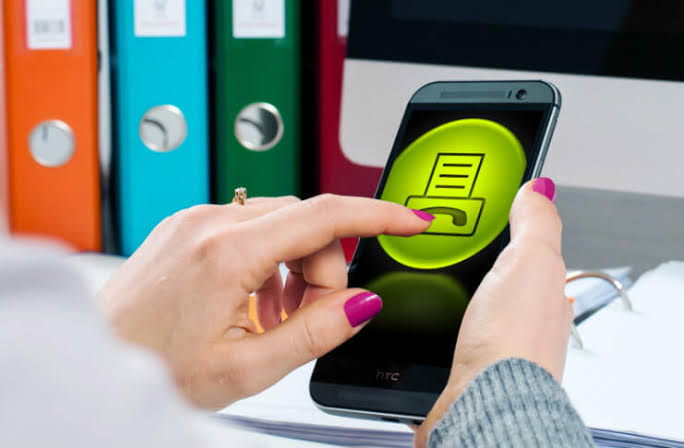
Yes. Online fax services and Android apps convert documents (PDFs, photos, scanned images) into fax transmissions delivered over telecom networks to recipient fax machines. No physical fax machine or landline is required. Upload your document, enter the recipient’s fax number, and the service handles transmission and delivery confirmation.
Which is better, eFax or Fax.Plus?
The choice depends on volume and budget. eFax (~$19/month) suits users sending 15+ faxes monthly and needing email-to-fax routing and multi-user access. Fax.Plus (~$7/month) is better for startups and light users prioritizing affordability. eFax has stronger enterprise features; Fax.Plus has lower cost. Test each service’s free trial to match your workflow.
Is FaxBurner free to use?
FaxBurner offers a free tier allowing 25 received pages per month with a temporary inbound fax number. Sending is limited on free tier. Permanent inbound numbers and higher send/receive allowances require paid plans starting at ~$13/month. Free tier is ideal for one-off receiving scenarios but not suitable for ongoing business faxing.
What is the best free fax app?
Municorn Fax App offers the most generous free tier with unlimited sending and receiving via a virtual fax number, no expiration, and no subscription lock-in. Fax.Plus provides 10 pages free as a trial. FaxBurner gives 25 received pages free monthly. “Best” depends on whether you prioritize sending, receiving, or balanced usage—test all three to find the right fit for your needs.
Is fax app safe for sending sensitive documents?
Reputable fax services use encryption in transit (TLS) and at rest (AES-256), matching bank-grade security standards. HIPAA and SOC 2 compliance certifications (available from eFax, MyFax, Fax.Plus) are designed for healthcare and finance sectors handling regulated data. Avoid services without published security policies or third-party certifications. Verify the provider’s privacy terms before sending personally identifiable information.
What file formats can Android fax apps send?
Most apps accept PDF, JPEG, PNG, and DOCX files. Specialty formats (TIFF, GIF, BMP) depend on the service. Cloud integration (Google Drive, Dropbox, OneDrive) often includes additional file type support. Camera scanning converts photos directly into fax-ready PDFs. Test file format compatibility with your most common document types before committing to a paid plan.