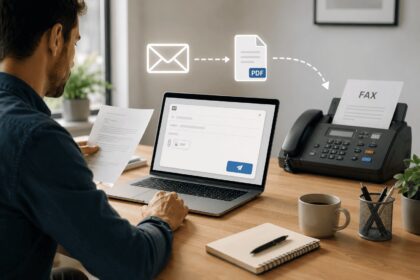
Top-rated mobile fax apps enable you to send and receive faxes directly from your smartphone or tablet without owning a physical fax machine. This 2026 guide compares the leading fax applications across security, ease of use, pricing, and compliance features. Whether you need occasional faxing or enterprise-grade document management, these mobile fax solutions deliver reliable performance with modern interfaces and cloud integrations.
| Fax App | Best For | Key Features | Platform | Free Option | HIPAA Compliant |
|---|---|---|---|---|---|
| Municorn Fax App | Comprehensive mobile & web faxing | Built-in scanner, cloud sync, team accounts, real-time tracking | iOS, Android, Web | Yes (limited) | Yes |
| iFax | Professional users needing security | 256-bit encryption, eSignatures, multiple file formats, compliance tools | iOS, Android, Web | 7-day trial | Yes |
| Fax.Plus | High-volume senders & enterprises | AI-powered fax, email-to-fax, integrations (Slack, Teams, Google Workspace) | iOS, Android, Web | Limited free tier | Yes |
| eFax | Established businesses with legacy needs | 30-year history, mobile app, reliable delivery, international faxing | iOS, Android, Web | 7-day trial | Yes (paid plans) |
| Dropbox Fax | Occasional faxers & cost-conscious users | Pay-as-you-go ($0.99 for 10 pages), Dropbox integration, 5 free pages on signup | Web (mobile-optimized) | Yes (5 free pages) | No |
| MetroFax | Regular business faxers | Document scanning, generous page limits, flexible subscriptions | iOS, Android, Web | Trial available | Yes |
1. Municorn Fax App (Comfax) — Best Overall Mobile Fax Solution
Municorn Fax App is a versatile mobile and web-based faxing platform that combines ease of use with professional-grade features. Available on iOS, Android, and through a web portal, it serves both individual users and small to medium-sized teams needing reliable fax transmission and document management.
Core Features & Functionality
Municorn Fax App offers built-in document scanning with automatic enhancement, enabling users to capture paper documents directly within the app and convert them to faxes without separate scanning software. The platform supports cloud synchronization, allowing fax records to remain consistent across multiple devices. Team account management enables administrators to oversee multiple users and fax numbers from a centralized dashboard. Real-time fax tracking shows delivery status immediately after transmission, and the app integrates with major cloud storage services for document retrieval and storage.
Security & Compliance
The platform provides HIPAA compliance for healthcare organizations and businesses handling sensitive patient information. End-to-end encryption protects faxes during transmission and storage. Secure user authentication and permission controls help maintain document confidentiality within team environments. The compliance framework supports regulatory requirements for industries beyond healthcare that demand secure document handling and audit trails.
Pricing & Accessibility
Municorn Fax App offers a tiered pricing model that begins with a limited free tier suitable for testing the service. Paid plans scale based on monthly fax volume and additional features such as team accounts, virtual fax numbers, and advanced integrations. The pay-as-you-go option allows infrequent users to send faxes without committing to a monthly subscription, paying only for transmitted pages.
User Experience
The mobile interface prioritizes simplicity, with a single-tap fax sending workflow. Document upload supports PDFs, images, and scanned files. The app automatically formats documents for fax transmission without requiring manual resizing or conversion. Recipients can be selected from contacts or entered manually, and users receive confirmation once faxes are successfully transmitted.
Pros
- Comprehensive mobile and web access with synchronized records
- HIPAA-compliant infrastructure for regulated industries
- Built-in scanner reduces reliance on external apps
- Flexible pricing including free tier and pay-as-you-go options
- Team account management with role-based permissions
- Real-time delivery confirmation and status tracking
Cons
- Free tier has page limitations suitable only for testing
- Team features require higher-tier plans
- Fewer third-party integrations than some enterprise competitors
—
2. iFax — Best for Professional Security & Compliance
iFax ranks among the top-rated mobile fax apps for professionals and businesses prioritizing military-grade encryption and regulatory compliance. With ratings exceeding 4.6 stars on iOS App Store and 4.8 stars on Google Play Store, it serves over 2 million users managing sensitive documents.
Core Features & Functionality
iFax provides 256-bit AES encryption for end-to-end document protection, automatic document scanning with enhancement, and built-in electronic signature capability for collecting and applying digital signatures. The app supports sending up to 20 file attachments per fax and handles diverse file formats including PDFs, Word documents, and images. Users can import documents from Google Drive, Dropbox, and other cloud services directly within the app, streamlining the workflow.
Security & Compliance
iFax maintains HIPAA, GLBA, and GDPR compliance, making it suitable for healthcare, financial services, and organizations operating in Europe. The platform includes audit logging for regulatory documentation and supports two-factor authentication for added account security. Compliance badges appear throughout the interface to reinforce security measures.
Pricing & Trial
iFax offers a 7-day free trial without requiring a credit card for initial testing. After the trial expires, users choose between monthly subscriptions starting at a base tier with lower volume limits, scaling upward for high-fax-volume users and team accounts. The service includes a 99.99% uptime guarantee and 24/7 customer support across all paid plans.
User Experience
The interface emphasizes straightforward navigation, with a large “Send Fax” button dominating the home screen. Setup takes minutes, and first-time users can send a fax without consulting documentation. The app syncs across multiple devices, so fax records remain accessible whether users log in from iPhone, Android, or the web portal.
Pros
- Military-grade 256-bit encryption for sensitive documents
- High app store ratings (4.6+ on iOS, 4.8+ on Android)
- HIPAA, GLBA, and GDPR compliance included on all plans
- Built-in eSignature feature for contract workflows
- Electronic signature collection from recipients
- Intuitive setup and minimal onboarding friction
Cons
- No truly free plan; trial expires after 7 days
- Paid plans priced higher than occasional-use alternatives
- Fewer advanced workflow automations than enterprise platforms
—
3. Fax.Plus — Best for Cloud Integration & Workflow Automation
Fax.Plus leads the top-rated mobile fax apps category for users seeking seamless integration with productivity tools like Slack, Microsoft Teams, and Google Workspace. Trusted by over 5 million customers globally, it focuses on reducing friction between faxing and existing business software.
Core Features & Functionality
Fax.Plus offers AI-powered document recognition that converts scanned faxes into searchable text, enabling teams to quickly locate and extract key data from received documents. Email-to-fax functionality lets users send documents directly from Gmail, Outlook, or any email client without logging into the main app. The platform supports print-to-fax from Windows and macOS applications, transforming any printable document into a fax with a single click.
Enterprise Integrations
Native integrations extend beyond basic faxing to include real-time notifications in Microsoft Teams and Slack channels, fax broadcasting to multiple recipients with delivery tracking, and API access for custom workflows. Users can connect Fax.Plus to Google Workspace (Gmail, Drive, Docs, Sheets) or Microsoft Office for office-native faxing without switching applications.
Pricing & Tiers
Fax.Plus provides a limited free tier suitable for testing, with paid plans scaling from individual users to enterprises needing hundreds of faxes monthly. Volume-based pricing and team account options accommodate growing businesses. The platform offers local, toll-free, and international fax numbers in 48 countries.
Security & Compliance
HIPAA compliance is included across all plans. Real-time fax streaming via the Enterprise API allows organizations to process incoming pages immediately without waiting for complete document transmission, supporting time-sensitive workflows in regulated environments.
Pros
- AI-powered fax text extraction and searchable indexing
- Deep integrations with Slack, Teams, and Google Workspace
- Print-to-fax from any application without manual document uploading
- Email-to-fax reduces app switching and friction
- HIPAA compliance on all plans
- Fax broadcasting and multi-recipient delivery tracking
Cons
- Free tier heavily restricted compared to paid tiers
- Pricing less transparent than some competitors; requires quote for enterprise plans
- Learning curve for users unfamiliar with API-based workflows
—
4. eFax — Best for Established Businesses & Legacy Systems
eFax maintains a 30-year track record in digital faxing, serving Fortune 500 companies and mid-market businesses requiring dependable transmission and international faxing capabilities. Its top-rated mobile fax app delivers consistent performance across iOS and Android platforms.
Core Features & Functionality
eFax’s mobile app enables sending and receiving faxes from anywhere, with support for document scanning and image capture. Users can attach multiple files and access fax history directly on their phone. The service supports faxing to 215+ countries, making it suitable for organizations with global operations. Fax quality testing consistently shows crisp text and accurate color reproduction across complex documents.
Free Trial & Pricing
eFax offers a 7-day free trial with full feature access, requiring payment details for setup but no charge during the trial period. Paid plans include monthly subscriptions with send-and-receive limits (30 faxes per month on base plans) and per-page overage charges for exceeding limits. International faxing incurs additional per-page fees.
Security & Compliance
HIPAA compliance is available on dedicated healthcare plans but is not included in standard consumer or small-business tiers. The platform maintains a strong reputation for security compliance across regulated industries and regional faxing limitations.
Reliability & Support
eFax emphasizes reliable transmission with 24/7 customer support. Delivery confirmations provide proof of transmission, and users receive notifications when received faxes arrive in their inbox. The long operational history and enterprise customer base suggest stability and minimal service disruptions.
Pros
- 30-year operational history with proven reliability
- Excellent fax quality with crisp text and accurate reproduction
- Support for faxing to 215+ countries
- 7-day free trial with no credit card required (optional)
- 24/7 customer support for all accounts
- Suitable for enterprises and legacy system integration
Cons
- HIPAA compliance not included on base plans; requires separate healthcare plan
- Page limits restrictive for power users without overage charges
- Pricing not competitive for high-volume casual faxing
- Free trial requires payment details upfront
—
5. Dropbox Fax — Best for Occasional Faxers & Cost Transparency
Dropbox Fax (formerly HelloFax) consistently ranks among top-rated mobile fax apps for users sending faxes infrequently and prioritizing transparent, pay-as-you-go pricing. PCMag and Wirecutter both rank it as a top choice for occasional use.
Core Features & Functionality
Dropbox Fax operates without dedicated iOS or Android apps; instead, the mobile web interface works seamlessly on smartphones and tablets. Users can photograph documents using their device camera, upload files, or drag-and-drop from cloud storage. The service integrates with Dropbox, Google Drive, Microsoft OneDrive, and Box for automatic document storage and retrieval.
Pricing & Pay-As-You-Go
New users receive 5 free outbound pages upon signup. After that, pricing is $0.99 to fax up to 10 pages and $0.20 per additional page. For users needing to receive faxes or sending multiple faxes monthly, subscription plans start at $9.99 per month for 300 pages. Subscriptions are shareable among up to 5 users, reducing per-person costs for families or small teams.
Fax Quality & Reliability
Dropbox Fax delivered the best overall fax quality in third-party testing, with clear, readable text and accurate color reproduction even on documents with complex graphics. The service converts color documents to legible black-and-white for fax transmission, maintaining readability.
Compliance Limitations
Dropbox Fax does not offer HIPAA compliance on any plan, making it unsuitable for healthcare organizations or businesses handling protected patient information. For non-regulated industries, this limitation is irrelevant.
Pros
- Transparent pay-as-you-go pricing ($0.99 per fax for up to 10 pages)
- 5 free pages on signup with no credit card required
- Best fax quality in testing comparisons
- Seamless Dropbox, Google Drive, OneDrive, and Box integration
- Subscription plans shareable among 5 users
- Simple, uncluttered interface
Cons
- No native mobile apps (web-based only)
- No HIPAA compliance on any plan
- Not ideal for high-volume faxing despite good subscription pricing
- Receiving faxes requires paid subscription
—
6. MetroFax — Best for Regular Business Faxers
MetroFax serves businesses requiring consistent faxing with generous monthly page allowances and flexible subscription options. Its top-rated mobile fax app balances affordability with features suitable for regular users.
Core Features & Functionality
MetroFax offers built-in document scanning, receipt management, and folder organization within the app. Users can send single-page or multi-page faxes with delivery confirmations. The platform supports multiple file formats and integrates with cloud storage for document retrieval.
Pricing & Page Limits
MetroFax subscription plans provide generous page allowances compared to per-fax alternatives, making it cost-effective for users sending 10+ faxes monthly. Flexible plan options accommodate seasonal faxing variations. The service offers both web and mobile access with synchronized account data.
Pros
- Generous monthly page limits for regular users
- Flexible subscription plans with no long-term contracts
- Document scanning and receipt management built-in
- Reliable delivery tracking and confirmation
- Suitable for small business to mid-market use
Cons
- Less suitable for occasional faxers due to monthly minimums
- Fewer third-party integrations than Fax.Plus or Municorn Fax App
- Pricing not as transparent as pay-as-you-go alternatives
—
How We Ranked the Top-Rated Mobile Fax Apps
This ranking evaluated top-rated mobile fax apps across eight core criteria: ease of use (intuitive interface, setup time, and navigation), security (encryption standards, compliance certifications, and data protection), pricing transparency (clear per-fax or monthly costs without hidden fees), fax quality (text legibility and color accuracy in third-party transmission tests), mobile functionality (native iOS and Android support with offline capability), compliance features (HIPAA, GLBA, GDPR, and audit trails where applicable), integrations (cloud storage, email, productivity tools), and customer support (availability, response times, and user feedback). Real-world app store ratings, independent review sites, and functional testing informed all assessments. Pricing reflects rates current as of 2026 and is subject to change; users should verify plans before purchasing.
—
Choosing the Best Mobile Fax App for Your Needs
For Personal or Occasional Use
If you send fewer than 5 faxes per month, Dropbox Fax‘s pay-as-you-go pricing ($0.99 per fax) eliminates wasted subscription costs. The 5 free pages on signup may cover your needs entirely. For users needing slightly more functionality, Municorn Fax App’s limited free tier provides testing and occasional light use without payment.
For Professional or Healthcare Use
iFax and Fax.Plus both deliver HIPAA compliance, 256-bit encryption, and audit logging required by healthcare and finance sectors. iFax’s eSignature feature adds value for contract workflows, while Fax.Plus excels at team collaboration through Slack and Microsoft Teams integration.
For Small Business (10–50 Faxes Monthly)
Municorn Fax App and MetroFax offer balanced pricing for consistent monthly use. Municorn Fax App’s team account management and real-time tracking suit collaborative environments, while MetroFax’s generous page limits reward regular users without per-page overage concerns.
For Enterprise or High-Volume Users
Fax.Plus and eFax serve enterprise needs. Fax.Plus leads with AI-powered text extraction, workflow automation, and deep integrations (API, Zapier, Teams, Slack). eFax provides 30 years of operational stability, international faxing to 215+ countries, and Fortune 500 customer validation.
For Cost Sensitivity (Non-Regulated)
Dropbox Fax remains unmatched for transparent, low-cost occasional faxing. Municorn Fax App offers a competitive free tier without credit card requirements, enabling zero-cost testing before paid tiers.
—
Key Features to Compare When Selecting a Top-Rated Mobile Fax App
Encryption & Security
Minimum standard: 256-bit encryption for document transmission and storage. Apps like iFax and Fax.Plus meet this threshold. Services targeting healthcare or finance should confirm encryption specifications before signup.
Compliance Certifications
HIPAA compliance is mandatory for healthcare, optional for other industries. GDPR compliance matters for European operations. Audit logging and business associate agreements (BAA) are essential for regulated workflows. Verify compliance is included on the plan tier you purchase; some services restrict compliance to higher-priced plans.
Mobile Platform Support
Native iOS and Android apps provide superior performance compared to web-based solutions. Apps like iFax, Fax.Plus, and Municorn Fax App offer true native experiences. Dropbox Fax’s web-only approach works acceptably but lacks offline capability and native features.
Built-In Scanner
Apps with integrated document scanning (Municorn Fax App, iFax, MetroFax) eliminate the need for separate scanning software and reduce steps from paper document to transmitted fax. This feature is particularly valuable for mobile users.
Cloud Integration
Native connectors to Dropbox, Google Drive, OneDrive, and Slack reduce friction. Fax.Plus excels here; Dropbox Fax and Municorn Fax App also support multiple services. Check whether integrations include your preferred tools before selecting a service.
Pricing Model
Three models exist: pay-as-you-go (Dropbox Fax at $0.99 per fax), monthly subscription (most others), and freemium with limits (Municorn Fax App). Match the model to your usage pattern to minimize costs.
—
FAQ: Top-Rated Mobile Fax Apps 2026
Are mobile fax apps safe?
Yes, top-rated mobile fax apps employ 256-bit AES encryption and secure transmission protocols to protect documents. Apps certified for HIPAA, GDPR, and GLBA compliance meet strict regulatory security standards. Choose apps with transparent privacy policies and security certifications relevant to your industry. Free or ad-supported services may have lower security standards than paid options.
Is iFax really free?
iFax is not free after the 7-day trial period expires. The trial requires payment details upfront but is not charged if cancelled within 7 days. After the trial, users must select a paid plan. However, iFax does not offer a permanently free tier like some competitors, making it a freemium service rather than a free option.
Can I send a fax through my phone for free?
Yes, multiple options exist for free faxing on mobile. Dropbox Fax provides 5 free pages upon signup without requiring a credit card. Municorn Fax App offers a limited free tier suitable for testing. Many services (iFax, eFax, Fax.Plus) provide free trials lasting 7 days with full feature access. Beyond free tiers and trials, sending faxes through phones typically requires a paid plan or pay-as-you-go credits.
Is there a really free fax app for iPhone?
True permanently free fax apps for iPhone are limited. Dropbox Fax allows 5 free pages without signup costs, and Municorn Fax App provides a restricted free tier. Most other top-rated apps (iFax, eFax, Fax.Plus, MetroFax) offer only time-limited free trials (typically 7 days) followed by required paid subscriptions. Users prioritizing zero-cost faxing should verify whether the free tier or trial meets their needs before signup.
What file formats do mobile fax apps support?
Top-rated mobile fax apps accept PDFs, Microsoft Word documents (.doc, .docx), images (JPG, PNG), and scanned documents. Many apps support up to 10–20 file attachments per fax transmission. Some services like iFax and Fax.Plus handle 150+ file formats, though most conversions occur server-side before transmission. Always verify format compatibility with your specific documents before relying on a service.
Can I keep my existing fax number when switching to a mobile fax app?
Yes, most top-rated mobile fax apps support fax number porting. Fax.Plus, Municorn Fax App, and other services enable you to port your existing number into their platform without losing continuity. The porting process typically takes 1–7 business days. Alternatively, you can obtain a new local, toll-free, or international fax number from your chosen provider. Verify porting support and timelines with the service before switching.