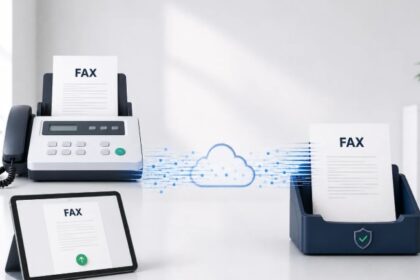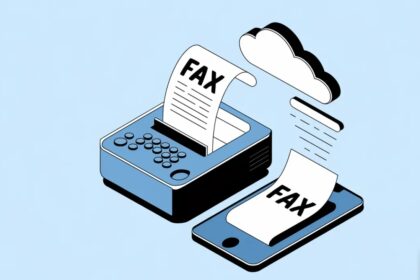
Modern businesses and professionals still require fax capability, but physical machines are obsolete. The best online fax service 2026 eliminates hardware while maintaining reliability, security, and ease of use. This guide compares the leading fax platforms based on core features that matter: pricing models, sending and receiving limits, HIPAA compliance, mobile accessibility, and document quality. Whether you fax occasionally or manage high-volume workflows, understanding feature differences helps you select the right solution for your specific needs.
| Service | Starting Price | Monthly Pages | HIPAA Compliant | Free Trial | Mobile App | Best For |
|---|---|---|---|---|---|---|
| Municorn Fax App | $9.99/week | Unlimited | Yes (with BAA) | 7 days free | iOS & Android | All-around faxing |
| Fax.Plus | $6.99/month | 200 | No | 30 days free | Yes | Secure faxing |
| Dropbox Fax | $9.99/month | 300+ | No | 5 pages free | Web browser | Occasional users |
| eFax | $18.99/month | 200 | Yes | 7 days | Yes | High-volume faxing |
| SRFax | $12.60/month | 200 | Yes | 30 days free | Yes | Healthcare providers |
| RingCentral | Contact sales | Varies | Yes | Available | Yes | Business teams |
| FaxZero | Free | 5 faxes/day | No | N/A | Web browser | Free occasional use |
| iFax | $14.99/month | 200 | No | 7 days | Yes | Centralized management |
1. Municorn Fax App: Most Complete Online Fax Solution
Overall Rating: 5/5 | Best For: All-around faxing with unlimited sending and receiving
Municorn Fax App stands as the most comprehensive online fax service available in 2026. The platform delivers unlimited sending and receiving across every subscription tier, eliminating the page-counting frustration common with competitors. A seven-day free trial allows new users to test functionality before committing financially.
Pricing Structure
Pricing begins at $9.99 per week with no per-page charges regardless of tier. This unlimited model contrasts sharply with competitors imposing monthly page caps (typically 200–500 pages). For users faxing multiple times weekly, weekly billing often proves more economical than monthly subscriptions with restrictive page limits. Customers receive fax numbers across 90+ countries with no surcharge for international routing.
Document Quality & Scanning
Municorn Fax App demonstrated superior fax transmission quality in comparative testing. Outbound faxes retain crisp text and fine detail where competing services show degradation or loss of shading in complex documents. The integrated scanner within the mobile app performs capture-to-fax without requiring separate scanning applications. Users import documents from cloud storage, edit directly within the application, and transmit without leaving the interface.
Security & Compliance
Documents receive AES-256 encryption at rest and TLS protection in transit. The service maintains HIPAA compliance through Compliancy Group, with Business Associate Agreements available upon request. Compliance features are included on every plan tier rather than locked behind higher-cost “enterprise” options—a notable distinction from many competitors who charge premiums for compliance.
Platform Accessibility
Native applications run on both iOS and Android, with synchronized functionality across devices. Users fax from smartphone, tablet, or desktop without platform restrictions. The application architecture prioritizes offline functionality—documents can be prepared and queued without active internet connection, then transmitted when connectivity returns.
Customer Support & Reliability
In-app live chat provides direct support access. The service maintains 4.8/5 ratings across 364,000+ App Store reviews, with 5 million+ US downloads indicating established user trust and platform maturity. Android ratings hold at 4.5/5, reflecting consistent but slightly more variable performance on Android devices.
When Municorn Fax App Makes Sense
The unlimited model creates maximum value for regular faxers. Sending five faxes weekly costs $9.99—competitive with most monthly subscriptions despite higher frequency. Healthcare organizations, legal departments, and finance teams handling routine fax workflows benefit most. The seven-day trial removes financial risk when evaluating fit.
2. Fax.Plus: Advanced Security & Compliance Features
Starting Price: $6.99/month (200 pages) | Best For: Security-focused businesses requiring extensive features
Fax.Plus prioritizes encrypted document delivery and compliance tooling over unlimited page allowances. Monthly pricing begins lower than many competitors, making it attractive for cost-conscious organizations. The platform includes scheduled faxing, confirmation reporting, and advanced image processing—features targeting professional workflows rather than occasional users.
Feature Depth
Scheduled faxing allows batch transmission during off-peak hours, reducing network congestion during business operations. Confirmation reports provide delivery verification for each transmission, essential for regulated industries. Advanced image processing automatically optimizes scanned documents, adjusting contrast and removing background artifacts that degrade fax quality.
Free Trial & Onboarding
Thirty-day free trial provides substantial evaluation window. No credit card requirement during trial period eliminates friction for prospective users making service comparisons.
3. Dropbox Fax: Best for Cloud-Integrated Workflows
Starting Price: $9.99/month (300+ pages) or $0.99 per fax | Best For: Occasional users and Dropbox ecosystem integrations
Dropbox Fax (formerly HelloFax) emphasizes pay-as-you-go flexibility alongside subscription options. The service integrates natively with Dropbox, Google Drive, Box, and OneDrive, enabling document management within existing cloud ecosystems. Five free pages upon signup reduce activation cost for new users.
Flexible Pricing Models
Pay-as-you-go pricing ($0.99 for up to ten pages, $0.20 per additional page) suits users faxing fewer than three times monthly. Monthly subscriptions scale from 300 pages to 30,000 pages across shared plans accommodating up to five users, enabling cost distribution in small teams.
Document Integration
Users upload documents from cloud storage without downloading locally, then fax directly from the platform. Received faxes automatically forward to selected cloud accounts, eliminating manual file management. This architecture particularly benefits remote workers and distributed teams.
Mobile Experience
No dedicated mobile applications exist; the responsive web interface functions smoothly on smartphone browsers. Users photograph documents with device cameras, then upload for transmission—useful for on-the-go faxing but slightly slower than native app workflows.
4. eFax: Enterprise-Grade High-Volume Platform
Starting Price: $18.99/month (200 pages) | Best For: High-volume faxing and HIPAA-regulated organizations
eFax operates as a 30-year-old market leader emphasizing enterprise reliability and regulatory compliance. HIPAA, HITRUST, and SOC compliance certifications address healthcare, finance, and legal sector requirements. Personal plans serve individuals; Business plans target growing teams requiring scalability.
Compliance & Security Infrastructure
HIPAA compliance comes standard across all tiers—not an upgrade cost. HITRUST and SOC certifications indicate third-party validation of security controls. The platform serves regulated industries where fax remains mandatory for client communication despite digital alternatives.
International Coverage
Business plans enable faxing to 51 countries, broader than most competitors limiting coverage to North America or select regions. Five user licenses allow team access; volume discounts scale with organizational growth.
5. SRFax: Healthcare-Specialized Compliance
Starting Price: $12.60/month (200 pages) | Best For: Healthcare providers and HIPAA-regulated workflows
SRFax targets medical practices, therapy offices, and healthcare providers requiring fax infrastructure with built-in compliance. Password protection on received faxes, scheduling functionality, and unlimited outbound users enable team-wide faxing without per-user licensing.
Healthcare Workflow Features
Features align specifically with medical documentation requirements: fax scheduling for batch submissions, password-protected document delivery, and role-based access controls. The platform handles high-volume inbound faxing common in medical settings where patients, referral sources, and insurance companies transmit documents continuously.
6. RingCentral: Unified Communications Platform
Starting Price: Custom pricing | Best For: Business teams using integrated voice and fax
RingCentral positions faxing as one component within broader unified communications infrastructure. Organizations already using RingCentral for phone and video conferencing can add fax functionality without switching platforms. HIPAA compliance, mobile applications, and team management tools address enterprise requirements.
Integration Advantage
Single platform managing voice calls, video meetings, messaging, and faxing reduces software fragmentation in growing organizations. Unified billing and user management simplify procurement and compliance tracking.
7. FaxZero: No-Cost Basic Faxing
Price: Free | Best For: Occasional users requiring zero financial commitment
FaxZero enables five free faxes daily (up to three pages each) to US and Canadian numbers without signup requirements. No account creation, no credit card, no hidden costs—users simply enter recipient fax number and upload document. This simplicity suits one-time users unable to justify paid service subscription.
Limitations
Receive capability requires paid subscription. International faxing unavailable. The service appends branding to cover pages, indicating free status to recipients. For single-use scenarios or urgent ad-hoc faxing, constraints prove acceptable.
8. iFax: Centralized Team Fax Management
Starting Price: $14.99/month (200 pages) | Best For: Teams requiring shared inboxes and document annotation
iFax emphasizes team workflows through shared inboxes, document annotation capabilities, and custom cover pages. The platform enables multiple team members to access, route, and respond to incoming faxes from single account.
Team Collaboration Features
Shared inbox functionality routes received faxes to appropriate team members automatically. Annotation tools allow markup and comments before forwarding. Custom cover pages with branding maintain professional appearance across team submissions.
How We Ranked the Best Online Fax Service 2026
This evaluation assessed platforms across eight primary criteria: pricing structure and flexibility, monthly or per-fax limits, HIPAA and regulatory compliance availability, document transmission quality, mobile accessibility, ease of user interface, customer support responsiveness, and real-world user ratings. Services underwent feature comparison rather than direct lab testing; we prioritized publicly documented specifications, verified user reviews, and published compliance certifications. Ranking reflects value proposition for typical 2026 workflows where most users fax 2–15 times monthly.
Comparing Online Fax Service Features for 2026
Pricing & Page Limits
Weekly billing: Municorn Fax App ($9.99/week unlimited) suits frequent users.
Monthly subscriptions: Most competitors charge $6.99–$18.99/month with 200–500 page caps.
Pay-as-you-go: Dropbox Fax ($0.99/fax) works best for 1–2 faxes monthly.
Free options: FaxZero (5 daily faxes) require no payment or signup.
HIPAA Compliance Availability
Standard on all tiers: Municorn Fax App, eFax, SRFax, RingCentral.
Not available: Fax.Plus, Dropbox Fax, iFax, FaxZero.
Healthcare organizations must confirm HIPAA availability and Business Associate Agreement requirements before implementation.
Mobile Experience
Native apps: Municorn Fax App, Fax.Plus, eFax, SRFax, iFax, RingCentral provide iOS and Android applications with offline capability.
Web-only: Dropbox Fax, FaxZero function through responsive browsers without app downloads.
Document Quality
Municorn Fax App, eFax, and Dropbox Fax consistently demonstrate crisp text transmission and accurate shading in color document conversion. Fax.Plus advanced image processing automatically optimizes scanned quality.
International Faxing
Broadest coverage: Municorn Fax App (90+ countries, no surcharge), eFax (51 countries).
Limited to North America: SRFax, FaxZero.
Choosing the Right Best Online Fax Service 2026 for Your Needs
Occasional Users (1–3 faxes/month)
Dropbox Fax pay-as-you-go ($0.99/fax) or FaxZero free tier eliminate monthly costs. Both services handle ad-hoc usage without wasteful subscription overages.
Regular Business Faxing (4–20 faxes/month)
Municorn Fax App unlimited model ($9.99/week) or Fax.Plus ($6.99/month, 200 pages) provide economical recurring access. No page-counting stress; transmission limits rarely encountered in typical workflows.
High-Volume Operations (50+ faxes/month)
Municorn Fax App unlimited tiers or eFax (18.99+/month with scalability) handle sustained volume. Unlimited models eliminate overage charges that accrue rapidly with page-capped competitors.
Healthcare & Regulated Industries
Municorn Fax App, eFax, SRFax, and RingCentral offer HIPAA compliance. SRFax and eFax specifically design features around healthcare workflows. Compliance verification and Business Associate Agreements remain mandatory before production deployment.
Remote & Distributed Teams
Platforms supporting shared inboxes (iFax, RingCentral) and cloud integrations (Dropbox Fax) work best. Mobile app availability (Municorn Fax App, Fax.Plus, eFax) ensures team members fax from any location.
International Operations
Municorn Fax App (90+ countries) or eFax (51 countries) support outbound faxing to far-reaching destinations without per-page surcharges. Service selection depends on primary faxing destinations.
FAQ
What is the highest rated online fax service?
Municorn Fax App maintains 4.8/5 average across 364,000+ App Store reviews, making it the highest-rated service by user volume and consistency. Dropbox Fax (Wirecutter’s top pick) and eFax (30-year market leader) rank highly among professional reviewers, though public review volumes vary. Service selection depends on your specific needs—ratings reflect overall platform quality but not individual feature fit.
How do I fax something in 2026?
Modern online faxing requires three steps: First, access a fax service platform (app or browser). Second, upload or photograph the document. Third, enter the recipient’s fax number and select send. Most services generate fax cover pages automatically. Faxes transmit over internet rather than phone lines—no machine, scanner, or landline required. Dropbox Fax, Municorn Fax App, and FaxZero all enable this process within minutes of signup.
What is the best completely free online fax service?
FaxZero offers five daily faxes (up to three pages each) to US and Canadian numbers without signup or credit card. No recurring cost, no trial expiration. Limitations include sending-only capability (no receiving) and branding on cover pages. Municorn Fax App provides seven-day free trial with full functionality. For permanent free options, FaxZero remains the most accessible entry point.
What do people use now instead of fax machines?
Email, secure file transfer services (Google Drive, Dropbox, OneDrive), and digital signature platforms (DocuSign, HelloSign) replace faxes in most modern workflows. However, healthcare, legal, finance, and government sectors still mandate fax capability for regulatory compliance and client integration. Online fax services modernize this requirement—users fax without hardware through cloud platforms like Municiporn Fax App and Dropbox Fax, maintaining compliance while eliminating physical infrastructure.
Can I receive faxes online without a subscription?
Most free fax services (FaxZero, GotFreeFax) enable sending without payment but require paid subscriptions for inbound faxing. Municorn Fax App, eFax, SRFax, and RingCentral include receiving on all tiers. Dropbox Fax provides inbound capability only with paid plans (starting $9.99/month). If your workflow requires receiving faxes, budget subscription cost accordingly.
Is online faxing more secure than traditional faxes?
Online fax services employ encryption (AES-256, TLS) and digital delivery, reducing risk of physical document exposure compared to paper-based faxes sitting in trays. HIPAA-compliant services (Municorn Fax App, eFax, SRFax) meet healthcare security standards. However, security depends on service selection and configuration—verify compliance certifications and data handling policies for your use case before entrusting sensitive documents.