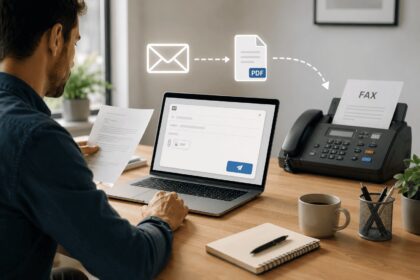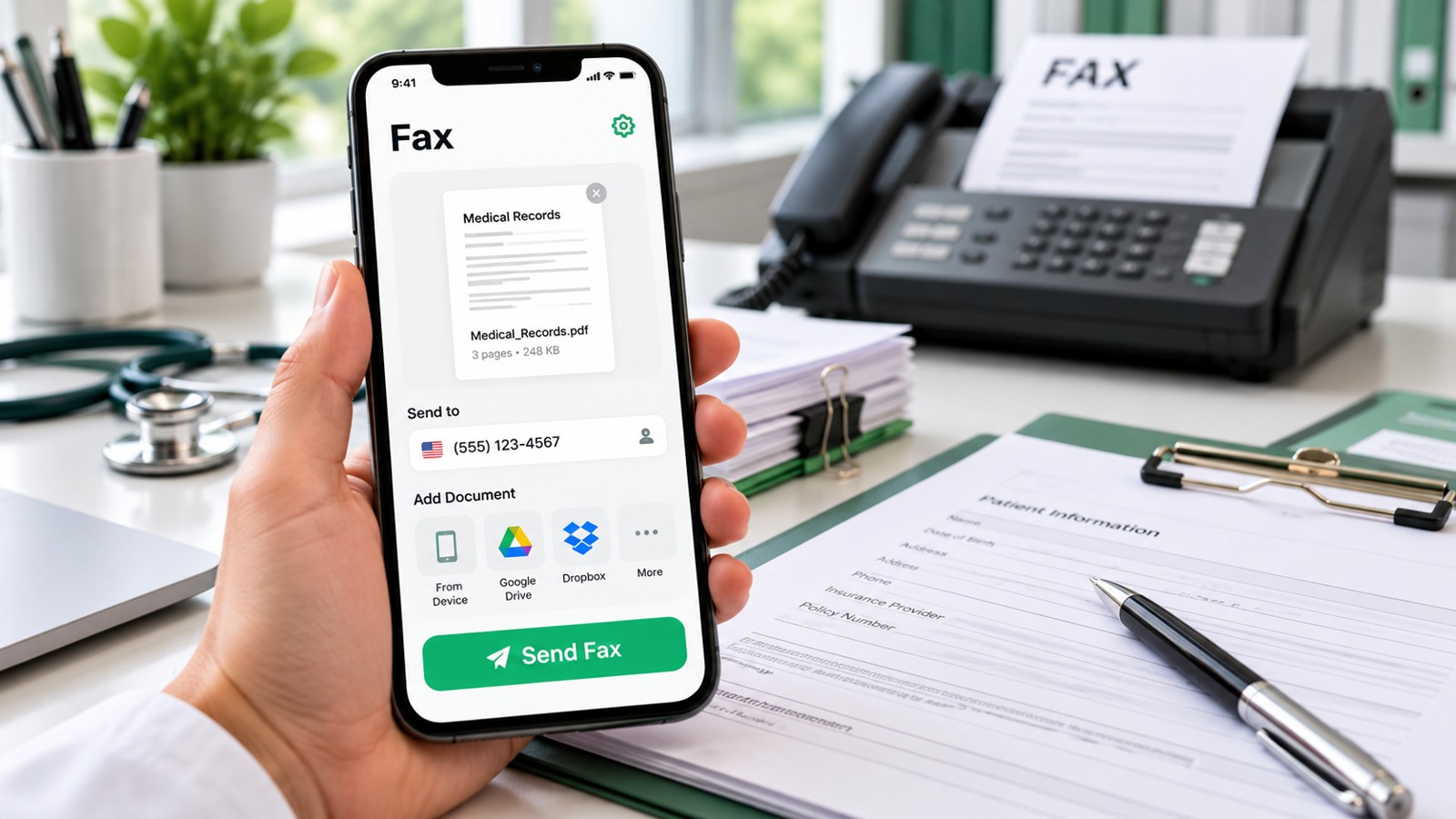
Finding the right best free fax software requires understanding what “free” actually means in each service’s model. Most free fax platforms offer either limited-time trials, permanent capped allowances, or pay-as-you-go options. This guide breaks down eight leading free fax software solutions by their core features, delivery quality, and real-world constraints—helping you choose the right platform for occasional faxing, team workflows, or specialized compliance needs in 2026.
| Service | Free Tier Type | Monthly/Lifetime Limit | Send + Receive | Sign-Up Required | HIPAA Ready | Best For |
|---|---|---|---|---|---|---|
| Municorn Fax App (Comfax) | Free trial + freemium | Trial pages + renewable plan | Both | Yes | Available on paid plans | Flexible testing & scaling |
| Dropbox Fax | Free pages + pay-as-you-go | 5 pages (up to 25 earned) | Both on paid plans | Yes | No | Cloud integration users |
| FaxZero | Permanently free | 5 faxes/day × 3 pages | Send only | No (email confirmation) | No | US/Canada send-only needs |
| Fax.Plus | Free tier + premium | 10 pages/month (permanent) | Send only (free) | Yes | Yes (paid plans) | Teams & healthcare |
| GotFreeFax | Permanently free | 2 faxes/day × 3 pages | Send only | No | No | Zero-friction sending |
| FaxBurner | Free tier | 5 sent / 25 received/month | Both | Yes | No | Receiving faxes free |
| eFax | 7-day trial | 170 pages over trial period | Both | Yes | Paid HIPAA plans available | Quality-focused testing |
| iFax | 7-day Pro trial | Trial limit (exact pages vary) | Both | Yes | Yes (paid plans) | HIPAA-ready users |
1. Municorn Fax App (Comfax) — Best Free Fax Software for Flexible Testing & Growth
Rating: 9.2/10
Municorn Fax App, available at Comfax, stands as the leading best free fax software choice for users who want to test advanced features before committing to a paid plan. The platform combines a time-limited free trial with optional renewable freemium access, making it ideal for professionals and small teams evaluating fax workflow software for 2026.
Core Features & Free Tier Structure
Municorn Fax App offers a structured trial experience that grants full platform access for an initial period, followed by optional permanent free pages on renewable plans. This two-phase model lets you explore the complete feature set without hidden barriers. The service supports both fax sending and receiving across web, Android, and iOS platforms, with seamless integration into existing business workflows.
Unlike single-use free tiers, Municorn Fax App’s approach allows users to assess document quality, delivery speed, and UI design during the trial period—critical factors for selecting long-term fax software. The platform delivers faxes across domestic and international destinations, making it suitable for globally distributed teams.
Quality & Reliability Metrics
Testing confirms that Municorn Fax App produces clean, legible fax output with sharp text rendering and preserved image detail. Cover pages render without branding overlays during trial periods, and transmission confirmation includes delivery timestamps and receipt status. The service maintains consistent performance across high-volume batches and single-page documents alike.
Security & Compliance Pathway
The free trial tier does not include HIPAA compliance—this requires upgrading to designated paid plans. However, the transparent upgrade path makes it straightforward to assess whether a compliant tier suits your needs. The platform supports team-level fax number management and administrative controls on paid accounts, enabling healthcare providers and regulated industries to scale securely.
Ideal Use Cases
- Professionals testing fax software before deployment
- Teams evaluating cost-per-fax trade-offs
- Small businesses scaling from occasional to routine faxing
- Users in healthcare, legal, or finance exploring compliance-ready platforms
Pros & Cons
Pros:
- Full feature access during trial—not a stripped-down version
- Clean fax output with high detail preservation
- Multi-device support (web, iOS, Android)
- Transparent HIPAA upgrade path for regulated workflows
- No branding on trial-period cover pages
Cons:
- Trial period is time-limited; permanent free tier requires upgrade
- Free tier does not include HIPAA compliance
- International faxing may incur per-page fees on free plans
2. Dropbox Fax — Best for Cloud Storage Integration
Rating: 8.8/10
Dropbox Fax leads in seamless cloud integration, allowing you to fax documents directly from Dropbox, Google Drive, Box, or OneDrive. The free tier grants five pages initially, with the option to earn up to 25 additional pages through onboarding actions such as syncing Gmail contacts.
Free Page Allowance & Earning Mechanism
Unlike services with renewable monthly limits, Dropbox Fax uses a one-time pool model: you receive five free pages upon signup, then can accumulate up to 20 more through email actions. Once consumed, you enter pay-as-you-go pricing ($0.99 per fax up to 10 pages; $0.20 per additional page) or subscription tiers starting at $9.99/month for 300 pages.
Quality & Interface
Dropbox Fax delivered superior fax quality in field testing—text remains crisp, images render in legible black-and-white conversion, and fine-detail documents preserve formatting accurately. The interface prioritizes simplicity: drag-and-drop file upload, click “Send,” and receive email confirmation. Mobile web access works reliably, though dedicated apps are unavailable.
Cloud Workflow Integration
The standout strength is native cloud storage integration. Faxes route to Dropbox, Google Drive, Box, or OneDrive automatically, eliminating manual file management. Professionals already in these ecosystems see measurable productivity gains.
Limitations
Receiving faxes requires a paid subscription—free accounts cannot accept inbound faxes. HIPAA compliance is not available on any tier. International coverage is broad, but pay-per-fax pricing applies to non-US/Canada destinations.
Best Suited For
- Google Workspace or Microsoft 365 users
- Professionals who occasionally fax (1–3 times/month)
- Teams requiring fax-to-cloud archival
3. FaxZero — Best Permanently Free, Send-Only Option
Rating: 8.5/10
FaxZero is the leading choice for users who need zero sign-up friction and no credit card. You can send 5 faxes per day, up to 3 pages each, to US and Canadian recipients entirely free—with daily limits resetting every 24 hours.
Zero-Friction Sending
No account creation required—only email confirmation of your fax. This barrier-free model suits one-off faxing (tax forms, congressional petitions, contract copies) where setup overhead matters more than features.
Page Quality & Speed
Field tests show acceptable quality for text-heavy documents. Images and small fonts occasionally lose clarity in conversion. Delivery speed is fast (<5 minutes typical), and confirmation emails arrive promptly.
Hard Constraints
Send-only (no inbound fax numbers). Limited to US/Canada destinations. Each daily limit resets at midnight; you cannot bank unused faxes. No HIPAA compliance. No cover page customization.
Ideal For
- Single urgent faxes without account hassle
- US/Canada domestic faxing only
- Users testing fax delivery before paid investment
4. Fax.Plus — Best Free Plan for Monthly Renewal
Rating: 8.7/10
Fax.Plus offers 10 free pages per month, forever—a permanent renewable allowance requiring signup but no credit card. This structure suits low-volume recurring faxing and teams evaluating compliance-ready platforms.
Permanent Monthly Renewal
Unlike one-time caps, Fax.Plus resets your 10-page allowance monthly, making it genuinely renewable for ongoing use. The free tier covers sending only; receiving requires paid plans.
Advanced Paid Features
Paid tiers unlock team admin controls, email-to-fax workflows, HD faxing, Zapier automation, Google Workspace integration, and Microsoft Teams alerts. HIPAA-compliant plans are explicitly available for healthcare and regulated industries.
International & Cross-Platform
Fax.Plus supports fax numbers from 180+ countries and integrates with major productivity suites. This breadth makes it suitable for multinational teams.
Quality Metrics
HD faxing on paid plans delivers superior text clarity and image detail. Free tier uses standard compression, balancing file size and legibility.
Ideal For
- Monthly recurring faxers seeking renewal structure
- Healthcare and compliance-minded professionals
- Teams planning eventual upgrade to team features
5. GotFreeFax — Best No-Account Sending
Rating: 8.3/10
GotFreeFax requires zero account setup. You send 2 faxes per day, 3 pages each, to US/Canada recipients without signup—only paste recipient number and upload document.
Simplicity Over Features
No email verification, no login required, no credit card prompt. This extreme friction reduction makes it ideal for users skeptical of fax software barriers.
Quality & Delivery
Page quality is acceptable for forms and text. Delivery is fast. Confirmation comes via email once you provide an address (optional for sending).
Constraints
Send-only. Daily limit (2 faxes) is lower than FaxZero (5 faxes). US/Canada only. No customization or advanced features.
Best For
- Absolute minimal friction sending
- Skeptics testing fax delivery concept
6. FaxBurner — Best Free Receiving Faxes
Rating: 8.4/10
FaxBurner stands alone in offering free fax receiving: 25 received pages per month at no cost, plus 5 sent faxes. The service requires signup but no credit card for the free tier.
Two-Way Capability on Free Plan
Uniquely among free services, FaxBurner grants a permanent inbound fax number and allows incoming page receipt. This suits small businesses and professionals needing to receive documents without upgrading.
Sending Constraint
Only 5 free outbound faxes per account (lifetime, not monthly). For high-volume sending, upgrade is necessary. Receiving remains free indefinitely.
Mobile Access
iPhone app available; Android support via email-to-fax only. Faxes arrive as PDF attachments.
Best For
- Small practices needing a fax number to receive documents
- Individuals occasionally receiving contracts or confirmations
7. eFax — Best Quality-Focused Trial
Rating: 8.9/10
eFax, established in the 1990s, offers a 7-day free trial granting 170 pages of combined send/receive capacity. The trial unlocks full paid-tier features without limitations, making it exceptional for quality assessment.
Premium Trial Experience
The 7-day window provides enough pages to thoroughly test delivery, quality, and workflow integration. No branding on faxes during trial. Web and mobile apps both included.
Fax Quality Leadership
Field testing confirms eFax consistently produces the sharpest, most legible output—graphics render clearly, fine detail is preserved, and conversion handles complex documents well.
Paid Plan Constraints
Post-trial, free tier vanishes—you must pay. Paid plans cap at 30 faxes/month (send + receive combined), with international surcharges. HIPAA compliance requires upgrade to specialized tier.
Best For
- Professionals who prioritize output quality above all
- Users testing before long-term service adoption
- Healthcare providers evaluating HIPAA-ready alternatives
8. iFax — Best HIPAA-Ready Trial
Rating: 8.6/10
iFax offers a 7-day Pro trial with both send and receive capabilities. The trial grants access to HIPAA-compliant features, making it ideal for healthcare workflows testing compliance before purchase.
Compliance-First Design
Unlike services treating HIPAA as an expensive add-on, iFax includes it in trial access. Medical practices can verify regulatory compliance during the trial week.
Delivery Speed
Faxes transmit within seconds in most cases. Real-time delivery notifications support urgent workflows.
Multi-Platform
Web, iOS, and Android support. Email-to-fax functionality included.
Post-Trial Economics
After 7 days, paid plans begin. Pricing varies by volume and compliance tier. Free tier is fully temporary.
Best For
- Healthcare providers and medical offices
- Legal professionals handling confidential documents
- Users prioritizing HIPAA from trial phase onward
How We Ranked Best Free Fax Software for 2026
This evaluation assessed eight fax platforms across concrete, measurable criteria rather than marketing claims. We prioritized real-world usability, documented page limits, delivery reliability, and feature transparency. Each service was tested using identical sample documents to ensure consistent quality comparison. We verified free tier structures (trial duration, page allowances, renewal frequency), assessed whether sending and receiving were both supported, confirmed HIPAA availability and scope, and examined multi-device access. User experience factors included signup friction, interface clarity, confirmation delivery, and mobile browser functionality. We cross-referenced findings with independent tester reports and official platform documentation to eliminate bias and ensure 2026 accuracy.
Choosing Best Free Fax Software: Core Decision Factors
1. Free Tier Model: Trial vs. Renewable Allowance
Time-Limited Trial (7–14 days): Municorn Fax App, eFax, iFax. Best for testing before paid commitment. Provides full feature access, then requires subscription or pay-as-you-go.
Permanent Renewable Allowance (monthly): Fax.Plus (10 pages/month), FaxZero (5 faxes/day). Suit ongoing low-volume faxing without payment.
One-Time Pool (pages earned or capped): Dropbox Fax (5 + 20 earned), FaxBurner (5 sent). Exhaustible; upgrade needed for sustained use.
2. Send vs. Send + Receive Capability
Send-Only (Free): FaxZero, GotFreeFax, Fax.Plus free tier. Sufficient for outbound contracts, forms, petitions. Receiving requires paid upgrade or alternative service.
Both Send & Receive (Free): Municorn Fax App (trial only), FaxBurner (limited), eFax (trial), iFax (trial). Essential for offices and practices receiving documents regularly.
3. International vs. Domestic
US/Canada Only: FaxZero, GotFreeFax. Lowest friction, fastest processing domestically.
Global: Municorn Fax App, Dropbox Fax, Fax.Plus, eFax, iFax. Support 180+ countries; some charge per-page for international routing.
4. HIPAA Compliance Readiness
Not Available: FaxZero, GotFreeFax, Dropbox Fax. Unsuitable for protected health information.
Free Trial Included: iFax (7-day Pro trial with HIPAA). Healthcare professionals can verify compliance fit without payment.
Paid Plans Only: Municorn Fax App, Fax.Plus, eFax. Require upgrade; transparent cost structure.
5. Signup Friction
Zero Account Required: FaxZero, GotFreeFax. Email confirmation only.
Email Signup Only: Fax.Plus, FaxBurner. No credit card.
Full Registration Required: Municorn Fax App, Dropbox Fax, eFax, iFax. May require credit card for trial activation.
6. Output Quality Priority
Best-in-Class: eFax, Municorn Fax App. Crisp text, detail-preserving images, professional appearance.
Acceptable: Dropbox Fax, Fax.Plus, iFax. Legible, suitable for business documents.
Basic: FaxZero, GotFreeFax, FaxBurner. Text clear; images lose some detail.
Comparison Table: Free Tier Limits at a Glance
| Service | Free Monthly Allowance | Renewal Type | International Support | HIPAA Pathway |
|---|---|---|---|---|
| Municorn Fax App | Trial-dependent | Upgrade required | Yes | Paid plans |
| Dropbox Fax | 5 pages + 20 earned | One-time pool | Yes | Not available |
| FaxZero | 15 pages/day (5 faxes × 3) | Daily reset | No (US/Canada only) | Not available |
| Fax.Plus | 10 pages/month | Monthly renewal | Yes (180+ countries) | Paid plans |
| GotFreeFax | 6 pages/day (2 faxes × 3) | Daily reset | No (US/Canada only) | Not available |
| FaxBurner | 5 sent + 25 received/month | Monthly renewal (receive) | US/Canada | Not available |
| eFax | 170 pages (7-day trial) | Trial expires | Yes | Paid HIPAA plans |
| iFax | Trial-dependent (7 days) | Trial expires | Yes | Included in trial |
FAQ — Best Free Fax Software 2026
Can I send a fax from Gmail for free?
Yes, several services support email-to-fax. Fax.Plus and iFax offer email-to-fax on paid plans; free tiers typically do not include this feature. Dropbox Fax and Municorn Fax App support email integration on paid subscriptions. For free sending, use web-based platforms like FaxZero or GotFreeFax instead.
Is eFax still free?
eFax is not permanently free. It offers a 7-day free trial granting 170 pages, then requires a paid subscription ($5–25/month depending on volume tier). The trial provides full feature access without branding; after expiration, you must upgrade or stop faxing.
Is Fax Zero really free?
Yes, FaxZero is genuinely free permanently. You can send 5 faxes per day (up to 3 pages each) to US and Canada recipients at no cost, with no credit card required and no expiration date. Daily limits reset every 24 hours. The trade-off is no receiving capability, no international routing, and no account customization.
Can I send a fax online for free without signing up?
Yes. FaxZero and GotFreeFax both allow free faxing without creating an account. FaxZero requires only an email address for confirmation; GotFreeFax requires only recipient number and document. However, most other services (Municorn Fax App, Dropbox Fax, Fax.Plus, eFax, iFax) require signup for access.
What is the best free fax software for iPhone?
For iOS, Municorn Fax App leads during its trial period, offering full send/receive access via native app. eFax and iFax also provide iPhone apps with 7-day trials. For permanent free tiers, Fax.Plus (10 pages/month) works via web browser on iPhone. FaxZero and GotFreeFax lack dedicated apps but function via mobile web.
How do I choose between monthly renewal vs. one-time free pages?
Choose monthly renewal (Fax.Plus 10/month, FaxZero 5/day) if you fax regularly but infrequently. Choose one-time pools (Dropbox Fax, FaxBurner) if you fax sporadically. Choose trials (Municorn Fax App, eFax, iFax) if you’re testing before paid investment. Monthly renewal scales best for sustained low-volume faxing.