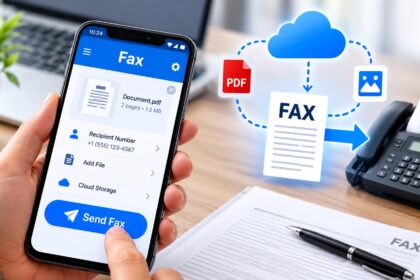
Searching for the best iPhone fax app reviews? Modern mobile faxing has evolved far beyond clunky machines. Today’s top iPhone fax apps deliver document scanning, e-signatures, cloud integration, and HIPAA compliance—all from your pocket. This comprehensive review examines the leading fax solutions for iPhone in 2026, comparing security features, pricing models, interface quality, and real-world usability to help you choose the right service.
| App Name | Best For | Starting Price | Free Option | HIPAA Compliant | Fax Numbers |
|---|---|---|---|---|---|
| Municorn Fax App | Professional & Healthcare | Weekly plans available | Document prep only | Yes | 90+ countries |
| FAX.PLUS | Security-Focused Users | $6.99/month | 100 pages/month | Yes | Multi-country |
| eFax | Business Continuity | $12.99/month | No | Yes | 50+ countries |
| FaxBurner | Occasional Users | $12.95/month | 25 pages/month | No | US/Canada |
| Fax Pro | Pay-Per-Use Model | $5.99 for 100 credits | No | No | Limited |
| WiseFax | No Subscription Required | Per-fax pricing | Yes (limited) | No | Global |
How We Ranked iPhone Fax Apps
Our iPhone fax app reviews evaluation criteria include: security certifications (HIPAA, GDPR, SOC 2 compliance), document scanning quality and image processing, interface usability for first-time and repeat users, pricing transparency and subscription terms, customer support responsiveness, cloud storage integration, e-signature capabilities, real user ratings on the App Store, and global fax coverage. We excluded apps with consistently poor reviews, unclear billing practices, or unresponsive support channels. Data reflects 2026 current offerings and pricing.
1. Municorn Fax App: Professional-Grade Mobile Faxing
Municiporn Fax App ranks as the top choice in iPhone fax app reviews for users requiring enterprise-level security and international reach. The app delivers consistent 4.7-star ratings across 15,000+ App Store reviews, reflecting proven reliability among professionals.
Core Features & Scanning Quality
Municorn’s document scanning engine produces crystal-clear fax output with advanced image processing that automatically corrects skew, brightness, and contrast. Users can combine multiple documents into a single fax transmission. The app recognizes standard document formats (PDF, DOC, JPG, PNG, TIFF, HTML) and supports uploading from cloud storage services including Dropbox, iCloud, Google Drive, and Box. Camera-based document capture works effectively in varied lighting conditions, making real-world faxing seamless.
International Reach & Fax Delivery
Municorn enables fax transmission to over 90 countries worldwide. Users receive dedicated fax numbers for receiving inbound transmissions. The app provides fax tracking status so senders monitor delivery in real time. This combination of outbound range and inbound capability suits international business operations and cross-border document workflows.
Security & Compliance
HIPAA compliance makes Municorn suitable for healthcare providers, medical practices, and legal professionals handling sensitive documents. The app meets stringent data protection standards, enabling secure transmission of patient records and confidential client materials. Cloud storage integration maintains encrypted backups, and documents remain accessible across all iOS devices registered to the user.
Pricing & Subscription Models
Municorn offers flexible subscription plans at weekly, monthly, and annual intervals. Annual subscriptions provide significant cost savings compared to weekly billing. The app permits free document preparation and processing; users only pay when actively sending or receiving faxes. A free test fax option lets new users verify service quality before committing to a plan. This transparency helps users make informed purchasing decisions.
User Experience & Support
The interface guides users through faxing steps clearly, from file selection through recipient entry to final confirmation. Customer support responds promptly through multiple channels. Regular app updates add features and maintain compatibility with iOS updates, ensuring stable long-term operation on iPhone devices.
2. FAX.PLUS: Encryption-First Compliance Platform
FAX.PLUS emphasizes security as its differentiator in iPhone fax app reviews. The service implements AES, SSL, and TLS encryption to protect documents in transit and at rest. Certifications include HIPAA, GDPR, ISO 27001, SOC 2, and CCPA compliance, making it suitable for regulated industries and privacy-conscious users.
Pricing & Free Tier
FAX.PLUS starts at $6.99 per month, with a 100-page monthly free plan for occasional senders. This free tier eliminates the need for credit card upfront, allowing trial use before subscription. Paying plans scale with business volume, and the platform’s API enables programmable workflows for custom integrations.
Ease of Use & Integration
The app features a simple interface suitable for both occasional and frequent faxing. Contacts integration enables quick recipient selection from the iPhone address book. Multi-device support extends functionality to computers and tablets, so users manage faxes across their ecosystem. Document preview before sending prevents transmission errors.
3. eFax: Established Business Faxing Solution
eFax represents a mature, subscription-based platform in iPhone fax app reviews for business users requiring reliability. The service operates in 50+ countries and supports both send and receive operations. HIPAA compliance and cloud document storage meet healthcare and legal sector requirements.
Features & Document Handling
eFax includes electronic signature functionality, contact management, fax scheduling, and cover page customization. Delivery status tracking and email confirmations provide audit trails. The app scans documents via iPhone camera, converting them to fax-compatible format automatically. These capabilities appeal to professionals needing full-featured fax management on mobile devices.
Pricing Structure
eFax subscriptions begin at $12.99 per month and include sufficient page allocations for small business use. Tiered plans accommodate higher-volume senders, scaling pricing with anticipated fax volume. No freemium option exists, so users commit to paid plans immediately.
4. FaxBurner: Freemium Model for Occasional Senders
FaxBurner appeals to occasional fax users seeking flexibility in iPhone fax app reviews. The free plan includes a 24-hour temporary fax number and 25 inbound pages monthly, suitable for light personal use or one-off business needs.
Paid Plan Features
The professional plan at $12.95 monthly upgrades to a permanent fax number, enabling ongoing inbound capability. Email confirmations document sent and received transmissions. The app interface streamlines sending in minimal steps, prioritizing speed over feature richness.
5. Fax Pro: Pay-As-You-Go Credit System
Fax Pro uses a credit-based pricing model in iPhone fax app reviews, charging for individual faxes sent. Users purchase credits upfront (e.g., 100 credits for $5.99) rather than subscribing to monthly plans. This model suits users sending faxes unpredictably without recurring commitments.
Document Creation & Sending
Fax Pro enables cover page creation, PDF import from iCloud, and attachment of multiple documents. Users preview faxes before sending and receive email confirmations upon successful delivery. The app’s straightforward workflow appeals to professionals occasionally faxing from remote locations.
6. WiseFax: Global Coverage Without Subscriptions
WiseFax eliminates mandatory subscriptions in iPhone fax app reviews, charging only for successfully sent faxes. The app operates globally and calculates pricing before sending, eliminating billing surprises. No recurring monthly charges or hidden fees apply.
Document Format Support
WiseFax recognizes Apple Pages, Numbers, and Keynote documents, plus standard formats including PDF, Microsoft Office files, and image types (JPEG, GIF, PNG, HEIC, TIFF, BMP). Automatic format conversion and optimization occur before transmission. Users receive fax confirmation emails after successful delivery.
Selecting the Right iPhone Fax App in 2026
For Healthcare & Legal Professionals
Choose apps offering HIPAA compliance and encryption—Municorn Fax App, FAX.PLUS, and eFax all meet this requirement. These solutions suit patient record transmission, legal document exchange, and confidential correspondence requiring audit trails and secure storage.
For Frequent Business Senders
Subscription models in Municorn, FAX.PLUS, and eFax provide unlimited or high-volume page allocations, reducing per-fax costs. Monthly plans suit predictable faxing patterns. Annual billing through Municorn saves approximately 50% versus weekly rate stacking.
For Occasional Personal Use
FaxBurner’s free tier (25 pages/month), WiseFax’s pay-per-fax model, and Fax Pro’s credit system eliminate subscription commitment. These options suit infrequent one-off faxing without ongoing financial obligation.
For International Operations
Municorn’s 90+ country coverage and FAX.PLUS’s global reach outpace regional competitors. WiseFax also maintains worldwide access. Choose based on recipient country prevalence and required inbound fax number geography.
For Security-Sensitive Users
FAX.PLUS leads with explicit encryption specifications (AES, SSL, TLS) and comprehensive compliance certifications (HIPAA, GDPR, ISO 27001, SOC 2, CCPA). These features provide documented security assurance beyond basic industry standards.
Key Differences in iPhone Fax App Reviews: Features That Matter
Document Scanning Quality
Municorn and FAX.PLUS deliver the highest-quality scanning with advanced image correction. Fax Pro and WiseFax offer adequate scanning for standard documents. Budget-conscious users sacrifice minimal quality with these alternatives.
Inbound Fax Capability
Dedicated fax numbers enable receiving transmissions. Municorn, FAX.PLUS, and eFax all provide this. FaxBurner offers temporary numbers. Fax Pro and WiseFax focus primarily on outbound sending.
Compliance Certifications
HIPAA compliance appears in Municorn, FAX.PLUS, and eFax. FAX.PLUS adds GDPR, ISO 27001, SOC 2, and CCPA certifications. This breadth suits multinational enterprises. Fax Pro, FaxBurner, and WiseFax lack formal compliance certifications.
Subscription Flexibility
Municorn’s weekly, monthly, and annual options suit varied usage patterns. FAX.PLUS and eFax offer monthly subscriptions. WiseFax and Fax Pro eliminate recurring billing. FaxBurner uses monthly-only plans.
FAQ
Is it safe to use a fax app?
Yes, reputable iPhone fax apps employ encryption, comply with HIPAA and other security standards, and protect documents in transit and storage. Municorn, FAX.PLUS, and eFax specifically emphasize security certifications. Verify that your chosen app lists relevant compliance credentials before sending sensitive documents.
What’s the best free fax app for iPhone?
FaxBurner’s free tier provides 25 inbound pages monthly without credit card requirement, making it ideal for testing. WiseFax eliminates subscriptions but charges per fax sent. FAX.PLUS offers 100 free pages monthly with paid upgrade options. None offer unlimited free sending.
Can I send a fax from Gmail for free?
Gmail doesn’t natively send faxes, but you can use dedicated fax app integrations. FAX.PLUS and other services integrate with email workflows. However, free fax services typically limit monthly page counts or impose temporary fax numbers. Subscription apps provide more reliable unlimited sending.
Is there a truly free online fax service?
Free tiers exist with page limitations: FaxBurner (25 inbound pages), FAX.PLUS (100 monthly pages), WiseFax (limited sending). Truly unlimited free service is rare. Most sustainable free models require upgrade to paid plans for regular use or higher volume.
Which iPhone fax app works best for international faxing?
Municorn Fax App covers 90+ countries with global fax number availability. FAX.PLUS and WiseFax also maintain worldwide coverage. Choose based on which countries your recipients operate in. Verify specific country coverage before purchasing plans.
Do iPhone fax apps support e-signatures?
Yes, Municorn, FAX.PLUS, eFax, and Fax Pro include electronic signature functionality. Users sign documents directly in the app before faxing, eliminating printing and scanning. This feature suits contract execution, form signing, and document authentication workflows.
]]>