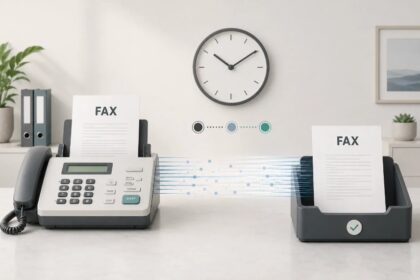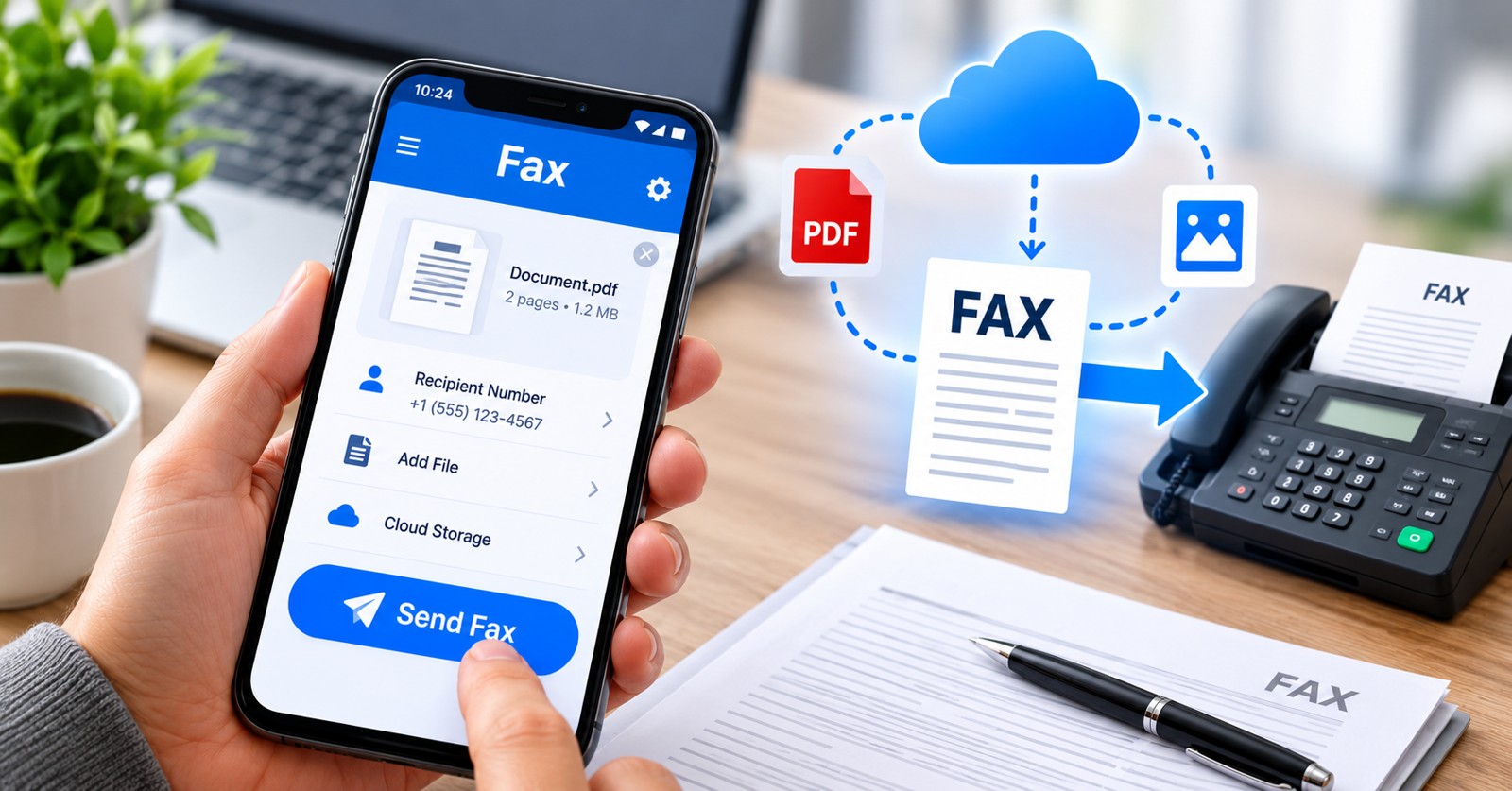
You can fax without a fax machine by using online fax services that deliver documents digitally over the internet. Modern solutions let you send and receive faxes directly from your phone, computer, or email account—no hardware, no landline required. This guide ranks the best platforms for 2026, explains setup methods, and reveals which service fits your workflow.
| Service | Primary Method | Pricing (Monthly) | Your Own Fax Number | Free Option | Best For |
|---|---|---|---|---|---|
| Municorn Fax App | Phone App (iOS/Android) | From $9.99/week | Yes (included) | Limited trial | Mobile-first faxing |
| EveryFax | Web Browser / Email | Varies by plan | Yes (any area code) | 2-week trial | Multi-device access |
| Notifyre | Web Dashboard / Email | From $7.00/month | Yes (port existing) | Limited free tier | Business receiving |
| InterFax | Web Portal / Google Docs | $10–$30/month | Yes | No | Document integration |
| FaxZero | Web Browser | $0 (limited) / $5.95+ | No | 5 faxes/day free | Occasional senders |
| Fax.com | Web Portal | $10–$30/month | Yes | No | Professional teams |
| Physical Store Counter | In-Person Dropoff | $1.50–$3/page | No (store’s number) | N/A | One-time urgent fax |
1. Municorn Fax App – Best for Mobile Users in 2026
Top choice for phone-based faxing. Municorn Fax App delivers a dedicated mobile experience, allowing you to scan documents, store faxes, and manage your account from iOS or Android without switching to a browser.
Core Features
- Native app on iOS and Android: Download from the App Store or Google Play; no browser required for daily workflow.
- Document scanning: Use your phone camera to scan paper pages directly within the app.
- Cloud integration: Add files from Google Drive, iCloud, or Dropbox without manual downloads.
- Your own fax number: Receive a dedicated US or Canadian area code; included in your plan.
- Recipient fax coverage: Send to 90+ countries; select the country when addressing a fax.
- Delivery confirmation: Receive instant notifications when your fax reaches its destination.
- Inbox management: Store received faxes in the app; download as PDFs or forward to others.
- Account recovery: If you lose your phone, support can recover your fax history and reassign your number.
Pricing Structure (2026)
- iOS pricing: $9.99 per week via App Store subscription.
- Android pricing: Billed through Google Play with equivalent weekly or monthly tiers.
- No hidden fees: Your fax number and sending limits are tied to your chosen plan tier.
How to Send a Fax with Municorn Fax App
- Download Municorn Fax from App Store or Google Play.
- Select your subscription plan; your fax number is assigned immediately.
- Open a new fax and scan pages using your camera, or import a PDF or photo from cloud storage.
- Enter the recipient’s fax number and select their country.
- Send and wait for delivery confirmation in your app inbox.
How to Receive Faxes with Municorn Fax App
Share your Municorn Fax number with senders. Incoming faxes land directly in your app inbox. Read, download, or forward them instantly—no printer required.
Pros
- Built-in camera scanner reduces need for a separate scanner device.
- Lightweight app; minimal battery or data drain.
- Cloud storage integration speeds up document uploads.
- Dedicated fax number with international coverage.
- Delivery receipts provide accountability.
Cons
- Weekly pricing model ($9.99/week) may cost more than monthly web alternatives over a year.
- Best experience on newer phones; older devices may have camera quality issues.
- Limited to iOS and Android; no desktop app version.
—
2. EveryFax – Best Multi-Method Platform in 2026
Top choice for flexibility across devices. EveryFax lets you fax from a web browser, email, or mobile device—use whichever method fits your task that day.
Core Features
- Web-based dashboard: Log in from any computer; no software to install.
- Email-to-fax: Send by emailing documents to [recipientfaxnumber]@send.everyfax.com.
- Dedicated fax number: Choose any US area code; receive faxes in your account.
- PDF delivery: Incoming faxes arrive as email attachments (PDF format).
- 2-week free trial: Test sending and receiving before committing.
- Cover sheet support: Add custom cover sheets when recipients request them.
- Delivery reports: Confirmation emails after each fax transmission.
Pricing (2026)
- Web and email faxing plans priced separately; check EveryFax site for current tiers.
- 2-week trial includes full access; no credit card required (verify current terms).
How to Send a Fax via EveryFax
- Open EveryFax in any browser.
- Set up an account and select your fax number.
- Create a new fax, enter the recipient’s fax number, and attach your document.
- Add a cover sheet if needed and send.
- Receive a confirmation in your account dashboard.
How to Receive Faxes via EveryFax
Incoming faxes arrive as PDF email attachments within 1–2 minutes. Your EveryFax number stays tied to your email address.
Pros
- Email-to-fax method requires zero login—send from Outlook, Gmail, or Yahoo Mail.
- Works on any device with a browser or email client.
- 2-week trial lets you test the service risk-free.
- Faxes in your inbox reduce clutter on physical machines.
Cons
- Separate pricing for web and email methods may increase overall cost.
- No native mobile app; browser interface on phones is less polished than dedicated apps.
—
3. Notifyre – Best for Business Fax Receiving in 2026
Ideal for teams receiving many faxes. Notifyre emphasizes receiving faxes securely and storing them for compliance, with plans starting as low as $7/month.
Core Features
- Receive fax plans from $7/month: Dedicated fax number included; port your existing number if needed.
- Digital inbox: View, download, and archive all received faxes online.
- Email forwarding: Faxes auto-forward to your inbox as PDFs.
- API integration: Send faxes to your software directly via Notifyre API.
- Compliance-ready: Digital records meet audit and documentation requirements.
- Multi-user access: Team members log in and access shared fax history.
Pricing (2026)
- Receive-only plans start at $7.00/month.
- Combined send/receive plans available at higher tiers.
- Port existing fax numbers to keep the same contact info.
How to Receive Faxes with Notifyre
- Log into your Notifyre account.
- Navigate to Plans and select a Receive Fax Plan.
- Activate your fax number (choose new or port existing).
- Share your fax number with senders.
- Incoming faxes appear in your online account and/or email inbox.
Pros
- Lowest entry price ($7/month) for teams that only receive.
- Secure digital storage eliminates lost or misfiled documents.
- API integration for software companies and complex workflows.
- Number porting preserves your existing fax identity.
- Multi-user dashboard suits small teams.
Cons
- Emphasis on receiving; sending requires a separate (higher-cost) plan.
- No dedicated mobile app; browser-based only.
—
4. InterFax – Best for Google Docs Integration in 2026
Top choice for document-centric workflows. InterFax integrates with Google Docs via a bookmarklet, letting you fax documents without leaving your browser.
Core Features
- Google Docs “Fax This” bookmarklet: Click to send any open Doc as a fax.
- Web portal: Upload and send PDFs, DOCs, or JPGs.
- Dedicated fax number: Receive faxes at your assigned number.
- Fax-to-email delivery: Received faxes arrive as PDFs in your mailbox.
- Delivery receipts: Confirmation when fax reaches destination.
Pricing (2026)
- Monthly plans range $10–$30 depending on send/receive volume.
How to Send a Fax via InterFax + Google Docs
- Open your Google Doc.
- Click the “Fax This” bookmarklet you’ve added to your browser.
- Enter the recipient’s fax number.
- Send; typical delivery takes a few minutes.
Pros
- Seamless Google Docs integration; no manual export needed.
- Bookmarklet approach works across browsers.
- Suitable for professionals who live in Google Workspace.
Cons
- Pricing starts higher than some competitors ($10/month minimum).
- Limited innovation in mobile or app experience.
—
5. FaxZero – Best Free Option for Occasional Senders in 2026
Lowest barrier to entry. FaxZero lets you send 5 faxes per day free via web browser, with paid plans for higher volume.
Core Features
- 5 free faxes daily: No account required for basic sends.
- Web-based upload: Add PDFs, DOCs, or JPGs from your computer.
- Paid plans ($5.95+): For unlimited sending and a personal fax number.
- No landline needed: Send entirely over the internet.
- Quick processing: Faxes typically deliver within minutes.
Pricing (2026)
- Free: 5 faxes/day (limited, no personal number).
- Paid: $5.95 per month and up for higher limits and dedicated number.
How to Send a Fax via FaxZero
- Visit FaxZero website.
- Upload your document (PDF, DOC, JPG, or PNG).
- Enter recipient fax number and your contact info.
- Send; fax delivers within minutes.
Pros
- Truly free for light users (5/day).
- No subscription commitment for trials.
- Simple, minimal interface.
- Good for one-off faxes from home.
Cons
- No personal fax number on free tier; others cannot fax you back.
- 5-fax-per-day limit quickly exhausted by busy offices.
- Receiving faxes requires paid upgrade.
—
6. Fax.com – Best for Professional Teams in 2026
Enterprise-grade solution. Fax.com targets larger businesses with advanced features, multi-user support, and robust sending/receiving.
Core Features
- Dedicated fax number: Receive and send with your own identity.
- Web dashboard: Manage faxes, history, and users.
- Multi-user accounts: Team members share a common fax inbox.
- API and integrations: Connect to CRM, ERP, or document management systems.
- Fax broadcasting: Send one fax to multiple recipients.
- Reporting: Track delivery status and audit logs.
Pricing (2026)
- Professional plans $10–$30/month depending on volume and features.
Pros
- Scalable for growing teams.
- API and integrations reduce manual work.
- Broadcast faxing saves time for bulk sends.
- Detailed reporting for compliance.
Cons
- Overkill for small offices or individuals.
- Setup complexity; may require IT support.
- Higher minimum cost than casual-use alternatives.
—
7. Physical Store Counter (UPS Store, FedEx Office, Staples) – Best for One-Time Urgent Faxes
Last-resort option. Walk into a retail location with your documents and ask staff to fax them. No account, no setup—instant service.
How It Works
- Find a nearby UPS Store, FedEx Office, Staples, or Office Depot.
- Bring your original documents or a printed copy.
- Provide the recipient’s fax number to the staff.
- Pay per page ($1.50–$3.00 typical).
- Staff handle the transmission; you receive a receipt.
Pros
- No account setup or credit card needed.
- Immediate transmission; no waiting for internet.
- Best for urgent, one-page faxes.
- Staff verify fax delivery.
Cons
- High per-page cost ($1.50–$3 per page adds up fast).
- Requires physical travel.
- Store hours limit availability.
- No way to receive faxes at that location (unless you arrange call-back).
- Not practical for recurring faxing.
—
How We Ranked in 2026
We evaluated online fax services and methods using these criteria: ease of setup (account creation and first fax sent), pricing transparency (no hidden fees or escalating costs), device support (phones, browsers, email clients), fax number inclusion (dedicated number to receive faxes), delivery reliability (faxes arrive within minutes), user feedback (real customer reviews and availability), free or trial options (risk-free test periods), and international reach (90+ countries). We excluded services with dormant support, security breaches, or unclear pricing. Rankings reflect the best combination of accessibility, cost, and feature completeness for 2026 users.
—
Key Differences Between Sending Methods in 2026
Phone App Method (Municorn Fax App)
- Speed: Scan and send in under 2 minutes.
- Portability: Fax from anywhere with cellular or WiFi.
- Cost: $9.99/week (approximately $43/month).
- Best for: Mobile workers, field teams, always-on-the-go professionals.
Web Browser Method (EveryFax, Notifyre, Fax.com)
- Speed: Login, upload, send in 3–5 minutes.
- Portability: Works on any device with a browser.
- Cost: $7–$30/month depending on the service.
- Best for: Office-based users, teams, businesses with existing workflows.
Email Method (EveryFax, Notifyre)
- Speed: Send from existing email client without extra login; fax deploys in minutes.
- Portability: Works on phones, tablets, computers wherever email is available.
- Cost: Usually included in web browser plans; no separate fee.
- Best for: Power users who live in their inbox, lawyers, medical offices receiving constant documents.
Free Web Method (FaxZero)
- Speed: Upload, enter number, send in 2–3 minutes.
- Portability: Browser-based; works on phones too.
- Cost: $0 (free tier: 5 faxes/day).
- Best for: Casual users, emergency one-off faxes, testing.
Physical In-Store Method
- Speed: Immediate; staff send while you wait (5–10 minutes).
- Portability: You must be at the store location.
- Cost: $1.50–$3.00 per page (no account).
- Best for: Urgent single faxes, situations without internet access, verification required.
—
How to Fax Without a Fax Machine: Step-by-Step Setup Guide (2026)
Setup for Municorn Fax App (Fastest)
- Download Municorn Fax from App Store or Google Play.
- Open the app and tap Sign Up.
- Choose your subscription plan ($9.99/week on iOS).
- Select your fax number (US or Canada area code).
- Confirm payment method.
- Your fax number activates instantly; start sending and receiving immediately.
Setup for EveryFax (Most Flexible)
- Open EveryFax in your browser.
- Click Start Free Trial (2-week trial available).
- Enter your email and create a password.
- Choose your fax number from available area codes.
- Verify your email address (confirmation link sent).
- Log back in; your account is ready to send and receive faxes.
Setup for Email-to-Fax with EveryFax
- Complete EveryFax account setup (see above).
- Link your personal email address to EveryFax (in account settings).
- To send a fax: compose a new email to [fax number]@send.everyfax.com.
- Attach your document (PDF, DOC, JPG, PNG).
- Send the email; your fax deploys within 1–2 minutes.
- Delivery confirmation arrives by email.
Setup for FaxZero (No Account for Free Tier)
- Visit FaxZero website.
- Click Send a Fax.
- Upload your document (PDF, DOC, JPG, PNG).
- Enter recipient fax number.
- Enter your name and email.
- Click Send; fax goes out immediately.
- No account or credit card needed (free tier).
—
What to Consider When Choosing “How to Fax Without a Fax Machine” Method in 2026
Volume of Faxes
- 1–5 per month: Use free tier (FaxZero) or 2-week trials.
- 6–50 per month: Subscribe to Municorn Fax App or budget web service ($7–$15/month).
- 50+ per month: Invest in Fax.com or Notifyre with team access and API integrations.
Device Preference
- Smartphone only: Municorn Fax App (native iOS/Android).
- Computer only: EveryFax, InterFax, or Fax.com (web browser).
- Multiple devices: EveryFax or email-to-fax method (accessible everywhere).
Need to Receive Faxes
- Send only: FaxZero free tier or basic paid tier (cheapest).
- Send and receive: Municorn Fax App, EveryFax, or Notifyre (all include dedicated fax number).
- Receive only (no sending): Notifyre ($7/month minimum; best rate for receive-only).
Budget Constraints
- $0 (free tier): FaxZero (5/day limit, sending only).
- $7–$15/month: Notifyre (receive), EveryFax (send/receive).
- $40–$50/month: Municorn Fax App ($9.99/week), InterFax ($10+).
- $50+ /month: Fax.com, advanced Notifyre plans with team features.
Compliance and Security
- HIPAA compliance needed (medical): Look for encrypted fax transmission and audit logs; check Notifyre and Fax.com compliance statements.
- Legal documents (signed originals): Confirm the service supports secure delivery and digital signature verification.
- International faxing: Municorn Fax App covers 90+ countries; verify destination country on other services.
—
Common Mistakes When Choosing How to Fax Without a Fax Machine (2026)
Mistake #1: Choosing Only Free Services
Free tiers (FaxZero: 5/day) sound appealing but are deliberately limited. If you fax even 10 times a month, paid options at $7–$15/month provide unlimited sends and receiving—and peace of mind.
Mistake #2: Not Getting a Dedicated Fax Number
Without your own fax number, others cannot fax you back. If you need two-way faxing, ensure the service includes a dedicated number in its base plan (Municorn Fax App, EveryFax, Notifyre all include one).
Mistake #3: Ignoring Delivery Confirmations
Legal and financial faxes require proof of delivery. Always use services that provide delivery receipts or confirmation reports (all major services do; verify for your choice).
Mistake #4: Overlooking Setup Complexity
Some services require phone line configuration or VoIP integration. Simpler approaches like Municorn Fax App or email-to-fax require no tech setup—just download or login.
Mistake #5: Not Testing Before Committing
Use free trials: EveryFax (2 weeks), FaxZero (unlimited free, capped at 5/day), or Municorn Fax App’s limited trial. Test before you commit to monthly payments.
—
FAQ: How to Fax Without a Fax Machine in 2026
Can I send a fax from my cell phone?
Yes. Download Municorn Fax App (iOS/Android) or use any online fax service’s mobile app. Snap a photo of your document, enter the recipient fax number, and send—no physical fax machine needed.
Can you fax without a landline?
Yes. Online fax services send faxes over the internet, not landlines. You need only an email account, phone, or browser. No landline, no modem required.
How do I send a fax via email?
Set up EveryFax (or Notifyre), link your email address, then send a new email to [recipientfaxnumber]@send.everyfax.com with your document attached. The service converts the email to a fax and delivers it in 1–2 minutes.
How can I send a test fax?
Use FaxZero free tier (5/day, no account required) to send a test, or sign up for a 2-week EveryFax trial. Send a single page document to verify the recipient’s fax number works before sending critical documents.
What’s the cheapest way to fax without a fax machine?
FaxZero free tier is $0 but limited to 5 faxes/day and no receiving. For unlimited sending/receiving, Notifyre starts at $7/month (receive-only) and EveryFax offers a 2-week trial. Compare your monthly volume: one-off senders save money on free trials; regular users need paid plans.
Do I get my own fax number with online fax services?
Yes. Municorn Fax App, EveryFax, Notifyre, InterFax, and Fax.com all include a dedicated fax number (US or Canadian area code) in their plans. Choose your area code during setup. FaxZero’s free tier does not include a number; only paid tier does.