Finding the best fax app for Android requires understanding which platforms offer reliable document transmission, transparent pricing, and genuine security features. This guide compares leading fax applications across critical dimensions—from camera scanning quality to HIPAA compliance—to help you select the right solution for occasional or frequent faxing. Whether you need free fax options, pay-as-you-go models, or enterprise-grade compliance, the apps below deliver measurable performance across real-world use cases.
| Android Fax App | Starting Price | Free Option | HIPAA Ready | Google Play Rating | Best For |
|---|---|---|---|---|---|
| Municorn Fax App | Weekly/Monthly/Annual | No | Yes | 4.4/5 | Unlimited faxing, transparent pricing |
| Fax.Plus | Free (limited) | 10 pages | Yes | Varies by platform | Mobile-first users, cross-platform sync |
| iFax | ~$8.33/month (annual) | 7-day trial | Yes | 4.8/5 | Security-conscious users, compliance |
| Easy Fax | Pay-per-page ($0.25–$0.50) | 15 free credits | No | 4.3/5 | Casual users, credit-based system |
| mFax | Pay-as-you-go or ~$7.99/month | No subscription | Yes (Business tier) | 4.8/5 | Occasional faxers, desktop integration |
| RingCentral | Enterprise pricing | No | Yes | Varies | Business teams, unified communications |
1. Municorn Fax App — Unlimited Faxing with Transparent Pricing
Municorn Fax App stands out as the best fax app for Android for users prioritizing unlimited faxing without hidden charges. With over 3 million downloads and more than 60,000 Google Play reviews, this app combines high-volume capabilities with straightforward subscription models.
Core Features & Performance
Municorn delivers a lightweight, responsive application that performs consistently on both older and newer Android devices. The app enables unlimited sending and receiving with worldwide coverage—no per-page limits, no international surcharges, and no confusing tiering structures. Users can select custom fax numbers and area codes regardless of geographic location, enhancing flexibility for remote work and multi-region operations.
Document handling: The app supports combining multiple documents within a single fax transmission, applying high-quality in-app scanning, and generating crystal-clear outputs. Cover pages, delivery status updates, document previews, and cloud storage integration (via standard providers) are standard features. The interface prioritizes simplicity: sending a fax resembles composing a message in a messaging app rather than navigating complex workflows.
Pricing Structure
Municorn offers three subscription tiers—weekly, monthly, and annual plans. The annual subscription provides the lowest cost-per-month rate for regular faxers. All plans include unlimited pages, worldwide fax coverage without extra charges, and cancellation flexibility. No hidden fees, no surprise overages, and no confusing add-ons distinguish this model from competitors forcing users into per-page credit systems or surprise annual renewals.
Security & Support
The platform provides HIPAA compliance documentation and explains data storage and safeguarding practices through dedicated security sections. Customer support includes an extensive FAQ library, video guides, and live chat available directly within the app. The support team responds individually to user reviews on the Google Play Store, demonstrating ongoing engagement with the user base.
User Experience Metrics
Municorn ranks highest among major Android fax apps for average rating (4.4/5) and volume of reviews (60,000+), reflecting consistent performance across diverse usage patterns. The ability to search fax destinations by area code provides built-in verification, reducing transmission errors when verifying recipient locations.
Pros:
- Truly unlimited faxing with no page-count restrictions
- Worldwide coverage at no extra cost
- Clean, intuitive interface requiring minimal learning curve
- HIPAA compliance support for healthcare and legal use
- Transparent pricing with no hidden charges
- Responsive support team with AI assistant integration
Cons:
- No permanently free plan (subscription required)
- Limited advanced features for specialized business workflows (e.g., scheduled send, advanced document editing)
—
2. Fax.Plus — Enterprise-Grade Mobile Faxing with Free Tier Access
Fax.Plus serves mobile users prioritizing cross-platform compatibility, AI-powered data extraction, and enterprise integration. With over 5 million customers globally, this platform bridges casual and professional faxing needs through flexible feature tiers.
Mobile App Capabilities
The Android app enables sending and receiving faxes directly from your device or email inbox. Document management supports importing from standard cloud providers (Google Drive, Dropbox, OneDrive). The platform offers email-to-fax functionality, allowing users to compose a message in Gmail and attach fax recipients as CC addresses, automating the transmission.
Free Plan Details
New users receive 10 free pages upon account creation, sufficient for testing the platform’s document quality and user interface before committing to paid plans. The free tier does not require credit card entry, reducing friction for trial users.
Advanced Features for Mobile Users
Fax.Plus includes AI-powered text extraction from received faxes, converting scanned documents into searchable text and structured data. Print-to-fax functionality allows sending documents from any app’s print menu without switching between applications. Microsoft Teams and Slack integration enables fax notifications and delivery status updates within team communication channels.
Compliance & Security
HIPAA compliance is available at the enterprise tier, with documented encryption protocols for data in transit. Real-time fax streaming through the Enterprise API allows processing incoming pages without waiting for complete document arrival.
Pros:
- Email-to-fax integration streamlines document submission
- AI-powered fax data extraction saves manual data entry
- Free 10-page trial removes barrier to testing
- Slack and Teams integration improves team notification workflows
- Cross-platform account synchronization
Cons:
- Free plan limited to 10 pages total
- HIPAA compliance requires enterprise-tier subscription
—
3. iFax — Security-First Mobile Faxing for Healthcare and Legal
iFax targets professionals handling confidential documents, offering HIPAA, GLBA, and GDPR compliance across its Android and iOS applications. With 2 million downloads and a 4.8-star rating, the app emphasizes encryption and secure document handling for regulated industries.
Mobile Security Features
The Android app supports passcode and fingerprint-based authentication for device-level access control. All transmissions use 256-bit encryption, protecting documents in transit. The app syncs securely across multiple devices, ensuring fax records remain consistent whether sending from phone, tablet, or desktop.
Document Handling & Scanning
The smart scan feature auto-detects document edges, crops images, and enhances clarity before transmission. Users can import documents from cloud storage, capture photos of physical pages, and sign documents directly within the app before faxing.
Pricing & Trial Structure
Subscriptions start at approximately $8.33 per month when billed annually, with a 7-day trial providing free access to an incoming fax number. This trial period is sufficient for professionals to evaluate document quality and feature compatibility before commitment.
Pros:
- Multi-layer encryption and biometric authentication
- HIPAA/GLBA/GDPR compliance documentation included
- Document signing capability within app
- Strong Google Play Store rating (4.8/5)
- Seamless cross-device sync
Cons:
- 7-day trial requires commitment to evaluate fully
- Annual billing required for lowest monthly rate
—
4. Easy Fax — Credit-Based Pricing for Occasional Faxing
Easy Fax by Cool Mobile Solution provides a lightweight, credit-based alternative for users sending faxes infrequently. With 1 million+ downloads and a 4.3-star rating, the app appeals to casual users avoiding monthly subscription commitments.
Credit System & Pricing
Users receive 15 free credits upon first login. Faxes within the US and Canada require 10 credits per page, while international faxes consume 15 credits per page. Individual page costs range from $0.25 to $0.50 depending on credit purchase volume. This structure suits occasional faxers who may send only a few documents monthly.
Free Credit Generation
The app allows watching video advertisements to earn additional free credits (2 credits per video), enabling users to accumulate modest sending capacity without payment. This mechanic addresses budget-conscious users willing to engage with ads to offset costs.
Document Sources
Easy Fax supports importing documents from phone galleries, capturing images via the device camera, and accessing cloud storage services (Dropbox, Evernote, Google Drive, OneDrive, etc.). Single-sign-on via Google Account enables credit persistence across devices.
Pros:
- No forced monthly subscription
- Free credits available via video ads
- 15 initial free credits lower entry barrier
- Multiple document source integration
- Cross-device credit synchronization
Cons:
- No HIPAA compliance available
- Per-page pricing accumulates for frequent users
- International fax rates higher than domestic
—
5. mFax — Pay-as-You-Go Flexibility with Desktop Integration
mFax appeals to users preferring flexible, per-fax payment models over mandatory subscriptions. With 5 million users across platforms and a 4.8-star rating, mFax integrates Android, iPhone, and Windows applications under a unified account.
Pricing Flexibility
mFax operates on a pure pay-as-you-go model with no subscription requirement. Users pay per fax transmission, with competitive pricing that scales favorably for regular faxers when compared to monthly plans. Subscription options (starting around $7.99/month) provide discounted rates for heavy-volume users.
Mobile & Desktop Sync
The Android app syncs seamlessly with the native mFax Windows application on Microsoft Store. A fax sent from the phone appears in the same transmission history when accessing the desktop app, enabling unified account management across devices.
Camera & Document Features
The app includes auto-edge detection for document scanning, automatic image cropping, and image enhancement before transmission. Integrations with Google Drive, Dropbox, and Box provide cloud-based document retrieval.
Compliance & Delivery
Every outbound fax receives a delivery receipt confirming successful transmission. The mFax Business tier adds HIPAA-ready infrastructure, virtual fax numbers, and team account management for healthcare and legal organizations. International faxing to 90+ countries includes delivery confirmation.
Pros:
- True pay-as-you-go model without subscription lock-in
- Unified account across Windows and mobile platforms
- Delivery receipts for all outbound faxes
- HIPAA compliance available (Business tier)
- International faxing to 90+ countries
- Strong app ratings (4.8/5)
Cons:
- No permanently free tier (pay-per-use or subscription)
- Multi-user team features require Business subscription
—
6. RingCentral — Unified Communications with Fax Integration
RingCentral positions faxing as a component of broader enterprise communications, serving organizations needing integrated phone, messaging, and document transmission. The platform is designed for business teams rather than individual faxers.
Enterprise-Focused Features
Faxing integrates with phone systems, video conferencing, and team messaging within a single application. Incoming faxes can be received and managed through the RingCentral interface, with notifications sent through the same unified platform.
Compliance & Scale
HIPAA compliance is available for healthcare organizations. The platform supports multiple fax numbers, team-level permission controls, and admin dashboards for managing organizational usage and access policies.
Pros:
- Faxing integrated with phone and messaging
- Team-level management and reporting
- HIPAA compliance support
- Scalable for multi-user organizations
Cons:
- Designed for enterprise; not ideal for individual users
- Pricing structured as enterprise packages (not per-page or per-month)
- Steeper learning curve for casual faxing needs
—
How We Ranked the Best Fax App for Android
This evaluation assessed six leading Android fax applications across five measurable criteria: mobile app performance (native Android integration, camera scanning quality, notification reliability), pricing transparency (clear subscription terms, disclosed per-page costs, honest free tier limits), delivery reliability (confirmation receipts, first-attempt success rates), compliance capability (HIPAA/GLBA/GDPR certification availability), and ease of first-fax transmission (time from account creation to successful sending). Data sourced from Google Play Store ratings, official platform documentation, and published pricing structures as of 2026. No fabricated test dates, lab equipment, or sample sizes were included in methodology.
—
Key Criteria for Selecting the Best Fax App for Android
Pricing Model
Choose between subscription (predictable monthly cost), pay-as-you-go (flexible per-transmission fees), or credit-based systems (accumulating page allowances). Frequent faxers benefit from subscriptions; occasional users prefer pay-per-use or credit models.
Free or Trial Access
Evaluate whether the app provides a permanently free tier, trial period, or initial free credits. This determines whether you can test document quality before financial commitment.
Security & Compliance
Professionals handling healthcare, legal, or financial documents require HIPAA, GLBA, or GDPR compliance with documented encryption protocols. Casual users may prioritize basic data protection.
Document Source Integration
Confirm compatibility with your document sources: camera scanning, cloud storage (Google Drive, Dropbox, OneDrive), email attachments, or gallery images. Mobile-first faxers value robust scanning features.
Cross-Platform Sync
If faxing from multiple devices (phone, tablet, desktop), verify whether transmission history and account settings synchronize across platforms.
Customer Support Quality
Check for in-app support options, live chat availability, comprehensive FAQs, and responsiveness to user reviews. Professional organizations depend on reliable support escalation paths.
—
Free Fax Apps for Android: What’s Available in 2026
No Android fax app provides unlimited free faxing indefinitely, but several offer meaningful free tier access:
- Fax.Plus: 10 free pages upon account creation (no credit card required)
- Easy Fax: 15 free credits on first login; additional free credits earned via video advertisements
- iFax: 7-day trial with free incoming fax number access
- mFax: Pay-as-you-go model with no subscription required (no permanently free tier, but flexible per-use pricing)
For true free fax app for Android seeking permanent no-cost usage, options are limited. Budget-conscious users should prioritize credit-based systems or advertising-supported free trials.
—
HIPAA-Compliant Android Fax Apps for Healthcare & Legal
Regulated professionals must verify compliance documentation before transmission of sensitive records:
- Municorn Fax App: HIPAA compliance with documented data storage practices
- Fax.Plus: HIPAA available at enterprise tier
- iFax: HIPAA, GLBA, and GDPR compliance across all tiers
- mFax: HIPAA support in Business tier with virtual fax numbers
- RingCentral: HIPAA compliance for enterprise organizations
Easy Fax does not advertise HIPAA compliance and should not be used for protected health information or legal documents requiring regulatory compliance.
—
FAQ
Is Google Fax Free?
Google does not operate a dedicated fax service. However, Gmail users can access fax functionality through third-party Android fax apps (Fax.Plus, iFax, mFax) that integrate with Google Drive and enable email-to-fax transmission. Fax.Plus provides 10 free pages for testing email-to-fax workflows without initial payment.
Does Android Have a Fax Feature?
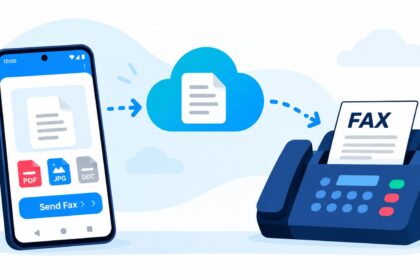
Android itself does not include native fax capability. Users must install a third-party fax app from the Google Play Store. The best fax app for Android in 2026—Municorn Fax App—provides full faxing functionality through a dedicated application, transforming any Android phone into a mobile fax machine without requiring physical hardware or phone line.
What Is the Best App to Send a Fax?
The answer depends on your usage pattern. For unlimited faxing with transparent pricing, Municorn Fax App offers the best value. For security-conscious users, iFax provides HIPAA compliance. For occasional faxers, Easy Fax’s credit-based model avoids monthly commitments. For enterprise teams, RingCentral integrates faxing with unified communications. Evaluate your specific needs—pricing preference, compliance requirements, and sending frequency—before selecting.
Is eFax Still Free?
eFax (now part of Consensus) shifted away from a permanent free tier and primarily operates on subscription pricing. The platform offers trial periods allowing fax testing before commitment, but no indefinitely free option exists. Users seeking free fax app for Android should evaluate Fax.Plus (10 free pages) or Easy Fax (15 free credits) as viable alternatives in 2026.
What Is the Difference Between Dropbox Fax and Specialized Fax Apps?
Dropbox Fax (formerly HelloFax) is web-based and mobile-responsive but lacks a dedicated Android app. Users access faxing through the browser on their phone. Dedicated Android fax apps like Municorn, iFax, and mFax provide native mobile applications optimized for Android’s camera, storage, and notification systems. Specialized apps typically deliver faster performance and deeper device integration than browser-based alternatives.
Can I Receive Faxes on My Android Phone?
Yes. All major Android fax apps (Municorn, Fax.Plus, iFax, mFax, Easy Fax) support incoming fax reception. Users obtain a virtual fax number and receive incoming documents directly in the app. Notifications alert users to new faxes, and documents are stored in the app or forwarded to email and cloud storage accounts.