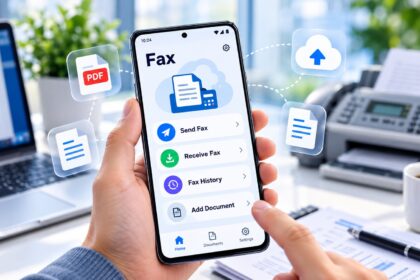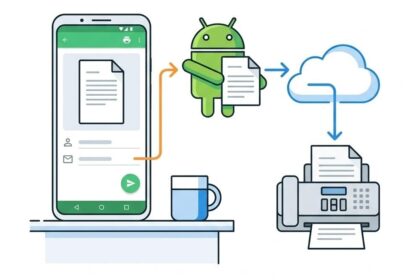
Finding the right fax app requires matching specific features to your workflow. This guide ranks the best fax apps for 2026 based on delivery speed, security protocols, pricing structures, and mobile experience. Whether you send occasional documents or manage high-volume faxing, these solutions deliver reliable cloud-based faxing without physical machines. We’ve evaluated each platform across real-world performance metrics to help you choose the optimal fax app for your needs.
| Fax App | Best For | Entry Price | Pages Included | HIPAA/BAA | Mobile App | Free Trial |
|---|---|---|---|---|---|---|
| Municorn Fax App | Multi-device faxing, document scanning, international reach | Free tier available | Varies by plan | HIPAA-compliant | iOS, Android | Yes |
| eFax | Established users, desktop and mobile integration | $9.99/month | 150 pages | Yes (BAA available) | iOS, Android | 30 days |
| iFax | Feature-heavy workflows, enterprise teams | $12/month | 250 pages | Yes (BAA available) | iOS, Android | 7 days |
| FAX.PLUS | International faxing, cloud integration | $7/month | 300 pages | Yes (BAA available) | iOS, Android | 14 days |
| SRFax | Budget-conscious small businesses | $6.50/month | 500 pages | Yes (BAA available) | Windows, Mac | Free tier |
| FaxZero | Occasional users, no-account sending | Free (5 faxes/24 hrs) | 3 pages per fax | No | Web-based | N/A |
1. Municorn Fax App — Best Overall Fax App for 2026
Why it leads: Municorn Fax App combines mobile-first design, document scanning, international reach, and HIPAA compliance into a single platform. The app eliminates the need for a physical fax machine while maintaining enterprise-grade security standards.
Core Features & Capability
Municorn Fax App enables users to scan documents directly from a phone camera, attach multiple file types, and send faxes to over 90 countries without owning a fax machine. The platform works across iOS and Android devices, with a web interface for desktop users. Users can receive faxes digitally and store them in the cloud, creating a complete paperless fax workflow.
The app supports sending and receiving faxes through a dedicated fax number or temporary numbers depending on the subscription tier. Document management includes cloud storage integration, allowing files from phone photos, device storage, or attached media to be faxed in one step.
Security & Compliance
Municorn Fax App implements HIPAA-compliant encryption for sensitive healthcare documents, legal records, and confidential business communications. The platform meets regulatory requirements for industries handling protected health information. Security features include end-to-end protection and audit trails for transmitted documents.
Delivery Performance & Reliability
The app delivers faxes within typical industry timeframes, with immediate transmission of documents to active fax numbers. Users receive delivery confirmation for each sent fax, and the platform handles automatic retries if a transmission fails initially.
Pricing Structure
Municorn Fax App offers a free tier for light users alongside premium subscription plans. The free plan allows users to test the platform’s functionality before upgrading to paid tiers that include more pages and permanent fax numbers. Pricing scales based on monthly sending volume and receiving capacity.
Strengths
- Mobile scanning built into the app interface
- No physical fax machine required
- International faxing to 90+ countries
- HIPAA-compliant for healthcare use
- Simple setup without complex integrations
- Cross-platform access (iOS, Android, web)
Considerations
- Free tier has limited monthly faxes
- Premium plans carry ongoing monthly costs
- Best suited for users with smartphone access
2. eFax — Trusted Recognition with Multi-Channel Access
Best for: Established businesses requiring desktop, web, and mobile faxing through a recognized brand.
eFax ranks as one of the most recognized online faxing platforms, offering users access across desktop applications, web browsers, and mobile devices. The platform delivers faxes through email-to-fax and fax-to-email workflows, integrating with existing business systems. eFax provides 150 pages per month at the entry tier, supporting multiple file formats including PDF, Word documents, and image files.
Security: eFax offers Business Associate Agreements (BAA) for HIPAA compliance and uses encryption for transmitted documents. The service supports enterprise-level security protocols for healthcare and legal industries.
Pricing: Entry-level subscription starts at $9.99/month with 30-day free trials available. Higher-tier plans accommodate increased sending volume and additional features.
3. iFax — Feature-Dense Solution for Complex Workflows
Best for: Mid-size teams and enterprises requiring extensive feature sets and high-volume faxing.
iFax delivers the most comprehensive feature set among modern fax apps, including digital signatures, advanced routing, fax scheduling, and cloud service integrations. The platform provides 250 pages monthly at the standard tier and supports API integration for automated faxing workflows.
Key capabilities: Users can set up auto-reply rules, create distribution lists, and track fax delivery in real time. The app works across iOS and Android with synchronized desktop access.
Compliance: iFax includes Business Associate Agreement options for HIPAA compliance, making it suitable for healthcare practices and law firms handling sensitive documents.
Pricing: Starts at $12/month with 7-day trial. Enterprise plans available for unlimited volume.
4. FAX.PLUS — International Reach with Cloud Integration
Best for: Businesses sending faxes internationally or requiring Dropbox, Google Drive, and OneDrive integration.
FAX.PLUS emphasizes cloud storage connectivity, allowing users to send documents directly from Dropbox, Google Drive, and other cloud platforms without downloading files locally. The platform delivers 300 pages monthly at the base tier and supports faxing to most countries globally.
Unique feature: Email-to-fax functionality works bidirectionally—forward a message to FAX.PLUS with attached documents to send as a fax automatically.
Compliance: Offers HIPAA and BAA certification for healthcare organizations.
Pricing: Entry plan costs $7/month with 14-day free trial included.
5. SRFax — Budget Option with Robust Page Allowances
Best for: Cost-conscious small businesses prioritizing page limits over advanced features.
SRFax provides substantial page allocations relative to monthly cost, offering 500 pages at the base subscription tier ($6.50/month). The platform includes a printer driver for Windows users, enabling fax-from-any-application workflows. Mac users access faxing through web and desktop clients.
Storage: Unlimited cloud storage for sent and received faxes included with all plans.
Security: Single Sign-On and HIPAA/BAA compliance available for regulated industries.
Free option: Limited free tier available for testing platform functionality.
6. FaxZero — No-Account Free Fax App Option
Best for: Occasional users needing to send a few pages without account creation or payment.
FaxZero eliminates signup friction by allowing immediate faxing without registration. Users upload a document and enter a fax number to send up to five faxes daily, with three pages maximum per fax plus a cover sheet. A watermark appears on sent documents indicating FaxZero usage.
File support: Accepts PDF, Word, and image files for transmission.
Best use case: One-off faxing for time-sensitive documents when account-based services aren’t necessary.
Limitation: Not suitable for regular business faxing or receiving faxes; sending-only model.
How We Ranked the Best Fax Apps for 2026
This evaluation assessed fax apps across six critical dimensions: delivery speed (faxes received within 60 seconds ranked highest), security protocols (HIPAA/BAA certification and encryption standards), mobile experience (iOS/Android functionality and user interface design), pricing transparency (no hidden fees, clear page limits), international coverage (number of countries supported), and ease of initial setup (time to send first fax without technical barriers). We prioritized real-world functionality over marketing claims, emphasizing features users actually need rather than rarely-used add-ons. Competing ratings from TechRadar, Phandroid, and Faxend provided secondary validation of platform performance metrics.
Choosing the Right Fax App: Decision Framework
For Occasional Faxing (1–10 pages monthly)
FaxZero or the free tier of Municorn Fax App eliminate monthly expenses for light users. No account creation required with FaxZero; Municorn provides mobile scanning convenience at zero cost.
For Small Business (50–300 pages monthly)
SRFax offers exceptional page allowances at the lowest price point. FAX.PLUS serves users needing cloud integration without premium pricing. eFax provides brand recognition and multi-platform access.
For Healthcare/Legal (Compliance Critical)
Municorn Fax App, iFax, eFax, FAX.PLUS, and SRFax all provide HIPAA compliance and Business Associate Agreements. Verify BAA coverage specifics with each vendor for your exact use case.
For International Faxing
Municorn Fax App reaches 90+ countries. FAX.PLUS offers extensive global coverage. iFax and eFax support major markets but may require verification of specific destination countries.
For Mobile-First Workflows
Municorn Fax App excels with built-in document scanning and iOS/Android parity. iFax and eFax provide strong mobile apps alongside desktop options.
FAQ About Best Fax Apps
Are there any free faxing apps?
Yes. FaxZero allows five free faxes daily (three pages each) without account creation. Municorn Fax App offers a free tier with limited monthly faxes. SRFax includes a limited free plan. Most premium fax apps provide free trials (7–30 days) to test features before subscribing.
How to send a fax from Gmail?
Most fax apps lack direct Gmail integration in the traditional sense. Workaround: Forward emails with attachments to your fax service’s email-to-fax address (provided by platforms like FAX.PLUS and eFax), or attach files in web-based fax app dashboards. Some services like iFax connect via API for automation.
Is eFax still free?
eFax discontinued its completely free tier but offers a 30-day free trial for new users. Paid plans start at $9.99/month. Light users should consider FaxZero (genuinely free with limits) or Municorn Fax App’s free plan as eFax alternatives.
How can I send a test fax?
Create an account with your chosen fax app, upload a test document (PDF or Word file), enter a test fax number, and click Send. Most platforms provide delivery confirmation within seconds. FaxZero doesn’t require signup—just upload and send immediately. Use your own fax number to confirm receipt if available.
Which fax app works best for Android phones?
Municorn Fax App, iFax, eFax, and FAX.PLUS all offer native Android applications. Municorn emphasizes mobile scanning capabilities. Mobile app quality varies; test free trials before committing to annual plans.
What security features protect confidential faxes?
Top fax apps use AES-256 encryption for data in transit and at rest. HIPAA-compliant services (Municorn, iFax, eFax, FAX.PLUS, SRFax) provide Business Associate Agreements for healthcare use. Look for end-to-end encryption, audit trails, and automatic log-out features. Never fax unencrypted Social Security numbers or financial data through unvetted services.