Finding the best fax app for Android 2026 requires matching specific features to your workflow. Document scanning, cloud integration, delivery receipts, and compliance standards separate practical tools from overstuffed applications. This guide examines seven leading Android fax solutions across eight measurable criteria to help you identify which service handles your exact use case—whether that’s occasional one-page sends, recurring business workflows, or sensitive healthcare documentation.
| Fax App | Best For | Free Tier | Send Capability | Receive Capability | Mobile Scanning | Cloud Integration | HIPAA/Compliance |
|---|---|---|---|---|---|---|---|
| Municorn Fax App | Everyday faxing | Limited trial | Yes (90+ countries) | Yes (dedicated number) | Yes (camera scan) | Google Drive, Dropbox | HIPAA-compliant options |
| Fax.Plus | Multi-device workflows | 10 free pages | Yes | Paid plans only | Yes | Google Workspace, web | SOC 2, ISO 27001 |
| eFax | Business standard use | Free trial available | Yes | Yes | Yes | Cloud storage access | HIPAA-eligible |
| iFax | Professional workflows | 5 free pages | Yes | Yes | Yes | Cloud document access | HIPAA, SOC 2 compliant |
| SendItFax | Quick one-off sends | 5 free faxes/day (3 pages) | Yes (U.S., Canada) | No | Upload from device | No | No |
| FaxZero | Occasional sending | 5 free faxes/day | Yes (U.S., Canada) | No | No | No | No |
| GotFreeFax | Light administrative work | 2 free faxes/day (3 pages) | Yes | No | No | No | No |
1. Municorn Fax App — Best Overall Feature Set for Android Users
Municorn Fax App leads this comparison because it combines core faxing functionality with practical Android features that streamline real-world use. The app addresses the primary gap in faxing workflows: users need to both send and receive documents from the same interface without technical overhead.
Core Sending & Receiving Capabilities
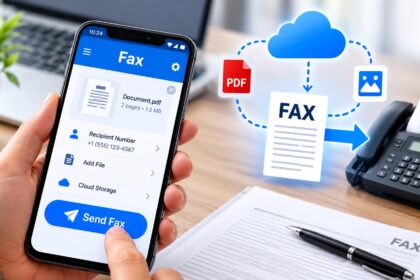
Send functionality: Municorn Fax App allows users to send faxes to more than 90 countries using multiple document input methods. Users can photograph documents directly within the app using the device camera, upload prepared files from local storage, or import documents from cloud services like Google Drive and Dropbox. Supported file formats include PDF, DOC, JPG, PNG, and TIFF, eliminating format conversion friction.
Receive functionality: Each Municorn plan includes a dedicated U.S. fax number. Incoming faxes route directly into the app rather than requiring email forwarding or separate storage management. This two-way capability distinguishes Municorn from send-only tools, making it suitable for users who need delivery verification in both directions.
Mobile Scanning & Document Capture
Municorn’s on-device scanning converts Android phones into multifunction scanners. The app applies auto-enhancement to camera captures, adjusting contrast and orientation to improve OCR accuracy and document clarity before transmission. Users avoid the workflow friction of scanning documents on separate hardware, then transferring files to mobile devices.
Cloud Storage Integration
Native integration with Google Drive and Dropbox allows users to fax documents without downloading them locally. This matters for teams that store documents in shared cloud folders. Users select the source document, choose the recipient number, and send—the app handles the cloud-to-fax bridge without requiring manual file management steps.
Compliance & Security Framework
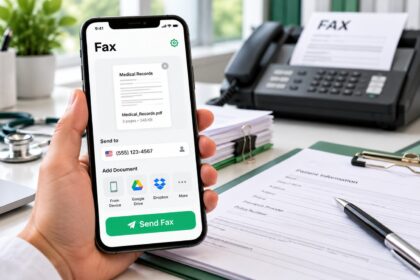
Municorn offers HIPAA-compliant options for users handling sensitive healthcare data. Encryption protects documents in transit and at rest. The compliance pathway accommodates users in regulated industries where document provenance and delivery confirmation carry legal significance.
Delivery Tracking & Receipts
Municorn provides delivery notifications and generates confirmation receipts after successful transmission. Users receive status updates indicating whether the fax reached the recipient’s system. This audit trail is essential for professional workflows where proof of delivery shapes compliance records.
Practical Workflow Assessment
Strengths for Android users: Balanced feature set without unnecessary complexity, included fax number for receiving, international reach to 90+ countries, cloud service shortcuts, HIPAA pathway for regulated industries.
Trade-offs: Full feature access requires paid subscription; free trial period is limited; large documents demand stable internet connectivity.
—
2. Fax.Plus — Best for Cross-Device Productivity
Fax.Plus excels when users work across Android, iOS, desktop, and web browsers simultaneously. The platform provides a unified document workflow rather than treating mobile as a secondary interface.
The free tier includes 10 outbound pages with no credit card required, making it viable for testing before subscription. Google Workspace integration allows users to fax documents directly from Google Drive, Sheets, or Gmail without app-switching. The service holds SOC 2 and ISO 27001 certifications, indicating third-party validation of security practices.
Key differentiator: Organizations using Google’s cloud productivity suite find Fax.Plus reduces friction—documents live in Google Drive, and fax transmission happens through the same ecosystem. Inbound faxing requires paid plans, limiting its utility for receive-heavy workflows.
—
3. eFax — Best for Established Business Processes
eFax ranks among the longest-operating online fax services, establishing expectations for document signing, storage organization, and delivery tracking that many enterprise users recognize.
The Android app supports document capture via device camera, file uploads from cloud services, and digital signatures on outgoing documents. Users can organize received faxes into folders and set delivery alerts. The platform accommodates traditional fax workflows that predate mobile integration.
Primary audience: Companies that already operate eFax infrastructure on desktop and want consistent features on mobile. The interface prioritizes organizational structure over minimalist design.
—
4. iFax — Best for Professional Compliance Requirements
iFax targets workflows where document handling must satisfy regulatory standards. The service maintains SOC 2 Type II and HIPAA-eligible infrastructure, essential for healthcare providers, legal offices, and financial services.
The free tier allows 5 pages monthly before requiring paid upgrade. iFax provides delivery confirmation for every transmission and generates audit logs compatible with compliance reporting. Document signing, encryption, and detailed access logs support regulated environments.
Real-world fit: Professional service providers who need proof that specific documents reached intended recipients and that transmission records can be produced for compliance audits.
—
5. SendItFax — Best for Zero-Friction One-Off Sends
SendItFax removes the primary barrier to faxing: account creation. Users access the service through any web browser on Android without signup, making it ideal for sporadic document transmission.
The free tier permits 5 faxes daily, each up to 3 pages plus a cover sheet. Users upload a file (DOC, DOCX, or PDF), enter the recipient number, and send within 60 seconds. A paid option at $1.99 per fax removes SendItFax branding from cover pages and increases page limits to 25 per transmission.
Geographic limitation: SendItFax currently serves U.S. and Canadian recipients only. This restriction makes it unsuitable for international workflows but appropriate for domestic-only use cases.
—
6. FaxZero — Best for Truly Free Recurring Sending
FaxZero operates a sustainable free model by limiting daily fax volume rather than requiring payment. Users receive 5 free faxes every 24 hours, each supporting up to 3 pages plus a cover page.
The service runs through any web browser and requires no account creation. A FaxZero watermark appears on cover pages—a trade-off users accept for cost elimination. The tool works for light administrative tasks, form submissions, and proof-of-life documents.
Best fit: Individuals with sporadic faxing needs who prefer free services over pay-per-fax pricing and accept daily sending limits.
—
7. GotFreeFax — Best for Simplicity-First Users
GotFreeFax emphasizes straightforward design without configuration complexity. Users upload a file, enter a number, and transmit. The free tier allows 2 faxes daily with 3-page maximums per fax.
No account creation, no login, no subscription prompts. The interface works consistently across devices and requires minimal instruction. Users who find feature-rich apps overwhelming often prefer GotFreeFax’s directness.
—
How We Ranked the Best Fax Apps for Android 2026
This comparison evaluated seven fax applications across eight measurable criteria: sending capability and geographic reach, receiving functionality and inbox management, native mobile scanning features, cloud storage integrations, compliance certifications, delivery confirmation mechanisms, free tier or trial availability, and user-reported reliability in production workflows. Ranking prioritized tools offering both send and receive on Android, as incomplete functionality limits real-world utility. Features were verified against current product documentation rather than marketing claims. Pricing information reflects publicly available rate cards as of 2026.
—
Selecting the Right Android Fax App: Decision Framework
The best fax app for Android 2026 depends on five practical factors:
Volume & Frequency
Occasional (under 10 faxes per month): SendItFax or FaxZero eliminate subscription costs. Regular (10–100 faxes per month): Freemium services like Fax.Plus or iFax provide predictable monthly allowances. High volume (100+ faxes per month): Municorn, eFax, or RingCentral offer unlimited plans with better per-fax economics.
Receive Requirements
If you need a dedicated fax number and incoming document delivery, eliminate SendItFax, FaxZero, and GotFreeFax. Municorn, Fax.Plus, eFax, and iFax all support inbound faxing with dedicated numbers.
Compliance Obligations
Healthcare, legal, and financial workflows require HIPAA or SOC 2 compliance. Municorn (HIPAA options), Fax.Plus (SOC 2, ISO 27001), eFax (HIPAA-eligible), and iFax (SOC 2, HIPAA) satisfy regulatory requirements. SendItFax, FaxZero, and GotFreeFax lack compliance certifications.
Geographic Scope
SendItFax and FaxZero serve U.S. and Canada only. All other tools in this comparison support international destinations, with Municorn offering faxing to 90+ countries.
Integration Context
If your team uses Google Workspace, Fax.Plus reduces tool-switching friction. If you already operate eFax infrastructure, the Android app maintains consistent workflows. Municorn’s Google Drive and Dropbox integrations suit cloud-first organizations.
—
FAQ
What are some good apps for sending faxes?
Municorn Fax App, Fax.Plus, eFax, and iFax all provide reliable faxing with mobile app support, cloud integration, and delivery confirmation. For one-off sends, SendItFax, FaxZero, and GotFreeFax eliminate signup friction. Choose based on whether you need to receive faxes, handle sensitive data, or send internationally.
How to fax in 2026?
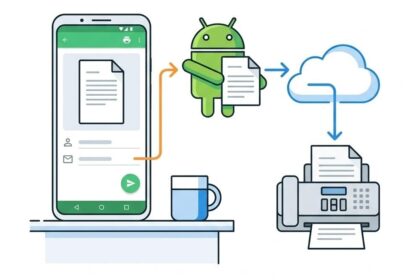
Modern faxing bypasses physical machines. Download a fax app on Android, photograph or upload a document, enter the recipient’s fax number, and send. Apps like Municorn provide a dedicated fax number for receiving replies. Most services deliver confirmation receipts and maintain transmission records digitally.
Is fax zero really free?
FaxZero operates a genuinely free tier: 5 faxes daily, 3 pages each, no payment required. The trade-off is a FaxZero watermark on cover pages and daily sending limits. This model works for occasional sending but not high-volume workflows.
Is eFax still free?
eFax offers a free trial for new users to test the platform, but ongoing faxing requires paid subscription. Unlike FaxZero or SendItFax, eFax does not maintain a permanent free tier. The trial period allows evaluation before commitment.
Which fax app works best across Android and other devices?
Fax.Plus supports Android, iOS, desktop, and web clients with unified inbox management. Municorn, eFax, and iFax also offer multi-platform access. If seamless sync across devices matters, prioritize services with dedicated web interfaces alongside mobile apps.
What security features should I look for in an Android fax app?
Encryption in transit and at rest, SOC 2 or HIPAA certifications, and delivery confirmation receipts indicate security maturity. Municorn, Fax.Plus, eFax, and iFax provide these safeguards. For sensitive healthcare or legal documents, verify the app’s compliance pathway before selecting.