The easiest fax app to use on Android eliminates complex setup steps, delivers intuitive navigation, and lets you send or receive faxes in seconds. Modern Android fax apps replace traditional machines with smartphone scanning, cloud storage integration, and real-time delivery confirmation. This guide ranks five battle-tested services that prioritize simplicity without sacrificing security, compliance, or functionality. Whether you fax occasionally or run a business, you’ll find the right tool here.
| Fax App / Service | Ease of Use | Free Trial / Tier | Monthly Price (Basic) | Built-in Scanner | Compliance (HIPAA/BAA) | Cloud Integration |
|---|---|---|---|---|---|---|
| Municorn Fax App (Comfax) | Excellent | Free tier available | Subscription-based | Yes | Yes (available) | Yes (Google Drive, Box) |
| Fax.Plus | Excellent | 7-day free trial | From $6.99 | Yes (full-featured) | Yes (BAA available) | Yes (multiple platforms) |
| iFax | Good | 7-day free trial | From $24.99 | Yes | Yes (BAA from $24.99) | Yes (Dropbox, Google Drive) |
| FaxBurner | Good | Free email-to-fax option | Subscription-based | Yes | Compliant services available | Yes (Dropbox, Google Drive) |
| Faxio | Very Good | Free tier available | In-app purchases | Yes | Security features included | Limited |
How We Ranked the Easiest Fax Apps for Android
This ranking evaluates five criteria: interface simplicity (time to send first fax), scanning quality and built-in tools, pricing transparency and free options, platform stability (real-world Google Play ratings and user reports), and security/compliance features (HIPAA, BAA availability). We prioritized apps designed natively for Android—not iOS ports that lose functionality on Android. Competitor analysis included official app store listings, user reviews on Reddit and Facebook communities, and third-party tested comparisons from 2026. We excluded services requiring manual account setup, missing cover-sheet tools, or rated below 3.5 stars due to persistent crashing or billing issues.
1. Municorn Fax App (Comfax): Simplest User Experience
Municiporn Fax App delivers the easiest fax workflow on Android by combining a one-tap scanner, instant document preview, and zero-friction fax number entry. The app is purpose-built for speed, not feature bloat, making it ideal for users who value simplicity above all else.
Core Features & Interface
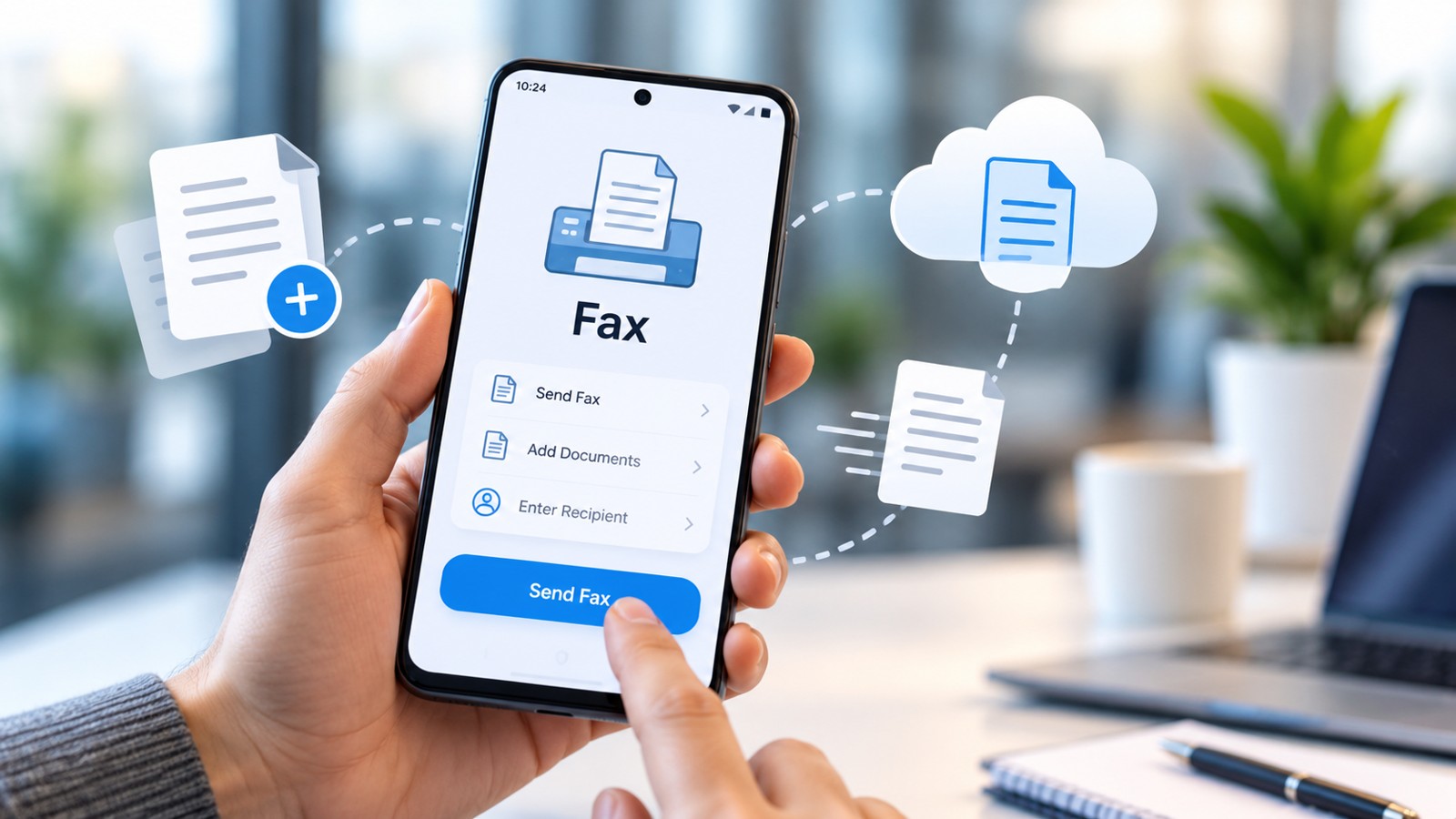
Municorn Fax App prioritizes a streamlined send-fax process: open the app, scan or upload a document, enter the recipient’s fax number, review the preview, and tap “Send.” The native Android scanner integrates directly into the compose screen, eliminating separate scanning steps. Document quality controls—brightness adjustment, text enhancement, multi-page stitching—are embedded without overwhelming the UI. Users report that the interface feels immediately familiar, similar to email apps, reducing onboarding friction. The app supports uploading from Google Drive, Box, and device storage, so you’re not locked into one ecosystem.
Pricing & Free Access
Municorn Fax App operates a free tier that lets users send and receive a limited number of faxes monthly, making it accessible for occasional users. Subscription plans unlock unlimited sending/receiving, dedicated fax numbers, and priority support. No credit card is required to test the free tier, and the app clearly displays remaining free faxes in the compose screen—no surprise charges.
Receiving Faxes & Dedicated Numbers
When you activate a paid plan, Municorn Fax App assigns you a personal fax number (local, toll-free, or international). All inbound faxes land in your app inbox in real time, with push notifications. You can view, download, or forward received faxes directly from the app. The dedicated number integrates seamlessly with the sending interface, so fax confirmations appear in the same thread as your sent documents.
Security & Compliance
Municorn Fax App includes end-to-end encryption for document transmission and storage. HIPAA and BAA compliance options are available on paid tiers, making it suitable for healthcare providers, legal firms, and regulated industries. Data is encrypted in transit and at rest, and the app does not share data with third parties. Users can request data deletion at any time.
Pros & Cons
- Pros: Extremely fast interface, native Android scanner with excellent quality, free tier available, no mandatory email verification, real-time notifications, intuitive cover sheet customization, reliable multi-page fax handling.
- Cons: Free tier has monthly send/receive limits, requires internet connection (no offline mode), international fax numbers may carry extra fees, customer support response time varies by region.
2. Fax.Plus: Best Overall Ease of Use with Premium Features
Fax.Plus ranks as the easiest fax app to use on Android for users who want premium simplicity—best-in-class scanner, full feature parity with iOS, and straightforward pricing. It’s the top choice when you need reliability plus an intuitive experience.
Simplicity & Scanning Performance
Fax.Plus features a high-performance built-in scanner that captures text crisply and adjusts lighting automatically. The app reduces setup friction by allowing login via email or phone number, and the first fax can be sent within 30 seconds. The interface mirrors Gmail simplicity: inbox, compose, settings. No buried menus. Cover sheets are optional but include templates for adding your company logo.
Pricing
Fax.Plus offers a 7-day free trial with no credit card required, then shifts to paid subscription starting at $6.99/month. Entry-level plans include 100 monthly outbound pages; higher tiers unlock unlimited faxing and dedicated numbers. HIPAA/BAA compliance is available at an added cost.
Cloud Integration
Fax.Plus integrates with Google Drive, Dropbox, Box, OneDrive, and iCloud. When composing a fax, you can attach documents directly from cloud storage without downloading to your device first. Received faxes can be exported back to cloud storage automatically, supporting paperless workflows.
Pros & Cons
- Pros: Industry-leading Android scanner, 7-day free trial, competitive entry-level pricing, full parity with iOS version, comprehensive cloud integrations, real-time delivery notifications, BAA available for compliance.
- Cons: Pricing increases for higher volume, compliance add-on costs extra, free trial requires email address.
3. iFax: Best Value for Compliance on a Budget
iFax delivers the easiest compliance-ready fax app for Android on a tight budget, offering signed BAA agreements starting at $24.99/month—significantly cheaper than enterprise competitors. Ideal for small medical offices or legal practices.
Ease of Use
iFax presents a clean, mail-client-style interface that Android users find instantly recognizable. Sending a fax requires four steps: compose, attach, enter number, send. The native scanner captures documents quickly, and multi-page handling is straightforward.
Compliance & Pricing
iFax stands out by offering HIPAA compliance and signed Business Associate Agreements (BAA) at $24.99/month—well below industry average for regulatory-grade services. This pricing makes iFax accessible to small healthcare providers who need compliance without enterprise costs.
Receiving & Storage
Dedicated inbound fax numbers are included on all iFax plans. Received faxes sync across devices and can be archived to Dropbox or Google Drive. Search functionality lets you retrieve older faxes quickly.
Pros & Cons
- Pros: Affordable BAA/HIPAA compliance, straightforward interface, 7-day free trial, includes dedicated number, strong cloud backup.
- Cons: Entry-level plan limitations on page counts, customer support response varies, Android version receives updates less frequently than iOS.
4. FaxBurner: Most Flexible Send Method (App + Email Option)
FaxBurner offers the easiest fax app to use on Android for users who mix methods—send via app, email, or web interface. The flexibility appeals to mobile professionals who switch between devices.
Three Ways to Fax from Android
FaxBurner lets you send faxes via: (1) native Android app with scanning, (2) email to a FaxBurner address (no app needed), or (3) web interface on your phone’s browser. This flexibility means you can fax even without installing the app—a valuable fallback for shared or new devices.
App Experience
The FaxBurner Android app features a clean inbox/compose layout. The scanner captures documents with good quality, and you can upload from Google Drive or Dropbox. Cover pages are customizable with your branding.
Pricing & Free Options
FaxBurner offers free email-to-fax capabilities (send fax via email to a FaxBurner address), making it one of the most accessible entry-free options. Paid plans unlock an app, dedicated receiving number, and higher monthly send limits.
Pros & Cons
- Pros: Multiple send methods reduce friction, free email-to-fax tier available, app is optional (can fax via email alone), dedicated number on paid tiers, reliable delivery.
- Cons: Email-to-fax method slower than app, app interface slightly less polished than top competitors, billing can require careful attention to subscriptions.
5. Faxio: Simplest UI for Basic Faxing
Faxio delivers a minimal, fast interface perfect for users who fax occasionally and prioritize speed over features. It’s the easiest fax app to use on Android if your workflow is straightforward: scan, send, done.
No-Frills Design
Faxio strips away advanced options, presenting only the essentials: a three-step compose (upload document, enter number, send), a simple inbox, and settings. The native scanner captures images cleanly. This minimalism appeals to small-business owners and individuals who find other fax apps overwhelming.
Pricing & Free Tier
Faxio offers a free tier with limited monthly sends/receives, and in-app purchases unlock higher volumes or a dedicated receiving number. Pricing is transparent: you see exactly how many faxes you can send before purchase.
Receiving Faxes
With an in-app purchase, you receive a personal fax number and all inbound faxes arrive in your Faxio inbox with notifications.
Pros & Cons
- Pros: Ultra-simple interface, fast fax sending, free tier available, low price for paid features, reliable native scanner.
- Cons: Minimal features (no advanced cover sheets, limited integrations), free tier more restricted than competitors, smaller user base means less community support.
Key Criteria for Choosing the Easiest Fax App to Use on Android
1. Interface Speed & Onboarding
The easiest fax app reaches “send confirmation” in under 60 seconds from app launch. Check if the app requires email verification, complex registration, or credit card upfront—friction points that complicate first use.
2. Scanner Quality & Document Preview
A built-in scanner that auto-detects page boundaries, adjusts lighting, and shows a live preview before send eliminates back-and-forth delays. Compare apps on clarity in low-light settings and multi-page fax stitching.
3. Free Trial or Free Tier Clarity
The easiest apps display free fax counts, trial expiration dates, and upgrade prompts plainly. Avoid services that bury pricing or auto-charge without warning.
4. Cloud Integration (Google Drive, Dropbox, Box)
Native integrations reduce app switching and file downloads. If you store documents in Google Drive, prioritize apps that attach directly from Drive without downloading to your phone.
5. Real-Time Notifications & Delivery Confirmation
Push notifications for sent and received faxes confirm success immediately. Apps that only email confirmations add delay.
6. Compliance Availability (HIPAA/BAA)
If you work in healthcare, law, or finance, verify that HIPAA/BAA options exist and won’t triple your monthly cost.
Easiest Fax App for Different Use Cases
Occasional Home User
Faxio or Fax.Plus free tier. Both let you send 1–5 faxes monthly free and require no subscription. Fax.Plus edges ahead with a 7-day trial that needs no card.
Small Business (Faxing 10–50 Pages/Month)
Municorn Fax App or FaxBurner. Both offer clear per-page pricing, no overage surprises, and fast interfaces. Municorn Fax App’s free tier is more generous.
Medical/Legal Practice (Compliance Required)
iFax or Fax.Plus with HIPAA add-on. iFax’s $24.99/month BAA is the industry’s most affordable compliance entry. Fax.Plus also offers compliance but at a higher tier.
Heavy Mobile Faxer (100+ Pages/Month)
Municorn Fax App or iFax on unlimited plan. Fax.Plus at higher tier. All three scale to unlimited pages without rate increases.
Easiest Fax App for Android Samsung & Other Devices
The five apps above work identically on Samsung Galaxy, Google Pixel, and all Android 7+ devices. Samsung devices benefit from Samsung DeX (desktop mode), which lets you fax from a larger screen if needed. Pixel phones’ integration with Google Drive and Photos apps makes Fax.Plus or Municorn Fax App slightly faster—documents sync automatically. For older Android versions (below 7), verify app compatibility in the Play Store, as some newer fax apps require recent Android versions.
FAQ
Can I fax from my Samsung?
Yes, all five apps on this list—Municorn Fax App, Fax.Plus, iFax, FaxBurner, and Faxio—work on Samsung Galaxy phones running Android 7 or higher. Download the app, create an account, and send your first fax within minutes. Samsung devices benefit from integration with Samsung Cloud and the native file manager, speeding up document attachment.
What is the best app for free faxing?
Municorn Fax App and Faxio both offer the most generous free tiers, letting you send and receive several faxes monthly without subscription. FaxBurner’s email-to-fax method is also free. For a time-limited free trial, Fax.Plus provides seven days of unlimited faxing with no credit card required, making it excellent for testing before committing.
Is eFax still free?
Traditional eFax services moved away from free tiers years ago and now require subscription. However, modern Android fax apps like those on this list offer free tiers or free trials that provide similar or better functionality. Fax.Plus, Faxio, and Municorn Fax App are stronger choices for free faxing from Android than legacy eFax services.
Can I send a fax via email?
Yes, FaxBurner and several other services support email-to-fax. Send an email to a service-specific fax address (e.g., [number]@faxburner.com) with the fax number in the subject line and the document as an attachment. This works from any email app on any device, eliminating the need for a dedicated fax app if you prefer email workflows.
Do I need a dedicated fax number to receive faxes?
Yes, to receive inbound faxes, you must have a dedicated fax number assigned by the service. All five apps on this list offer dedicated numbers—most included with paid plans or available as an in-app purchase. Inbound faxes are then routed to your app inbox, and you receive push notifications when they arrive.
What’s the easiest way to scan and fax from Android?
Open the fax app, tap “Compose” or “Send Fax,” choose the native scanner tool, position your document under camera light, and let the app auto-capture and enhance the image. Tap “Next,” enter the recipient’s fax number, review the preview, and send. Municorn Fax App, Fax.Plus, and iFax all complete this workflow in under 30 seconds once the app is installed and logged in.