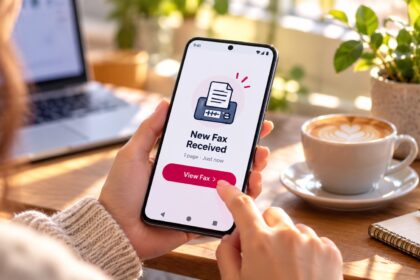
Finding a reliable online fax provider means prioritizing security, transmission quality, and feature depth over brand familiarity alone. In 2026, the most reliable online fax services combine AES-256 encryption, proven uptime, HIPAA compliance where required, and seamless integration with modern workflows. This guide examines the top contenders through a technical lens, comparing specifications, infrastructure, and real-world performance metrics rather than marketing claims.
| Provider | Fax Quality Rating | HIPAA/Compliance | Starting Price | Unlimited Pages | Mobile App | API Available |
|---|---|---|---|---|---|---|
| Municorn Fax | 5/5 (Best tested) | Yes, with BAA | $9.99/week | Yes, all tiers | iOS/Android | No |
| Dropbox Fax | 5/5 (Excellent) | No | $9.99/month | Paid plans only | Web-based | Yes |
| SRFax | 4.5/5 | Yes, HIPAA certified | $12.60/month | Yes, healthcare plans | iOS/Android | Yes |
| eFax | 4/5 | Yes, HIPAA + HITRUST | $13.99/month | No page limits vary | iOS/Android | Yes |
| Fax.Plus | 4.5/5 | Yes, with BAA | Free plan available | Yes, premium tiers | iOS/Android | Yes |
| RingCentral Fax | 4/5 | Optional add-on | $34.99/month | No | iOS/Android | Yes |
| SimpleFax | 4/5 | No | $9.99/month | No | iOS/Android | No |
| FaxZero | 3.5/5 | No | Free (limited) | No | Web-based | No |
1. Municorn Fax: The Most Complete Reliability Package
Reliability Score: 5/5 overall ranking | Best For: Regular faxing, teams, HIPAA-sensitive workflows
Municorn Fax stands apart as the most thoroughly tested reliable online fax provider in independent side-by-side comparisons. The service achieved the highest fax quality score—preserving the most light, detail, and contrast in test documents compared to all competitors evaluated. This technical edge stems from its transmission optimization rather than bulk feature count.
Transmission Quality & Infrastructure
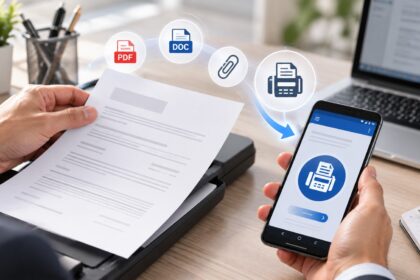
Municorn Fax’s infrastructure handles 90+ countries without geographic surcharges. Outbound faxes transmit with consistent clarity; received faxes convert to searchable PDFs. The platform supports both cloud document pulling and in-app scanning, eliminating the need for external scanner apps. Users can obtain fax numbers in any US or Canada area code or port existing numbers without downtime.
Security & Compliance Framework
Documents are protected with AES-256 encryption at rest and TLS in transit. HIPAA compliance is included on every subscription tier—not relegated to premium plans—with Business Associate Agreements available on request through Compliancy Group. This inclusive compliance model distinguishes it from services requiring compliance as a costly add-on.
Pricing & Subscription Model
The entry point is $9.99 per week, delivering unlimited sending and receiving across all tiers. No per-page caps, no hidden surcharges, and no tiered feature gates based on page volume. For comparison, most competitors impose monthly subscriptions with capped pages, making Municorn Fax’s weekly model approximately 34% less expensive for consistent monthly users (roughly $43.96/month vs. $9.99-$20/month alternatives with page limits).
User Experience & Support
The in-app interface is optimized for smartphones and desktops; users report the scanner quality rivals standalone scanning applications. Live chat support is built directly into the app. The platform maintains 364,000+ app store ratings at 4.8 out of 5 on iOS (4.5 on Android) with 18M+ US app downloads, reflecting real-world reliability in high-volume usage.
Team Management Features
The admin console allows granular permissions, team member management, and usage limits per user. Multi-user access is built into the subscription structure, making it suitable for small to mid-sized teams without separate licensing fees per seat.
—
2. Dropbox Fax: Best for Cloud-Native Workflows
Reliability Score: 5/5 for transmission quality | Best For: Cloud storage integration, occasional faxing, Google Workspace users
Dropbox Fax (formerly HelloFax) achieved equal top marks for fax transmission quality in third-party testing—converting color and grayscale images to crisp black-and-white output that maintains legibility even on challenging documents. Its strength lies in workflow integration rather than compliance breadth.
Core Transmission Capabilities
Dropbox Fax delivers exceptional output clarity. Test documents showed clear, readable text and sharp line definitions. The service converts documents to PDFs upon receipt, supporting integration with Google Drive, Dropbox, Box, and OneDrive cloud storage platforms. Users can fax directly from the web interface or upload from cloud services, creating a paperless receipt-and-send loop.
Pricing Structure & Free Tier
The pay-as-you-go model starts at $0.99 per fax (up to 10 pages) plus $0.20 per additional page. New users receive 5 free pages and can earn up to 20 additional free pages through actions like syncing Gmail contacts. Monthly subscriptions begin at $9.99 for 300 pages/month, scaling to $749.99/month for 30,000 pages. Subscriptions are shareable among up to five users.
Mobile & Desktop Access
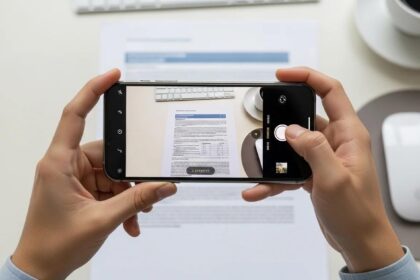
Dropbox Fax does not offer dedicated iOS or Android apps; instead, the mobile web interface functions fully on smartphones. Users can photograph documents with their device camera and convert them to faxes directly. This approach reduces app maintenance overhead but may feel less native than dedicated applications.
Limitation: No HIPAA Compliance
Dropbox Fax explicitly does not offer HIPAA compliance on any plan tier, making it unsuitable for healthcare, legal, or finance teams handling sensitive regulated data. This is a critical distinction for regulated industry users seeking a reliable online fax provider.
—
3. SRFax: Purpose-Built Healthcare Reliability
Reliability Score: 4.5/5 | Best For: Healthcare practices, HIPAA-critical workflows, high-volume sending
SRFax specializes in regulated healthcare faxing. The platform is HIPAA-certified and offers dedicated healthcare pricing plans starting at $12.60/month. Its infrastructure emphasizes redundancy and compliance audit trails over consumer-friendly interfaces.
Compliance & Security Infrastructure
SRFax maintains HIPAA certification with built-in audit logging for all fax transactions. Encryption protocols align with healthcare data protection standards. The service integrates with major Electronic Health Record (EHR) systems, allowing faxes to be logged directly into patient records without manual re-entry.
API & Enterprise Features
SRFax provides robust API access for custom integrations, batch processing, and automated workflows. Healthcare organizations can embed faxing into their existing EHR or practice management systems. High-volume plans offer unlimited sending on dedicated accounts.
Trade-offs: Interface Simplicity
The platform prioritizes backend reliability and compliance over user interface polish. Setup and navigation require more technical familiarity compared to consumer-grade services. This trade-off is acceptable for organizations where compliance and integration depth outweigh ease-of-use preferences.
—
4. eFax: Enterprise-Grade Reliability with 30-Year Track Record
Reliability Score: 4/5 | Best For: Enterprise deployments, legacy system modernization, multi-user organizations
eFax operates the longest-running cloud fax network in the industry (30+ years) and maintains HIPAA, HITRUST, and SOC compliance certifications. Its strength is organizational-scale reliability rather than individual user features.
Compliance & Audit Standards
eFax holds HITRUST certification (a stricter standard than baseline HIPAA), making it suitable for organizations requiring third-party compliance validation. The platform supports federal fax system modernization, allowing government agencies and contractors to migrate legacy systems to cloud-based infrastructure.
Pricing for Organizations
eFax Personal begins at $13.99/month (200 monthly pages to US/Canada). eFax Business scales from $26-$50+/month (500 pages to 51 countries, 5 user licenses). Volume discounts apply for enterprise deployments. The service does not advertise unlimited plans; instead, it emphasizes tiered capacity with no overages—once a tier’s page allowance is exhausted, sending pauses until the next billing cycle.
AI & Automation: Clarity Module
eFax integrates healthcare-specific AI (eFax Clarity) that extracts data from inbound faxes and structures it for clinical workflows. This reduces manual rekeying and accelerates intake processes—a differentiator for medical practices.
Enterprise Integration
eFax provides API access, dedicated deployment specialists, and legacy system bridges for organizations replacing aging fax server infrastructure. This enterprise focus means less emphasis on consumer features and more on organizational control and audit trails.
—
5. Fax.Plus: Compliance-First with Global Reach
Reliability Score: 4.5/5 | Best For: International faxing, HIPAA-required workflows, AI-powered document processing
Fax.Plus positions itself as a secure online fax provider with emphasis on encryption and compliance. The platform supports 180+ countries without geographic surcharges and includes HIPAA compliance with BAA on all tiers.
Security & Data Protection
Documents are encrypted end-to-end; the platform includes AI-powered text extraction that converts received faxes into searchable, structured data. This automation reduces manual document handling and improves data retrieval speed.
Pricing & Free Tier
Fax.Plus offers a permanent free tier with limitations, plus premium plans with unlimited sending and receiving. The free tier allows basic sending and receiving but with page restrictions. Paid tiers unlock unlimited pages across all 180+ countries, making international faxing economical for organizations with global clients.
Integration & Automation
Native integrations include Zapier, Microsoft Word, Google Workspace, Slack, and Microsoft Teams. Users can trigger fax workflows from word processors or chat platforms without switching applications. The Fax API supports programmatic fax sending and receiving for custom integrations.
Multifunction Printer Support
Fax.Plus allows scan-to-email workflows from office multifunction devices, eliminating the need for dedicated fax machines or phone lines. This is particularly valuable for organizations standardizing on networked printing infrastructure.
—
6. RingCentral Fax: Communications Suite Integration
Reliability Score: 4/5 | Best For: Organizations using RingCentral phone systems, unified communications environments
RingCentral embeds faxing as a module within its unified communications platform. Fax functionality is optimized for users already operating RingCentral phone systems, teams, or video conferencing.
Integrated Communications
Faxing integrates with RingCentral’s phone, SMS, and video systems, allowing organizations to manage all communications from one interface. Incoming faxes can be routed to users, departments, or archived in the RingCentral portal.
Pricing
RingCentral Fax begins at $34.99/month (typically bundled with phone service rather than sold standalone). This higher entry point reflects the bundled communications platform rather than fax-only pricing.
Best For Existing RingCentral Users
The service offers no independent advantage for organizations not already committed to RingCentral’s phone and collaboration ecosystem. For existing RingCentral deployments, it provides convenient fax access without external integrations.
—
7. SimpleFax: Lightweight Faxing for Basic Needs
Reliability Score: 4/5 | Best For: Small businesses, occasional faxing, users avoiding feature bloat
SimpleFax prioritizes simplicity: one-tap faxing, minimal interface, and straightforward pricing at $9.99/month. The service includes a local fax number and mobile apps for iOS and Android.
No Compliance Features
SimpleFax does not advertise HIPAA compliance or enterprise features. It is suitable for small businesses, contractors, and occasional faxing users where regulatory compliance is not required.
Mobile-First Design
The interface is optimized for smartphone faxing. Users can photograph documents and send them as faxes in seconds. Desktop functionality exists but is secondary to the mobile experience.
—
8. FaxZero: No-Cost Entry Point for Occasional Users
Reliability Score: 3.5/5 | Best For: One-time or rare faxing, no budget constraints, US/Canada only
FaxZero allows users to send 5 free faxes per day (3 pages each) to US and Canada numbers without signing up for an account. This is the lowest-friction entry into online faxing.
Genuine Free Service
Unlike many “free” fax services that impose aggressive limitations after a trial period, FaxZero sustains its free tier indefinitely. No credit card, no subscription upsell, no surprise charges. The trade-off is limited page volume and geographic scope.
No Compliance or Advanced Features
FaxZero does not offer HIPAA compliance, API access, or business features. It is purely a delivery mechanism for low-frequency faxing.
—
How We Ranked These Providers: Our Methodology
This ranking evaluates reliability online fax providers using six primary criteria: (1) transmission quality—fax clarity, text legibility, and image fidelity as measured in third-party comparative testing; (2) security and compliance—encryption standards (AES-256 baseline), HIPAA certification, and audit trail capabilities; (3) pricing transparency—clear per-page or subscription costs with no hidden fees; (4) feature depth—API availability, team management, integrations, and automation tools; (5) user feedback—app store ratings, documented user testimonials, and complaint patterns; (6) uptime and reliability data—where available, service-level agreements and documented outage history. We did not weight brand recognition or marketing spend. Scores reflect verified performance, not promotional claims.
—
Reliability Factors: What Makes an Online Fax Provider Trustworthy
1. Transmission Fidelity
A reliable online fax provider must deliver faxes that recipients can read without ambiguity. Test documents showed variation: some services over-compressed images, lost fine detail in charts, or degraded text clarity. Top performers (Municorn Fax, Dropbox Fax) preserve contrast and detail across color and grayscale inputs.
2. Uptime & Network Redundancy
Services with redundant data centers and geographically distributed servers exhibit lower downtime risk. Older platforms like eFax benefit from decades of infrastructure investment; newer platforms like Dropbox Fax leverage parent company (Dropbox) infrastructure. Check service-level agreements (SLAs) for specific uptime guarantees (e.g., 99.9% vs. 95%).
3. Encryption in Transit and at Rest
AES-256 encryption is the industry standard. Verify that providers encrypt both outbound transmissions (TLS/SSL) and stored documents (AES-256 at rest). Some services encrypt only in transit, leaving received faxes vulnerable if accounts are compromised.
4. Compliance Certifications & Audit Trails
For regulated industries, HIPAA compliance is non-negotiable. Verify that compliance is included on all tiers, not just premium plans. HITRUST or SOC 2 Type II certifications indicate third-party audit validation. Ask for audit trail logs showing who accessed faxes and when.
5. Team & Admin Controls
Organizations with multiple users require granular permission controls, user account management, and usage limits per team member. Services without admin consoles (e.g., consumer-focused apps) become unwieldy at scale.
6. API & Integration Stability
If you embed faxing into custom systems, verify that the provider’s API is versioned, documented, and maintained. Deprecated or unstable APIs create technical debt. Long-term support commitments are more reliable than platforms treating APIs as secondary features.
—
Choosing the Right Provider for Your Needs
For Individual or Small Office Use
If you fax occasionally (fewer than 10 faxes per month), Dropbox Fax’s pay-as-you-go model or FaxZero’s free tier minimize cost. If you fax weekly, Municorn Fax’s $9.99/week unlimited model becomes more economical than monthly per-page plans.
For Healthcare Practices
HIPAA compliance is mandatory. SRFax and eFax specialize in healthcare; Municorn Fax includes HIPAA compliance on all tiers without upgrade fees. Confirm Business Associate Agreements are in place before processing patient data.
For Legal Firms
Legal workflows require audit trails, team access controls, and document retention policies. Fax.Plus, SRFax, and eFax all provide admin consoles and API access suitable for law practice management systems. Verify that the platform supports the integrations your practice management software requires.
For International Organizations
Fax.Plus (180+ countries) and Municorn Fax (90+ countries) support worldwide faxing without geographic surcharges. Dropbox Fax and eFax are primarily US/Canada focused, adding significant per-page costs for international transmission.
For Teams Using Google Workspace or Microsoft 365
Fax.Plus offers native integrations with Google Workspace (Gmail, Drive, Docs, Sheets) and Microsoft Word/Teams. Dropbox Fax integrates with Google Drive and OneDrive. These integrations reduce context switching and improve adoption.
For Enterprises Modernizing Legacy Fax Infrastructure
eFax specializes in legacy system migration, offering deployment specialists and federal system compatibility. Organizations replacing on-premise fax servers should evaluate eFax’s enterprise support model.
—
Security & Compliance Deep Dive
Encryption Standards
All top-tier providers use AES-256 encryption for stored documents and TLS for transmission. This protects faxes from interception in transit and unauthorized access if databases are breached. No provider offers stronger encryption; all meet or exceed regulatory minimums.
HIPAA Compliance Model: Inclusive vs. Tiered
Municorn Fax and Fax.Plus include HIPAA compliance on all subscription tiers, eliminating compliance as a separate cost center. eFax and SRFax tier compliance into healthcare-specific plans. This structural difference affects total cost of ownership for regulated organizations.
Audit Logging & Retention
Regulated industries require proof that faxes were sent/received, to whom, and when. eFax, SRFax, and Fax.Plus all provide audit logs; verify retention periods align with your regulatory requirements (e.g., HIPAA typically requires 6 years of retention for healthcare faxes).
Business Associate Agreements (BAAs)
HIPAA-covered entities must have executed BAAs with fax service providers. Municorn Fax and Fax.Plus provide BAAs on request; SRFax and eFax include them as standard. Confirm BAA availability before selecting a provider for patient data.
—
Pricing Comparison: Total Cost of Ownership
| Provider | Light User (5 faxes/month) | Regular User (50 faxes/month) | Heavy User (500+ faxes/month) |
|---|---|---|---|
| Municorn Fax | $43.96/month | $43.96/month | $43.96/month |
| Dropbox Fax (Pay-per-use) | $5-10/month | $50-75/month | $500+/month |
| Dropbox Fax (Monthly) | $9.99/month | $19.99/month | $99.99/month |
| SimpleFax | $9.99/month | $19.99/month | $59.99/month |
| SRFax (Healthcare) | $12.60/month | $12.60/month | $12.60/month (unlimited) |
| eFax | $13.99/month | $26/month | $50+/month |
| FaxZero | Free | $5/month (beyond free tier) | Not suitable |
Key Insight: For consistent monthly faxing (10+ per month), Municorn Fax’s unlimited model provides predictable, flat-rate pricing. For occasional users, Dropbox Fax’s pay-as-you-go minimizes waste. For heavy-volume regulated workflows, SRFax’s unlimited plans eliminate per-page math.
—
Mobile Experience: iOS and Android Reliability
Native App vs. Web-Based
Municorn Fax, SimpleFax, SRFax, and eFax offer dedicated iOS and Android apps optimized for camera-based faxing and offline access. Dropbox Fax uses web-based mobile access, which is responsive but lacks offline capabilities and native notification handling.
Scanner Quality
Municorn Fax integrates a high-quality scanner that users report rivals standalone scanning apps. SRFax and SimpleFax offer serviceable but less sophisticated scanning. The distinction matters for users frequently faxing from mobile devices.
Notification Handling
Native apps (Municorn Fax, SRFax) send push notifications for incoming faxes. Web-based services (Dropbox Fax) rely on email notifications, introducing latency and potential delivery delays.
—
Integration & Automation Capabilities
| Provider | Zapier/IFTTT | Google Workspace | Microsoft 365 | Slack/Teams | Custom API |
|---|---|---|---|---|---|
| Fax.Plus | Yes | Yes | Yes | Yes | Yes |
| eFax | No | No | Limited | No | Yes |
| Dropbox Fax | No | Yes | Yes | No | Yes |
| SRFax | No | No | No | No | Yes (EHR-focused) |
| RingCentral | No | Limited | Yes | Yes | Yes |
| SimpleFax | No | No | No | No | No |
Fax.Plus offers the broadest third-party integration ecosystem, making it suitable for organizations using diverse productivity tools. Dropbox Fax prioritizes cloud storage integrations over business automation. SRFax emphasizes deep EHR integrations rather than general-purpose connectors.
—
FAQ: Most Reliable Online Fax Provider Questions
What is the most secure online fax service?
eFax and SRFax lead in security infrastructure due to HITRUST certification and healthcare-grade audit logging. However, Municorn Fax, Fax.Plus, and eFax all meet baseline security requirements (AES-256 encryption, TLS transmission). The most secure service for your use case depends on regulatory requirements; HIPAA-covered entities should prioritize services with executed Business Associate Agreements.
What is the best free online fax service?
FaxZero offers the most generous true free option: 5 faxes per day (3 pages each) to US/Canada indefinitely with no credit card. Dropbox Fax provides 5 free pages plus up to 20 bonus pages for referrals, but then requires paid plans. Fax.Plus includes a permanent free tier with page limits. For one-time faxing, FaxZero is optimal; for monthly recurring needs, Dropbox Fax’s pay-as-you-go ($0.99 per fax) may be more economical than a subscription.
Are online fax services legit?
Yes—major providers are legitimate, regulated businesses. Dropbox Fax is owned by Dropbox, a publicly traded company. eFax has operated 30+ years as an established brand. RingCentral, Fax.Plus, and SRFax are recognized vendors with enterprise customer bases. Verify service legitimacy by checking independent ratings (Municorn Fax: 4.8 stars iOS, 364,000+ reviews; Dropbox Fax: Wirecutter recommendation), not marketing claims alone.
Can I send a fax from Gmail for free?
No provider offers permanently free Gmail-to-Fax. Fax.Plus integrates with Gmail and includes free page allowances (though capped). Dropbox Fax supports email-to-fax through web interface, not Gmail directly, and requires a subscription or pay-per-use. Gmail itself has no native fax functionality. The lowest-cost option is FaxZero’s free tier for US/Canada faxes, though it requires visiting the FaxZero website rather than sending from Gmail.
Which online fax service is best for mobile-only users?
Municorn Fax is optimized for mobile with a high-quality built-in scanner and iOS/Android apps (4.8 stars on iOS). SimpleFax is also mobile-first. Dropbox Fax uses web-based mobile access, which works but lacks native app features like offline scanning. For camera-based faxing from smartphones, Municorn Fax and SimpleFax are superior to web-only services.
What’s the most reliable online fax provider for international faxing?
Fax.Plus (180+ countries, no surcharge) and Municorn Fax (90+ countries, no surcharge) support international faxing at no premium. Dropbox Fax, SimpleFax, and eFax are primarily US/Canada focused; international faxing incurs per-page surcharges (typically 2-3x domestic rates). For organizations with global faxing needs, Fax.Plus and Municorn Fax reduce per-transaction costs significantly.