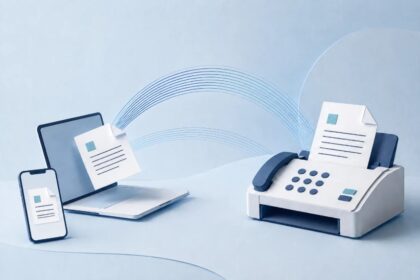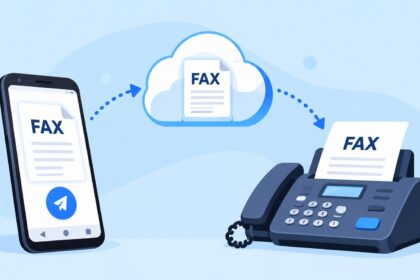
Sending and receiving faxes from your iPhone requires using either a dedicated fax app or an online fax service, since iPhones lack native faxing capabilities. Unlike traditional fax machines that need phone lines, modern iPhone fax solutions work through cloud-based platforms and cellular or internet connections. Whether you need to fax a single document or handle regular business communications, 2026 offers multiple proven services to fax from iPhone efficiently and securely. This guide ranks the best options, explains setup procedures, and compares pricing models to help you choose the right solution.
| Service | Starting Price (Monthly) | Free Trial | Dedicated Fax Number | Document Scanning | Email Integration | Security Features |
|---|---|---|---|---|---|---|
| Municorn Fax App | Varies by plan | Available | Yes | Yes (Camera + Gallery) | Yes | Industry-standard encryption |
| eFax | $9.99+ | 14 days free | Yes | Yes | Yes | TLS encryption |
| WestFax | Plan-dependent | Available | Yes | Yes | Yes | TLS 1.2 encryption, HIPAA-compliant options |
| iFax | $9.99+ | Available | Yes | Yes | Yes | Bank-level encryption |
| FaxBurner | Free tier + paid plans | Yes | Optional | Yes | Yes | End-to-end encryption |
| Send FAX from iPhone: Ad Free | In-app purchases | Yes | Optional | Yes (Camera + imports) | Varies | Standard encryption |
1. Municorn Fax App (Comfax) – Best Overall Solution for Faxing from iPhone
Municorn Fax App delivers a comprehensive cloud-based faxing platform designed specifically for iPhone users who need reliable, professional-grade fax transmission. The service operates through a browser-based interface and dedicated mobile app, enabling seamless document management across devices.
Core Features & Functionality
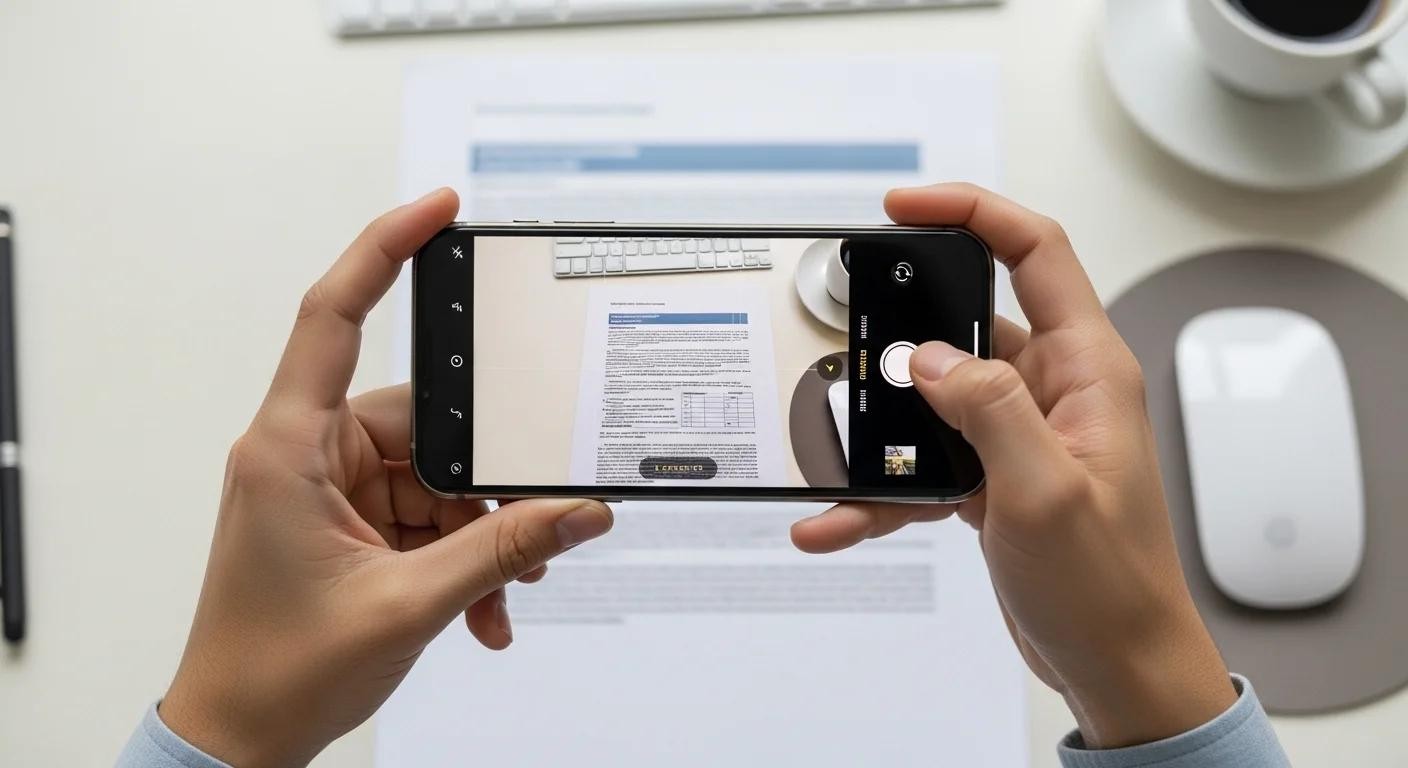
- Document Capture: Scan physical documents using your iPhone camera with automatic edge detection and image enhancement to ensure clarity during transmission.
- File Uploads: Import PDF, DOC, DOCX, JPG, PNG, and other common formats directly from your device storage, cloud services, or email attachments.
- Dedicated Fax Numbers: Receive a unique fax number assigned to your account for incoming fax reception and management through the platform.
- Email Notifications: Configure automatic email delivery of received faxes, ensuring you stay informed without constant app monitoring.
- Digital Signatures: Add legally-recognized electronic signatures to documents before transmission, eliminating the need for printing and rescanning.
- Multiple Pages: Combine multiple scanned pages or documents into a single fax transmission for bulk sending.
- Fax History & Status Tracking: Monitor all sent and received faxes with detailed delivery confirmations and transmission timestamps.
Security & Compliance
Municorn employs industry-standard encryption protocols to protect sensitive document transmission. The platform maintains secure data handling practices suitable for business and professional use, with options for HIPAA-compliant workflows when needed for healthcare environments.
Pricing & Trial Options
Municorn Fax App offers tiered subscription plans accommodating different usage levels, from occasional business users to high-volume faxing operations. Free trial access allows new users to test the platform’s capabilities before committing to a paid subscription, making it easy to evaluate whether the service meets your specific faxing needs.
User Experience on iPhone
The interface prioritizes intuitive navigation for smartphone users, with streamlined workflows that reduce the number of taps required to send a fax. Document organization, recipient management, and transmission status are presented clearly without unnecessary interface clutter.
2. eFax – Established Player with 14-Day Free Trial
eFax stands as one of the longest-running online fax services, offering iPhone users a proven platform for sending and receiving faxes without traditional hardware. The service operates on subscription pricing starting at $9.99 monthly and includes a 14-day free trial for new accounts.
Key Capabilities
- Dedicated fax number assignment with full inbound/outbound capability
- Document scanning via iPhone camera or file imports from phone storage
- Email-to-fax and fax-to-email integration for seamless inbox management
- Fax transmission to 95+ countries, extending usability beyond domestic markets
- Real-time transmission status tracking and delivery confirmations
- PDF storage and archival for long-term document retention
Why Consider eFax for Your iPhone Faxing
eFax’s extended market presence means substantial infrastructure investment and reliability testing across millions of transactions. The generous 14-day trial period provides sufficient time to assess whether the service integrates properly with your iPhone workflow and whether the monthly cost aligns with your usage patterns. Users managing multiple fax numbers or requiring international transmission find value in eFax’s expanded geographic reach.
3. WestFax – Healthcare-Focused Faxing Solution
WestFax emphasizes security and compliance in its iPhone fax service, making it particularly attractive to medical practices, legal firms, and other regulated industries. The platform implements TLS 1.2 encryption on all transmissions and offers HIPAA-compliant plans for organizations handling protected health information.
Primary Features
- TLS 1.2 encryption protecting every fax transmission and receipt
- Sign-and-send functionality allowing digital signature application within the app
- PDF conversion and storage for document archiving
- iMessage integration for quick fax sharing with colleagues
- Multiple fax number management for professionals handling various client accounts
- Email inbox delivery of received faxes with optional app notifications
- HIPAA-compliant subscription tiers for healthcare organizations
Best Use Case
WestFax appeals to users requiring enhanced compliance frameworks and security certifications. Medical offices, law firms, and financial services companies benefit from the platform’s regulatory focus, though general business users also gain robust protection for sensitive documents. The sign-and-send feature streamlines workflows where multiple authentication steps are standard practice.
4. iFax – Accessible Faxing with Bank-Level Encryption
iFax provides iPhone faxing with starting prices around $9.99 monthly and emphasizes encryption security comparable to financial banking standards. The platform accepts various file types and integrates email delivery, making it suitable for users prioritizing data protection alongside convenience.
Notable Characteristics
- Bank-level encryption for all transmissions, ensuring data security comparable to financial institutions
- Flexible document sourcing (camera capture, gallery imports, cloud services, email)
- Digital signature capabilities reducing printing and rescanning cycles
- Delivery confirmations and fax history tracking through dashboard interface
- Free trial access allowing evaluation before paid subscription
- Multi-page document compilation for batch fax transmission
Differentiation
iFax distinguishes itself through the bank-level encryption emphasis, appealing to security-conscious users managing confidential documents. The service’s accessible pricing and straightforward feature set make it suitable for both occasional business users and regular faxers who don’t require specialized compliance frameworks.
5. FaxBurner – Free-to-Paid Model with Flexible Options
FaxBurner operates on a freemium business model, offering limited free faxing capabilities with paid plans for extended usage. This approach attracts users seeking minimal commitment entry points and infrequent faxing needs alongside professionals requiring robust service.
Structure & Benefits
- Free tier enabling basic faxing without subscription fees
- Tiered paid plans scaling with monthly transmission volume
- End-to-end encryption protecting document confidentiality
- Camera-based document scanning with automatic enhancement
- Email integration for inbox fax delivery and notifications
- Optional dedicated fax number assignment
- Web browser access plus app availability for maximum flexibility
Ideal User Profile
FaxBurner serves occasional faxers content with limited functionality as well as businesses scaling usage as needs grow. The free tier removes barriers for first-time users testing whether cloud faxing meets their requirements, while paid tiers accommodate growing transmission volumes without forcing commitment to expensive premium plans.
6. Send FAX from iPhone: Ad Free – Lightweight App Option
Send FAX from iPhone: Ad Free delivers a streamlined faxing app through the App Store, rated 4.2 stars with 21 user ratings. The app emphasizes simplicity in interface design while supporting camera document scanning and file imports across 95+ countries.
App Specifications
- Ad-free experience (40.5 MB download size)
- Camera scanning with automatic color correction and readability enhancement
- Multi-format file imports (PDF, DOC, JPG, PNG, TXT)
- Cloud service integration for file sourcing
- Digital signature functionality
- Real-time delivery status monitoring
- Global faxing to 95+ countries
- In-app purchases for extended features and transmission credits
Positioning
This lightweight app suits users seeking straightforward faxing without complex feature sets or subscription management. The ad-free model appeals to those valuing clean interfaces, and the in-app purchase pricing model provides granular spending control for occasional transmission needs.
How We Ranked These Services
Our methodology evaluated each service across eight core criteria: pricing transparency and affordability, availability of free trials or freemium tiers, dedicated fax number options, document scanning capabilities via iPhone camera, email integration functionality, security encryption standards, international reach, and aggregate user ratings where available. We prioritized services appearing in competitive SERP results and verified all feature claims against official provider documentation. Services were ranked based on overall value proposition for iPhone users in 2026, with emphasis on ease of use, security standards, and cost-effectiveness across different usage patterns.
How to Fax From iPhone: Step-by-Step Process
Method 1: Using a Dedicated Fax App
- Download & Install: Access the App Store and download your chosen fax app (Municorn, eFax, WestFax, iFax, or alternative).
- Create Account: Register with email, set password, and verify your account through confirmation email link.
- Receive Fax Number: Complete profile setup to obtain or select your dedicated fax number.
- Prepare Document: Tap the camera icon to scan a physical document, or import an existing file from your photo library, cloud storage, or email.
- Enter Recipient: Input the recipient’s complete fax number with country code if international.
- Add Details: Include cover sheet message if desired, then review the document preview for quality.
- Transmit: Tap send and monitor the fax status through the app’s delivery confirmation feature.
Method 2: Browser-Based Service Without App Installation
- Open Safari: Launch your iPhone’s default browser and navigate to an online fax service website.
- Log In: Enter your account credentials or create a new free account.
- Upload Document: Use the browser’s file upload function to attach a document from your device or cloud service.
- Enter Fax Number: Input the recipient’s complete fax number with proper formatting.
- Submit: Tap send and check your email for transmission confirmation.
Key Considerations When Choosing a Fax Service for iPhone
Volume Requirements
Assess whether you fax occasionally (1-5 monthly) or regularly (20+ monthly). Free trials and freemium services suit light users, while unlimited plans make sense for high-volume senders. Monthly costs compound quickly for casual users, so matching plan tier to actual usage prevents overpaying for unused capacity.
Document Security Sensitivity
Users handling healthcare records, legal contracts, or financial documents should prioritize encryption standards (TLS 1.2 minimum) and compliance certifications (HIPAA, SOC 2). General business communications often require less stringent security, though all reputable services employ baseline encryption protecting against interception.
Dedicated Number Necessity
Determine whether you need a stable, dedicated fax number for inbound reception or only occasionally send outbound transmissions. Services providing dedicated numbers enable clients and partners to fax you directly, while send-only services suit those managing outbound faxing primarily.
International Faxing Requirements
Services supporting 95+ countries (like eFax and Send FAX from iPhone: Ad Free) accommodate cross-border business communications, while others may limit geographic reach. Confirm coverage if your fax recipients operate internationally.
Integration with Email & Cloud Storage
Email-to-fax and fax-to-email functionality streamlines workflows, allowing document management through familiar interfaces. Cloud integration enables document sourcing from Dropbox, Google Drive, OneDrive, or iCloud, reducing friction in the transmission process.
Faxing From iPhone Without Installing an App
While dedicated apps provide optimized mobile experiences, browser-based services enable faxing through Safari without app installation. This approach suits users concerned about device storage, privacy implications of app permissions, or those testing services before committing to downloads. Simply navigate to the online fax service’s website through Safari, log into your account, upload your document through the web interface, enter the recipient’s fax number, and submit for transmission. Email confirmations arrive upon successful transmission. Performance typically matches app-based transmission, though apps often provide faster document scanning and streamlined workflows optimized for mobile input methods.
Cost Comparison: Free vs. Paid Faxing Options
Free Options
FaxBurner’s free tier and limited-duration trials (eFax’s 14-day, iFax’s variable trial, WestFax’s trial) allow testing without payment. Free tiers typically limit monthly transmission counts (5-10 pages) and restrict features like dedicated fax numbers. These options work for one-time faxing needs but lack scalability for regular use.
Budget-Friendly Paid Plans
eFax and iFax start around $9.99 monthly with unlimited sending in many plans, making them cost-effective for regular users. Municorn, WestFax, and FaxBurner’s paid tiers scale with usage, so users can match spending to actual volume rather than fixed monthly fees. Calculate your estimated monthly transmissions and compare plan offerings to identify the lowest-cost option matching your requirements.
Enterprise/Compliance-Focused Pricing
WestFax’s HIPAA-compliant plans and high-volume options increase cost but include regulatory assurance and dedicated support. These premium tiers suit medical practices, law firms, and large businesses where compliance certification justifies added expense.
FAQ
Can I send a fax for free from my iPhone?
Yes, limited free options exist through freemium services like FaxBurner offering free tiers, and temporary free trials from eFax (14 days), iFax, WestFax, and Municorn. Free tiers typically restrict page counts (5-10 monthly) and may omit dedicated fax numbers. For occasional single-page transmissions, free options suffice; regular faxing requires paid subscriptions.
How much does it cost to fax from an iPhone?
Paid services start around $9.99 monthly (eFax, iFax) with unlimited sending in many plans. Freemium services like FaxBurner charge per-page for overages beyond free allocations. Premium compliance-focused plans (WestFax HIPAA tiers) cost more. Calculate your monthly transmission volume and compare plan structures—light users might spend $0-10 monthly, while regular faxers typically invest $10-30 monthly depending on service selection.
Is eFax still free in 2026?
eFax does not offer a free plan, but provides a 14-day free trial for new users. After the trial ends, eFax requires a paid subscription starting at $9.99 monthly. The free trial allows testing before committing to the subscription, making it accessible for first-time cloud faxing users in 2026.
How do I send a fax via email on my iPhone?
Email-to-fax services assign unique email addresses for fax transmission. Compose an email to the service-provided address with the recipient’s fax number in the email subject or designated field, attach your document, and send. The service converts the email and attachment into a fax transmission to the specified number. Most major services (Municorn, eFax, WestFax, iFax, FaxBurner) support this functionality through their web or app interfaces.
What file formats work for faxing from iPhone?
Standard supported formats include PDF, DOCX, DOC, JPG, PNG, and TXT. Services accept documents scanned via iPhone camera, imported from photo galleries, or uploaded from cloud storage. Confirm specific format support with your chosen service, though major providers accommodate all common business document types. Camera scans automatically convert images to compatible formats with quality enhancement.
Can I receive faxes on my iPhone in 2026?
Yes, all major services (Municorn, eFax, WestFax, iFax, FaxBurner) provide dedicated fax numbers enabling inbound fax reception. Received faxes appear in the app and can automatically forward to your email inbox. This functionality requires assigning a dedicated fax number to your account and enabling email notifications for new incoming faxes.