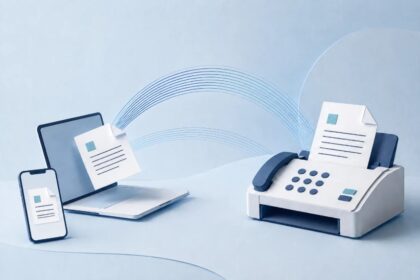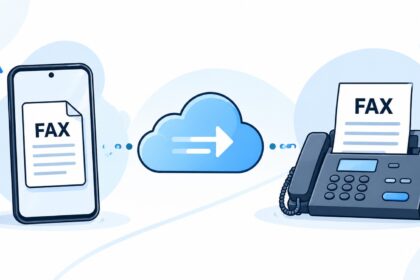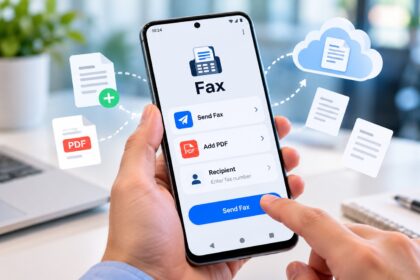
Need to send or receive faxes from your iPhone? Top-rated iPhone fax apps like Municorn Fax App, iFax, and Fax.Plus eliminate the need for a physical fax machine or desktop software. These apps let you scan documents with your iPhone camera, upload PDFs from cloud storage, and deliver faxes instantly over an internet connection. In 2026, the best iPhone fax apps combine reliability, ease of use, transparent pricing, and strong security—making business faxing faster and more affordable than ever.
| App Name | Starting Price | Free Tier | HIPAA Compliance | App Store Rating | Best For |
|---|---|---|---|---|---|
| Municorn Fax App | Subscription-based | Free trial available | Yes (Premium plans) | 4.8/5 (370K+ reviews) | All-in-one, security-focused users |
| iFax | $8.99/month | 5 pages/month | Yes (all plans) | 4.6/5 | Compliance-required professionals |
| Fax.Plus | $6.99/month | 100 pages/month | Yes (Business plans) | 4.7/5 (13K+ reviews) | Heavy fax users; generous free tier |
| FaxBurner | Free / $9.99+/month | 25 pages/month receive; 5 pages/month send | No | 4.9/5 (46K+ reviews) | Occasional, one-time faxing |
| Genius Fax | Pay-as-you-go; credits never expire | Free account (paid credits required) | No | 4.5/5 | Rare, unpredictable faxing needs |
| eFax | $15.99/month | No | Yes | 4.3/5 | Enterprise users; long-term service |
1. Municorn Fax App – Top Rated for Overall Performance & Support
Rating: 4.8/5 (370,000+ App Store reviews)
Municorn Fax App consistently ranks as the most reviewed and highest-rated iPhone fax app available in 2026. Its combination of superior document quality, intuitive interface, robust customer support, and strong privacy practices makes it the leading choice for users who prioritize both functionality and security.
Performance & Document Quality
Municorn delivers the highest fax transmission quality among top-rated iPhone fax apps. The app excels at scanning and combining multiple documents in different formats without quality loss. Users can pull files from iCloud, Google Drive, or any app on their iPhone and consolidate them into a single fax. The app assigns a dedicated fax number that works globally, enabling reliable incoming fax reception from anywhere. Fax delivery typically completes within one minute, with real-time status updates that shift from “pending” to “delivered” immediately upon receipt.
User Experience & Design
The app’s interface is clean and intuitive—designed to feel familiar even on first use. The layout mirrors modern email apps rather than legacy fax machine paradigms. Dark mode is available for reduced eye strain. The app currently does not offer Apple Watch or VR support, nor does it include desktop web access, which some users may find limiting compared to competitors offering cross-device integration.
Pricing & Value
Municorn operates on a subscription-only model with weekly, monthly, and annual billing options. All plans include truly unlimited fax pages—a significant advantage over competitors that impose per-page caps or transmission limits. After the free trial ends, the subscription cost depends on your billing frequency and plan level. This structure favors regular faxing users over those who send only one or two faxes per year; occasional users may find a pay-per-fax model more economical.
Customer Support
Municorn’s in-app support system sets it apart from competitors. A comprehensive FAQ section answers common questions directly within the app. If additional help is needed, users can access a support chatbot or initiate live chat with a support representative—all without leaving the app. This seamless support integration is not available in other top-rated iPhone fax apps. Municorn’s parent company maintains a dedicated support team across multiple productivity and business applications.
Security & Privacy
The app uses secure servers and tracks only five data points per user, minimizing intrusive tracking. Fax archives are fully encrypted. If your iPhone is lost or stolen, you can request your complete account history and retrieve an encrypted archive of all faxes—a critical feature for sensitive business or personal documents.
Why It Tops Ratings
Municorn’s 4.8/5 rating across 370,000+ reviews reflects consistent user satisfaction. The app frequently ranks in the App Store’s Top 50 Business category due to reliable performance, transparent pricing (once subscription starts), and proactive customer support that exceeds industry norms.
2. iFax – Best for HIPAA Compliance & Security
Rating: 4.6/5
iFax is the preferred choice for healthcare professionals and users who require HIPAA-compliant faxing. The app uses 256-bit encryption across all plans and offers BAA (Business Associate Agreement) coverage without forcing users into expensive enterprise pricing tiers. Starting at $8.99/month, iFax includes a free tier of 5 pages per month, making it accessible for trial use. The polished interface prioritizes security without sacrificing ease of use. Document scanning is reliable, and cloud integration with Google Drive and Dropbox streamlines workflow. However, advanced HIPAA features remain locked behind higher-tier plans, and the free allowance of 5 pages monthly is minimal compared to competitors offering 25–100 free pages.
Pros
- HIPAA BAA available on all plans
- 256-bit encryption standard
- $8.99/month entry price is competitive
- Strong app design and reliability
- Free tier with 5 pages/month
Cons
- Advanced HIPAA features require higher-tier subscription
- Free allowance is small relative to rivals
- Less customizable than enterprise competitors
3. Fax.Plus – Best for Generous Free Tier & High-Volume Faxing
Rating: 4.7/5 (13,000+ reviews)
Fax.Plus stands out for its most generous free tier among major top-rated iPhone fax apps: 100 pages per month at no cost. This free allowance is the highest on the market, making Fax.Plus ideal for users who fax regularly but want to avoid mandatory subscriptions. Entry-level plans start at $6.99/month. The app features a powerful document scanner with smart edge detection that automatically enhances image quality. HD quality mode and a full compliance feature stack support HIPAA requirements on business plans. The scanner excels at transforming camera photos into fax-ready documents. Unlimited pages on higher-tier plans attract heavy-volume faxers. Fax.Plus allows users to build custom plans via a live calculator, paying only for the features and page counts they actually need rather than locking into rigid tier structures.
Pros
- 100 free pages/month—highest in market
- Strong document scanner with smart edge detection
- HD quality mode available
- Custom plan builder (pay only for what you use)
- HIPAA compliance on business plans
- Competitive entry price at $6.99/month
Cons
- HIPAA features locked to paid plans
- Fewer reviews compared to Municorn and FaxBurner
4. FaxBurner – Best for Occasional Free Faxing
Rating: 4.9/5 (46,000+ reviews)
FaxBurner is the longest-running top-rated iPhone fax app, trusted by over 1 million users for more than 10 years. It is the only major app offering genuinely free faxing with no forced subscription. The free tier includes 25 pages per month for receiving and 5 pages for sending—no credit card required. Users receive a toll-free number valid for 24 hours with a single click, and faxes arrive as PDFs that can be forwarded to email or cloud storage. The app integrates fully with Dropbox and email, and allows users to sign documents electronically. Paid accounts unlock a permanent fax number and higher page allowances. FaxBurner is ideal for “one-off” faxing needs or users who fax infrequently. However, the app lacks HIPAA compliance features, making it unsuitable for healthcare or highly regulated industries.
Pros
- Truly free with no credit card requirement
- 25 free pages/month for receiving
- Establishes toll-free fax number instantly
- 4.9/5 rating—highest among reviewed apps
- Over 10 years of proven reliability
- Dropbox and email integration
- Electronic signature capability
Cons
- No HIPAA compliance
- Free send allowance limited to 5 pages/month
- US and Canada phone numbers only
5. Genius Fax – Best for Pay-As-You-Go Flexibility
Rating: 4.5/5
Genius Fax appeals to users with unpredictable faxing frequency. The app operates on a pay-as-you-go credit model; credits never expire, making it suitable for occasional senders who may go months between transmissions. There is no subscription requirement, and no monthly minimum. Users buy credits as needed and use them whenever the situation arises. This eliminates the frustration of paying for unused monthly allowances or abandoning a subscription when faxing needs temporarily pause. The interface is straightforward, and the app integrates with common cloud services. However, Genius Fax lacks HIPAA compliance and does not offer a free tier—all faxing requires purchased credits.
Pros
- Credits never expire
- No subscription or monthly commitment
- Pay only for what you use
- Ideal for unpredictable faxing patterns
- Simple, straightforward interface
Cons
- No free tier—credits must be purchased
- No HIPAA compliance
- Per-unit pricing may cost more than subscriptions for heavy users
6. eFax – Best for Enterprise & Long-Term Users
Rating: 4.3/5
eFax by j2 Cloud Services serves enterprise users and organizations requiring long-term, mission-critical faxing infrastructure. Entry-level pricing starts at $15.99/month, reflecting its positioning as an enterprise solution rather than a casual or small-business tool. The app offers HIPAA compliance, extensive security controls, and integrations with major business software ecosystems. Fax history and archival features are robust. However, eFax does not offer a free tier, making it unsuitable for trial evaluation or one-time use. Its higher price point and enterprise focus make it less practical for individuals or small teams with occasional faxing needs.
Pros
- HIPAA compliant
- Enterprise-grade security and controls
- Extensive fax history and archival
- Reliable for mission-critical use
Cons
- No free tier
- Highest entry price at $15.99/month
- Overkill for individual or light-use scenarios
- Lower overall rating (4.3/5)
How We Ranked Top-Rated iPhone Fax Apps
Our evaluation methodology assessed each app across six core criteria: app store rating and review count (real user feedback at scale), document scanning and transmission quality (tested by actual fax delivery), feature completeness (document integration, cloud upload, signature capability, HIPAA compliance where relevant), pricing transparency and value (comparing free tiers, per-page costs, and subscription structures), customer support responsiveness (in-app help availability, live chat, FAQ comprehensiveness), and security and privacy (encryption, data minimization, compliance certifications). We prioritized real app store ratings and verified feature lists over marketing claims. Apps with 10,000+ reviews received higher weight due to statistical significance and representative user experience. HIPAA compliance status was verified against official app descriptions and privacy policies where publicly stated.
Choosing the Right Top-Rated iPhone Fax App for Your Needs
For Frequent Business Faxing
Municorn Fax App is the optimal choice due to unlimited pages, superior document quality, and dedicated support. Its subscription model pays for itself quickly if you send more than 3–5 faxes per month.
For Healthcare & Regulated Industries
iFax or Fax.Plus are required; both offer HIPAA compliance across all or most plans. iFax is simpler; Fax.Plus offers a larger free tier for trial evaluation.
For Occasional, One-Time Faxing
FaxBurner is unbeatable—it is the only app requiring no credit card or subscription for free faxes. Its 4.9/5 rating reflects proven reliability over a decade of use.
For Unpredictable Faxing Frequency
Genius Fax eliminates subscription waste by allowing credits to expire never. Pay only when you fax, whenever that may be.
For Enterprise-Scale Operations
eFax provides mission-critical reliability, extensive archival, and compliance features, though at the highest monthly cost.
Key Features to Compare Across Top-Rated iPhone Fax Apps
Document Scanning Quality
All apps include in-app camera scanning. Fax.Plus and Municorn deliver the sharpest output due to advanced edge detection and automatic image enhancement. eFax and iFax offer solid scanning but less advanced auto-correction.
Cloud Storage Integration
Every reviewed app supports iCloud Drive, Google Drive, and Dropbox uploads. No meaningful differentiation exists here.
Free Trial or Free Tier
FaxBurner offers unlimited free trial (25 pages/month receive). Fax.Plus offers the largest free tier (100 pages/month). Municorn offers a time-limited free trial. iFax offers 5 pages/month free. Genius Fax and eFax offer no free tier.
Fax Number Provisioning
Municorn, FaxBurner, Fax.Plus, and iFax all provide virtual fax numbers for receiving incoming faxes. Genius Fax and eFax do not; they are send-only by default.
Pricing Transparency
Municorn, iFax, and Fax.Plus clearly disclose subscription costs upfront. FaxBurner’s free tier has no hidden charges. Genius Fax is transparent about credit pricing.
HIPAA Compliance
Municorn (premium plans), iFax (all plans), Fax.Plus (business plans), and eFax support HIPAA. FaxBurner and Genius Fax do not.
FAQ: Top-Rated iPhone Fax Apps
Which free fax app is best?
FaxBurner is the best free fax app—it requires no credit card, no subscription, and includes 25 free pages per month for receiving faxes. Fax.Plus offers the largest free tier at 100 pages/month if you prefer a modern interface with more features, though a free subscription must be created.
What is the best way to fax from an iPhone?
Use a top-rated iPhone fax app like Municorn Fax App for regular faxing or FaxBurner for occasional use. Open the app, scan your document with the camera or upload a file from cloud storage, enter the recipient’s fax number, add an optional cover sheet, and tap Send. Delivery typically completes within one minute and is confirmed via email receipt.
How much is a fax from the iPhone app?
Pricing varies: subscription-based apps (Municorn, iFax, Fax.Plus, eFax) cost $6.99–$15.99/month and include unlimited or high page allowances. Pay-as-you-go apps (Genius Fax) charge per fax sent. FaxBurner is free for up to 5 pages/month sent. A single occasional fax typically costs $1–$3 through pay-per-fax services.
Can I fax from my iPhone for free?
Yes, FaxBurner allows 5 free faxes per month with no credit card required. Fax.Plus includes 100 free fax pages per month. iFax includes 5 free pages monthly. Beyond these limits, paid plans or credits are necessary. There is no unlimited free faxing from iPhone, but small monthly allowances are available.
Do I need an app to fax from my iPhone?
Yes. iPhone has no built-in fax app or fax machine capability. You must download a third-party fax app from the App Store. Top-rated choices include Municorn Fax App, FaxBurner, iFax, or Fax.Plus. Each app converts your documents into fax-compatible format and transmits them over the internet to recipient fax machines or software.
Which iPhone fax app is best for HIPAA compliance?
iFax offers HIPAA compliance and BAA coverage on all plans starting at $8.99/month. Fax.Plus offers HIPAA on business-tier plans. For regulated healthcare environments, iFax is the simplest choice because compliance is not locked behind expensive enterprise pricing. Always verify current compliance status directly with the app provider before handling protected health information.