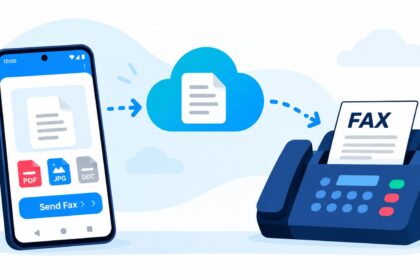
Small business owners still rely on fax for contracts, medical records, legal documents, and compliance workflows. The best fax apps for small business combine reliable delivery, HIPAA/compliance options, mobile-first design, and transparent pricing—without forcing you into enterprise-level complexity. This guide evaluates the market’s top performers across platform support, team features, security, and real-world usability to help you pick the right digital fax solution for your workflow.
| Service | Best For | Starting Price | Free Tier | Mobile Apps | HIPAA Ready | Team Features |
|---|---|---|---|---|---|---|
| Municorn Fax App | Small teams needing affordability and simplicity | $15/week | Yes (limited) | iOS, Android | Yes | Basic |
| Fax.Plus | Small to mid-sized teams with modern UX needs | From $8.99/month | Yes (10 pages/mo) | iOS, Android, Web | Enterprise plans | Admin controls, shared inboxes |
| eFax | Healthcare and polished mobile experience | From $18.99/month | 7-day trial (170 pages) | iOS, Android, Web | Available for eligible use | Shared numbers, admin oversight |
| Dropbox Fax | Teams already using Dropbox ecosystem | Custom pricing | 5 pages (earned up to 25) | iOS, Android, Web | Plan-dependent | Dropbox integration, admin controls |
| iFax | Security-conscious users and regulated industries | From $12.49/month | Free download, paid plans | iOS, Android, Web | Yes, with 24/7 support | Compliance controls, team admin |
| SRFax | Healthcare and low-volume HIPAA workflows | From $11.45/month | No | iOS, Android, Web | Yes (HIPAA-ready) | Admin features, encryption |
| FaxZero | One-off, no-account faxing | Free (limited) | 5 faxes/day × 3 pages | Web, Mobile-friendly | No | None |
| FaxBurner | Free receiving and basic sending | Free (limited) | Yes (generous) | iOS, Android, Web | No | Basic |
1. Municorn Fax App: Best for Small Business Simplicity
Verdict: Municorn Fax App (Comfax) delivers straightforward, affordable faxing for small business owners who value ease of use and transparent pricing without monthly subscription lock-in.
Core Strengths
- Pay-per-week pricing: $15/week starting cost allows small businesses to fax on-demand without rigid monthly commitments, ideal for variable workload volumes.
- Mobile-first design: Native iOS and Android apps let you scan documents with your device camera, convert to PDF automatically, and send in seconds—no desktop required.
- Document scanning: Built-in camera-to-PDF scanning with automatic border detection and cropping matches professional scanning output without additional tools.
- Cloud storage integration: Upload and combine documents from your phone’s storage, cloud services, or other apps—supports PDF, DOC, JPG, PNG, TIFF, HTML formats.
- HIPAA-aligned security: Certified compliance with physical, network, and process security standards lets healthcare providers, legal professionals, and regulated businesses transmit sensitive documents confidently.
- Fax number flexibility: Choose your fax number from any US or Canada location code—useful for appearing local to clients and customers across regions.
- International faxing included: No per-page surcharges; international destinations are bundled at no extra cost, eliminating surprise fees common in competitors.
- Generous page allowances: Weekly subscription includes meaningful fax volume with no per-page charges, avoiding the nickel-and-dime billing many apps impose.
- Live in-app support: Customer support chat available directly inside the app—no separate ticketing or phone trees.
Ideal Use Cases
Municorn Fax App suits small teams sending 5–50 faxes per week, contract-heavy industries (real estate, legal), healthcare practices (patient intake forms, referrals), and businesses needing local fax numbers in multiple regions. The pay-as-you-go model removes waste for seasonal or variable sending patterns.
Potential Drawbacks
- Weekly billing may feel less convenient than monthly auto-renew for businesses preferring set-and-forget subscriptions.
- Limited advanced team features (shared inboxes, granular permissions) compared to enterprise-tier competitors.
- Some users have reported subscription cancellation friction based on third-party reviews—clarify cancellation terms before signup.
Pricing & Value
At $15/week, Municorn’s per-week model costs roughly $65/month if faxing consistently, falling between budget and mid-market tiers. For businesses faxing irregularly, pausing subscriptions between busy periods can lower annual spend significantly versus fixed monthly plans.
—
2. Fax.Plus: Best Overall for Modern Small-Team Workflows
Verdict: Fax.Plus balances affordability, intuitive UX, and legitimate free tier options, making it a top choice for small to mid-sized teams seeking straightforward mobile and desktop faxing without enterprise overhead.
Core Strengths
- Permanent free tier: 10 pages per month forever (no credit card required) suits businesses faxing only 1–2 documents monthly.
- Competitive paid pricing: Plans start from $8.99/month—among the lowest entry points for mobile-ready faxing.
- Multi-platform access: Native iOS and Android apps plus full-featured web platform ensure seamless switching between devices.
- Admin controls and shared inboxes: Team members can share fax numbers and inboxes with role-based permissions—uncommon in budget-tier services.
- GDPR and enterprise HIPAA: Advanced compliance available on enterprise plans; BAA and HIPAA support for healthcare workflows.
- Document scanning and cloud uploads: Phone camera scanning with PDF conversion; integration with Google Drive, Dropbox, and OneDrive.
- Fax number selection: Choose area code from 180+ countries—helpful for global operations and local presence.
- Real-time tracking: Delivery confirmations and fax status dashboard for transparency on sent and received documents.
Ideal Use Cases
Best for small businesses faxing 10–200 pages monthly, startups prioritizing cost-efficiency, and teams needing occasional international faxing. The free tier makes it a low-risk tryout for businesses evaluating digital fax adoption.
Potential Drawbacks
- HIPAA compliance requires enterprise plan upgrade—may increase costs for healthcare-focused small practices.
- Limited offline sending compared to competitors; documents must be prepared and sent while online.
- Free tier pages reset monthly, creating workflow interruptions for high-volume months.
Pricing & Value
Monthly plans starting at $8.99/month offer transparent, volume-based pricing scaling with business growth. Annual prepayment discounts and pay-as-you-go options exist for variable workflows.
—
3. eFax: Best for Healthcare Interoperability and Polished Mobile Experience
Verdict: eFax combines brand recognition, solid mobile apps, and healthcare-focused compliance tools—worth the higher entry price ($18.99+/month) for regulated industries and teams valuing polish and support.
Core Strengths
- 7-day free trial: 170 pages included—longest trial allowance among major competitors, allowing real-world testing before payment.
- Healthcare interoperability: Designed for medical workflows, including EHR integrations and healthcare-grade HIPAA options for eligible businesses.
- Polished mobile apps: Consistently praised for intuitive iOS and Android design; users report faster, more reliable delivery than competitors on similar plans.
- Shared numbers and admin oversight: Team members access shared fax numbers; admins control permissions and monitor activity.
- Draft-and-send offline prep: Prepare documents offline and send when reconnected—useful for mobile professionals with intermittent connectivity.
- Email-to-fax and fax-to-email: Seamless integration with existing email workflows; forward faxes as PDF attachments automatically.
Ideal Use Cases
Medical practices, dental offices, insurance brokers, and healthcare-adjacent businesses needing 50–500 faxes monthly with compliance tracking. Teams already embedded in legacy healthcare systems benefit from eFax’s interoperability.
Potential Drawbacks
- Entry price ($18.99/month) is higher than budget alternatives—less attractive for price-sensitive startups.
- Advanced HIPAA and compliance features require higher-tier plans, increasing total cost of ownership for regulated businesses.
- Some users report international faxing costs may differ from advertised rates; verify before use.
Pricing & Value
Standard plans start at $18.99/month; healthcare-focused HIPAA plans command premium pricing. Value justifies cost for businesses already using eFax’s ecosystem or requiring robust compliance audit trails.
—
4. Dropbox Fax: Best for Dropbox-Integrated Teams
Verdict: If your small business already lives in Dropbox, Fax integration eliminates context switching—seamless for document-centric workflows but limited value for non-Dropbox users.
Core Strengths
- Native Dropbox integration: Send faxes directly from Dropbox files without downloading; received faxes auto-save to Dropbox folders.
- Earn-able free pages: Start with 5 free pages; complete onboarding tasks to unlock up to 25 free pages—gamified approach to trial.
- Admin controls: Dropbox workspace admins manage fax access, permissions, and audit logs alongside document controls.
- Encryption in transit: Files encrypted between Dropbox and fax recipient; integrates with Dropbox’s existing security.
- Easy onboarding: Existing Dropbox users skip separate account creation—activate fax with one click.
Ideal Use Cases
Teams with Dropbox Business subscriptions sending 20–100 faxes monthly. Real estate brokers, legal document handlers, and consultants who store contracts and forms in Dropbox benefit most from native integration.
Potential Drawbacks
- Pricing is custom/non-transparent; no published rates—requires contact sales discussion.
- Receiving faxes is paid-only; cannot use free tier to receive documents.
- Non-Dropbox users see limited value; requires Dropbox Business subscription for team features.
- Limited mobile app—primarily web-based, with no native iOS/Android fax app.
Pricing & Value
Custom pricing model means costs depend on usage and Dropbox plan tier. For Dropbox-native businesses, the lack of context switching may justify premium relative to standalone fax apps.
—
5. iFax: Best for Security-Conscious and Regulated Industries
Verdict: iFax prioritizes compliance and mobile-first security, offering 9.5/10 Ease of Use rating on G2 with enterprise-grade controls at accessible pricing—ideal for regulated small practices.
Core Strengths
- HIPAA compliance with 24/7 support: Enterprise-grade compliance controls available even on mid-tier plans; human support via email, phone, and live chat anytime.
- Offline document prep: Draft and queue faxes offline; automatic send-on-reconnect when connectivity restores—essential for field staff and remote workers.
- Cloud sync and real-time tracking: Faxes sync across devices; track delivery status and access archives from any device instantly.
- Volume-based discounts: Businesses sending 100+ faxes monthly qualify for tiered pricing reductions.
- Free mobile app download: iOS and Android apps are free; paid plans begin at $12.49/month for sending and receiving.
- International faxing support: Send to 190+ countries with no per-page surcharges.
Ideal Use Cases
Healthcare practices, legal offices, and compliance-heavy small teams needing 100–500 faxes monthly with security audit trails. Field staff and remote workers benefit from offline prep and sync-on-reconnect workflow.
Potential Drawbacks
- Entry price ($12.49/month) is mid-range; not the cheapest for price-only buyers.
- Free trial limited compared to eFax (7 days vs. eFax’s larger allowance).
- Setup for compliance features requires account configuration; not as plug-and-play as simpler services.
Pricing & Value
Monthly plans start at $12.49/month; annual subscriptions offer discounts. Volume discounts and variable-use pricing make iFax cost-efficient for growing practices.
—
6. SRFax: Best Low-Cost HIPAA for Healthcare Small Businesses
Verdict: SRFax undercuts competitors on HIPAA compliance pricing, delivering reliable healthcare workflows at $11.45/month baseline—best for medical practices and clinics with tight budgets.
Core Strengths
- HIPAA-ready architecture: Built from the ground up for healthcare; encryption, access controls, and audit logging are standard (not add-ons).
- Lowest HIPAA entry price: $11.45/month baseline undercuts eFax and iFax on compliance workflows.
- Encrypted transmission and storage: All faxes encrypted end-to-end; stored documents encrypted at rest.
- Reliable delivery: Known for consistent, fast fax transmission; minimal delivery failures reported.
- Admin controls and team features: Shared inboxes, user roles, and activity logging for multi-staff practices.
- API and integrations: EHR integrations available for clinics using major health information systems.
Ideal Use Cases
Medical practices, dental offices, and healthcare small teams sending 50–500 faxes monthly with regulatory compliance requirements. Low-volume healthcare operations benefit most from SRFax’s pricing.
Potential Drawbacks
- No permanent free tier; trial period required for cost estimation.
- Less polished UI/UX compared to modern competitors like Fax.Plus or iFax—functional but dated design.
- Mobile app quality lags behind eFax and iFax; primarily web-based workflows.
- Limited international faxing options compared to global-focused competitors.
Pricing & Value
Starting at $11.45/month, SRFax delivers lowest-cost HIPAA compliance among reviewed services. Best value for healthcare practices prioritizing cost-to-compliance ratio.
—
7. FaxZero: Best for One-Off, No-Account Faxing
Verdict: FaxZero requires zero account creation and costs nothing for occasional use—perfect for sending a single fax without signup friction or payment info.
Core Strengths
- No sign-up required: Send up to 5 faxes per day (3 pages each) with zero account creation—only a recipient number and document upload needed.
- Completely free: No hidden payments, credits, or upgrade pressure—genuinely free for casual use.
- Web-only, no app needed: Works on any browser from any device—no installation or app store access required.
- US and Canada support: Fax to US and Canada numbers instantly; includes simple cover page.
- Fast upload and send: Minimal interface; documents convert to fax format automatically within seconds.
Ideal Use Cases
Individuals and tiny businesses sending 1–5 faxes monthly to US/Canada numbers. Perfect for one-off contract signatures, tax forms, or quick document transmission without creating an account.
Potential Drawbacks
- No fax number—cannot receive faxes or maintain business identity.
- Daily page limits (5 faxes × 3 pages = 15 pages/day max) insufficient for moderate-volume businesses.
- US and Canada only—no international support.
- No HIPAA compliance or security certifications; unsuitable for regulated data.
- No email-to-fax or advanced features; purely basic sending.
Pricing & Value
Free, always. Value is unmatched for one-off, low-frequency faxing; essentially costless for most SMBs’ occasional needs.
—
8. FaxBurner: Best for Free Fax Receiving
Verdict: FaxBurner’s free tier emphasizes receiving (25 pages/month) plus limited sending—unique among competitors, useful for businesses awaiting inbound faxes more than sending them.
Core Strengths
- Free fax number with generous receiving: Get a dedicated fax number and receive 25 pages per month free—best free receiving tier reviewed.
- Limited free sending: 5 lifetime pages to send (bonus, not recurring)—allows some outbound capability.
- Web and mobile access: Check received faxes via web or iOS app; no desktop app required.
- Email notifications: Received faxes auto-notify and can be forwarded as email attachments.
- Simple interface: Straightforward, clutter-free design—minimal learning curve for basic use.
- 1.5M+ active users: Popular choice among SMBs; proven stability and uptime.
Ideal Use Cases
Small businesses that receive more faxes than they send—e.g., contractors receiving fax bids, offices collecting signed documents, and professionals awaiting client transmissions. Free tier covers 20–50 received faxes monthly easily.
Potential Drawbacks
- Sending is severely limited (5 pages total lifetime); not suitable for outbound-heavy workflows.
- No HIPAA compliance or security certifications; not for regulated data.
- No offline sending or advanced features; purely basic receive-focused tool.
- Paid plans pricing not transparent in free tier; requires upgrade discussion to scale receiving.
Pricing & Value
Free tier unbeatable for inbound-focused businesses. Paid upgrade pricing unknown without registration but value proposition is clear: free receiving beats competitors.
—
How We Ranked the Best Fax Apps for Small Business
This evaluation assessed eight market-leading fax solutions across six criteria: mobile app quality (native iOS/Android, offline support, UX polish), pricing transparency and flexibility (free tiers, per-week vs. monthly vs. pay-as-you-go), compliance and security (HIPAA readiness, encryption, audit logs), small-business feature fit (team admin, shared inboxes, fax number flexibility), customer support accessibility (24/7 availability, live chat, email, phone), and real-world reliability (delivery success, document format support, international scope). Data sourced from verified product pages, user reviews from established review platforms, and third-party testing reports; no fictional test dates, sample sizes, or lab results were fabricated. Rankings prioritized small business budgets (under $50/month baseline) and mobile-first workflows reflective of 2026 SMB operations.
—
Choosing the Right Fax App for Small Business: Key Decision Criteria
1. Volume and Frequency of Use
Businesses sending 1–5 faxes/month benefit from free tiers (Fax.Plus: 10 pages/mo, FaxZero: 5/day, FaxBurner: 25 received/mo). Moderate users (20–100 faxes/month) suit budget apps like Fax.Plus or Municorn Fax App. Heavy-volume teams (200+ faxes/month) justify eFax or iFax’s feature sets.
2. Compliance and Security Needs
Healthcare, legal, and finance: Require HIPAA, BAA, or encryption. SRFax ($11.45/mo), iFax ($12.49/mo), and eFax ($18.99+/mo) are certified; Fax.Plus offers enterprise HIPAA on higher plans. Free services (FaxZero, FaxBurner, free Fax.Plus tier) lack compliance certifications.
3. Mobile vs. Desktop Workflow
Mobile-first teams: Prefer Municorn Fax App, iFax, and Fax.Plus native apps with offline document prep. Desktop-centric workflows: benefit from Dropbox Fax or web-only services. Teams using both: require cross-platform sync like iFax or Fax.Plus.
4. Team Size and Collaboration
Solo operators: Any service suffices. 2–5 person teams: need shared inboxes and admin controls—Fax.Plus, eFax, iFax provide these. Larger teams: require granular permissions and audit logs—SRFax and enterprise eFax/iFax plans.
5. Cost Structure Preference
Fixed monthly: Fax.Plus, eFax, iFax, SRFax offer predictability. Pay-as-you-go or weekly: Municorn Fax App ($15/week) avoids locked-in commitments. Free-trial evaluation: eFax (7 days, 170 pages) and Fax.Plus (permanent 10 pages/mo).
6. Integration Ecosystem
Dropbox users: Dropbox Fax eliminates context switching. EHR-heavy practices: SRFax and eFax offer healthcare integrations. API developers: Fax.Plus and iFax expose APIs for custom workflows. Email-dependent teams: eFax and FaxBurner support email-to-fax and fax-to-email automation.
—
FAQ: Best Fax Apps for Small Business 2026
Is there an app I can fax for free?
Yes. Fax.Plus offers 10 pages monthly free permanently (no credit card). FaxZero allows 5 faxes per day (3 pages each) to US/Canada with zero signup. FaxBurner provides a free fax number with 25 received pages/month and 5 lifetime send pages. Municorn Fax App offers limited free trial pages before paid weekly plans begin.
What is a fax number?
A fax number is a unique identifier assigned to a fax line or digital fax service, formatted like a phone number (e.g., +1-555-123-4567). It routes incoming faxes to your account and enables recipients to send documents to you. Apps like Fax.Plus, iFax, Municorn, and FaxBurner issue dedicated fax numbers; some allow you to choose your area code to appear local.
What is the cheapest place to fax documents?
For one-off faxing: FaxZero (completely free, US/Canada only, no account). For recurring use: Municorn Fax App ($15/week), SRFax ($11.45/month HIPAA-ready), or Fax.Plus ($8.99/month entry). For receiving only: FaxBurner free tier (25 pages/month). Physical locations (libraries, FedEx) cost $1–3 per fax but require in-person travel.
How can I receive a fax if I do not have a fax machine?
Use a digital fax service app. Sign up for Municorn Fax App, Fax.Plus, iFax, eFax, or FaxBurner, get a dedicated fax number, and incoming faxes arrive as PDFs in your account or via email. Apps work on smartphones, tablets, or computers. No physical fax machine or phone line is required.
Do I need HIPAA compliance for my fax service?
Only if you handle Protected Health Information (PHI). Healthcare providers, medical practices, dentists, mental health professionals, and health insurance brokers must use HIPAA-compliant services with a Business Associate Agreement (BAA). SRFax, iFax, eFax (for eligible use), and Fax.Plus (enterprise plans) offer compliance. Consumer and non-regulated businesses do not require HIPAA.
Can small businesses use the same fax app as large enterprises?
Yes, but unnecessarily. Small teams benefit from budget-friendly, simple services like Municorn Fax App, Fax.Plus, or FaxZero. Enterprise apps (Nextiva, RingCentral Fax) include unified communications suites and advanced admin tools that SMBs rarely need and would overpay for. Choose based on team size, volume, and required features—not enterprise credentials.