If you need to send or receive faxes in 2026, the best online fax services have evolved far beyond outdated desktop machines. Modern cloud-based fax platforms handle digital document transmission, HIPAA compliance, mobile access, and international delivery—often without requiring a subscription. This article ranks the top online fax services 2026 by evaluating pricing models, feature depth, mobile capability, security compliance, and real-world usability across nine leading providers to help you choose the right fit for your workflow.
| Service Name | Best For | Pricing Model | Free Tier | HIPAA Ready | Mobile App |
|---|---|---|---|---|---|
| Municorn Fax App | Unlimited faxing on budget | Weekly/Monthly subscription | Free test fax | Yes (E2E encrypted) | iOS, Android, Mac |
| Fax.Plus | Minimal monthly volume | Tiered subscription | Yes, free version available | Yes | Web + Mobile |
| eFax | Healthcare workflows | Monthly subscription | No | Yes (BAA available) | iOS, Android |
| Dropbox Fax | Occasional sending | Pay-per-send | No | No | Via Dropbox app |
| iFax | Mobile-first teams | Monthly subscription | No | Yes, on higher tiers | iOS, Android (strong) |
| SRFax | Low-cost HIPAA | Monthly subscription | No | Yes (BAA included) | iOS, Android |
| SendItFax | No-account one-time sends | Pay-per-send or free limited | Yes (up to 3 pages) | No | Browser-based |
| HumbleFax | Flat-rate unlimited | Monthly flat-rate | No | Optional | Web + Mobile |
| FaxZero | Free one-off sending | Free (with branding) | Yes (daily limit) | No | Web-based |
1. Municorn Fax App: Best for Unlimited Faxing on a Tight Budget
Municorn Fax App leads the 2026 online fax services landscape because it combines aggressive pricing, genuine unlimited faxing, and strong security in a mobile-first format. Available as a native app for iOS, iPad, Android, and Mac, Municorn strips away the complexity of desktop faxing while maintaining enterprise-grade protections.
Core Strengths:
- Pricing: Weekly plans under $10 for unlimited send and receive; cancel anytime without long-term commitment.
- Unlimited Model: Unlike pay-per-page competitors, Municorn’s weekly subscription removes per-page or overage anxiety entirely.
- Security: Full end-to-end encryption with HIPAA compliance; aligns with stringent healthcare requirements without separate Business Associate Agreements.
- Transmission Speed: Real-world testing shows fax delivery in under one minute for multi-page documents.
- Document Quality: Scanned or uploaded documents retain excellent clarity; text, images, and shapes transmit without degradation.
- Cross-Platform: Seamlessly move between iPhone, iPad, Mac, and Android without syncing friction.
- Free Trial: Single test fax available before purchase to verify compatibility.
Ideal Use Cases:
- Healthcare professionals who send HIPAA-sensitive patient documents weekly.
- Remote teams and freelancers who need fax access from multiple devices.
- Small businesses unable to justify fixed desktop infrastructure.
- Users who want unlimited volume without per-page rate anxiety.
Trade-offs: Municorn’s strength is its app-first design; if you prefer web-browser sending or require advanced API integration for enterprise workflows, other platforms may suit better. Weekly cancellation flexibility, however, means you can test low-cost and exit if the fit doesn’t match.
Best For Buyers Who: Value mobile convenience, prioritize encryption and HIPAA readiness, fax regularly enough to benefit from unlimited volume, and prefer simple, transparent pricing without hidden per-page surcharges.
—
2. Fax.Plus: Best Overall for Individuals and Small Teams
Fax.Plus scores highest among best online fax services 2026 for balanced versatility. It offers a genuine free tier, clean interfaces across web and mobile platforms, and rapid account setup. The service scales from solo operators sending one fax per month to small teams managing 50+ monthly sends.
Key Features:
- Free Version: Send faxes only; no page limits on the free tier, but covers basic use cases.
- Paid Tiers: Basic ($4.99–$5.99/month), Premium ($9.99–$11.99/month), Business ($14.99–$19.99/month).
- Mobile App: Intuitive iOS and Android clients mirror web dashboard functionality.
- Cloud Storage: Automatically archives sent and received faxes for searchability.
- HIPAA Compliance: Available on paid tiers; BAA can be signed for regulated workflows.
- API Access: Premium and Business tiers unlock REST API for custom integrations.
Drawbacks: Advanced features (e.g., customized cover pages, audit logs) are absent on lower tiers. Free version lacks receive capability, limiting utility if you need bidirectional faxing.
Best For: Solo practitioners, startups, and teams where fax volume remains light-to-moderate and monthly cost sensitivity is high.
—
3. eFax: Best for Healthcare Interoperability and Advanced Features
eFax remains the industry standard for regulated healthcare, legal, and compliance-driven workflows. As one of the oldest online fax services 2026, eFax has built deep integrations with electronic health record (EHR) systems, document management platforms, and legal software.
Highlights:
- Pricing: Plus ($14.13–$16.95/month), Pro ($16.63–$19.95/month), Corporate (custom quotes; $10 minimum setup fee).
- Cloud Storage & Search: Powerful full-text search across archived faxes; unlimited cloud storage.
- E-Signature: Built-in digital signature workflow allows recipients to sign received faxes without printing, scanning, and re-sending.
- HIPAA & BAA: Fully available; eFax pioneered secure fax for healthcare and maintains strong compliance reputation.
- Interoperability: Integrates with major EHR platforms (Epic, Cerner, athenahealth) and document management systems.
- Email-to-Fax: Send faxes directly from email; archive syncs to web dashboard.
Limitation: Higher price point than competitors; limited customization for cover sheets compared to Municorn or Fax.Plus.
Best For: Healthcare providers, law firms, insurance agencies, and enterprises where fax must integrate with existing software stacks and HIPAA compliance is non-negotiable.
—
4. Dropbox Fax: Best for Occasional, Low-Cost Sending
Dropbox Fax removes onboarding friction for users already embedded in the Dropbox ecosystem. Pay-per-send pricing means zero recurring charges if faxing is truly sporadic.
Core Offer:
- Model: Upload from Dropbox, fax directly to recipient; pay only for sends.
- Pricing: Clear per-page cost; no minimum volume or subscription lock-in.
- Integration: Tight Dropbox ecosystem integration; fax history stored in Dropbox folders.
- Setup: No separate login required if Dropbox account exists.
Constraint: Receive faxing not available; HIPAA compliance not offered. Best suited to document senders, not bidirectional fax workflows.
Best For: Contractors, freelancers, and small firms that fax fewer than 5 times per month and already use Dropbox for file storage.
—
5. iFax: Best for Mobile-First Teams on a HIPAA Budget
iFax prioritizes mobile usability without sacrificing compliance. The app-first design and lower HIPAA tier pricing appeal to remote-heavy and healthcare practices seeking alternatives to eFax’s higher cost.
Standout Features:
- Mobile Apps: Robust iOS and Android clients with offline document access and signature capture.
- Pricing: Competitive monthly tiers starting lower than eFax; HIPAA available on mid-tier plans.
- HIPAA Compliance: Offered on higher plans; BAA available for healthcare workflows.
- Cloud Fax Inbox: Unified inbox for sent and received faxes across devices.
- Email-to-Fax: Send faxes via email; forward received faxes to colleagues.
Consideration: API and enterprise automation features are more limited than eFax; best for teams under 50 users.
Best For: Medical offices, dental practices, and remote-first teams needing HIPAA readiness with strong mobile support and lower overhead than eFax.
—
6. SRFax: Best Low-Cost HIPAA at Low Volume
SRFax targets small healthcare providers and practices with modest monthly volume. HIPAA compliance and BAA are included standard (not à la carte), lowering total cost of compliance.
Advantages:
- Pricing: Lower entry point than iFax or eFax; no separate BAA cost.
- HIPAA Included: BAA and compliance certifications bundled in all tiers.
- International Faxing: Supports sending to 190+ countries at transparent rates.
- API: REST API available for automation and custom workflows.
- Receive Numbers: Can lease local or toll-free numbers in multiple U.S. states.
Drawback: Interface is less polished than Fax.Plus or iFax; mobile experience is adequate but not optimized.
Best For: Solo healthcare practices, clinics, and small insurance offices where HIPAA is mandatory and monthly volume is predictable and modest.
—
7. SendItFax: Best for No-Account One-Time Sending
SendItFax solves the friction problem: send a fax now without creating an account, adding a subscription, or installing software. Ideal when faxing is an emergency fallback, not a core workflow.
Offer:
- Free Tier: Up to 3 pages plus cover page; 5 free faxes per day; includes SendItFax branding.
- Almost Free: $1.99 per fax for up to 25 pages without branding; instant priority delivery.
- No Signup: Visit, upload, enter recipient, send—no account required.
- Device Flexibility: Browser-based; works on desktop, mobile, or borrowed computers.
- Coverage: Supports U.S. and Canadian fax numbers.
Limitation: No receiving capability; no HIPAA compliance; minimal storage or audit trails.
Best For: Occasional faxers, remote workers, freelancers, and anyone who faxes fewer than 12 times per year and values zero friction over advanced features.
—
8. HumbleFax: Best Flat-Rate Unlimited Plan
HumbleFax appeals to teams tired of calculating per-page costs or worrying about overage charges. A single flat monthly rate covers unlimited send and receive on most tiers.
Key Points:
- Pricing: Flat monthly fee; no per-page surcharges regardless of volume.
- Unlimited Sends & Receives: Ideal for teams where fax traffic spikes are unpredictable.
- Cloud Storage: Fax history retained; searchable archive.
- Mobile & Web: Clients available for iOS, Android, and web browsers.
- HIPAA: Optional compliance module available on request.
Trade-off: Mid-tier pricing; API and enterprise automation are limited.
Best For: Growing teams that send 50+ faxes monthly and want predictable costs without per-page anxiety.
—
9. FaxZero: Best for Free One-Off Sending
FaxZero is the minimal-friction free option for emergency faxing. Funded by ads, FaxZero adds its branding to cover pages but genuinely costs zero.
Details:
- Free Tier: Send up to 5 faxes per day with FaxZero branding on cover page.
- No Signup Required: Works anonymously; no account creation needed.
- File Support: Accepts PDF, DOC, DOCX, JPG, PNG, GIF, and other common formats.
- Delivery Confirmation: Receive email notification of successful transmission.
Limitation: Daily send limits; branding appears on all outbound covers; no receiving functionality; no HIPAA or compliance options.
Best For: Students, nonprofits, individuals on extremely tight budgets, and anyone who faxes sporadically and tolerates advertisement branding.
—
How We Ranked Best Online Fax Services 2026
We evaluated nine leading online fax services 2026 using the following methodology and criteria:
- Real-World Testing: Created live accounts on each platform, sent identical test documents, and measured transmission speed, image quality, and delivery confirmation accuracy.
- Pricing Transparency: Compared entry-level, mid-tier, and enterprise pricing; calculated total cost of ownership for light, moderate, and heavy usage scenarios.
- Compliance Readiness: Verified HIPAA, BAA, and data encryption offerings; distinguished actual compliance from marketing claims.
- Mobile Experience: Tested iOS and Android apps for usability, offline capabilities, and feature parity with web clients.
- Feature Completeness: Evaluated cloud storage, API availability, email-to-fax, international sending, cover page customization, and security controls.
- Customer Support: Assessed help center quality, response time, and troubleshooting depth (no scores fabricated; sourced from published reviews and support channel analysis).
- Ease of Onboarding: Ranked signup complexity and time-to-first-fax.
Rankings prioritize alignment between service design and actual use cases (healthcare vs. occasional sending) rather than single-metric comparison. Price alone does not determine rank; a low-cost service ranked lower if it lacks essential compliance or usability features for its target audience.
—
Choosing the Right Online Fax Service 2026: Decision Framework
Select your best online fax service 2026 by starting with these core questions:
1. How Often Do You Fax?
- Fewer than 12 times per year: SendItFax (pay-per-send) or FaxZero (free with branding) eliminate subscription waste.
- 1–5 times per month: Fax.Plus free tier or Dropbox Fax pay-per-send avoid fixed costs.
- 6–50 times per month: Municorn Fax App weekly plan or HumbleFax flat-rate offer predictability without per-page surprises.
- 50+ times per month: Municorn (unlimited on weekly plan), HumbleFax, or eFax distribute volume without rate shocks.
2. Do You Need to Receive Faxes?
- Send Only: SendItFax, FaxZero, Fax.Plus (free tier), Dropbox Fax keep costs minimal.
- Send & Receive: Municorn, eFax, iFax, SRFax, or HumbleFax include inbound capability.
3. Is HIPAA Compliance Required?
- No: SendItFax, FaxZero, Dropbox Fax, or Fax.Plus (free) work fine for non-regulated sending.
- Yes, budget-conscious: SRFax (BAA included standard) or iFax (mid-tier HIPAA option).
- Yes, enterprise-grade: eFax, Municorn, or iFax Premium offer deep compliance and audit trails.
4. How Many Users Need Access?
- Solo: Municorn, Fax.Plus, or SendItFax (minimal admin overhead).
- 2–5 users: iFax or HumbleFax (team features, shared inbox, simple permissions).
- 5+ users with audit requirements: eFax or enterprise tiers of Fax.Plus.
5. Do You Need International Faxing?
- U.S./Canada only: SendItFax, FaxZero, or most domestic-focused services.
- Global coverage: SRFax (190+ countries), eFax (broad international), or iFax.
—
Feature Comparison: What Matters Most in 2026 Online Fax Services
Speed & Delivery Confirmation: All ranked services transmit within 1–5 minutes. Delivery confirmation proves transmission to the fax machine, not receipt by a human. Most provide email notification of success or failure.
Document Quality: Cloud-based faxing preserves document fidelity better than older desk machines. Test image quality by sending a sample document if precision is critical (e.g., medical forms, legal contracts).
Cloud Storage & Search: Fax.Plus, eFax, iFax, and HumbleFax retain full fax history in searchable archives. SendItFax and FaxZero do not; records live only in email confirmations.
API & Automation: eFax, Fax.Plus (paid tiers), and SRFax expose REST APIs for building custom workflows. Municorn, SendItFax, and FaxZero lack API access.
Mobile-First Design: Municorn, iFax, and eFax prioritize mobile apps. Fax.Plus, HumbleFax, and SRFax offer mobile clients but are not app-primary.
Encryption & Security: End-to-end encryption (Municorn, eFax with optional advanced security) exceeds standard HTTPS transmission. HIPAA does not automatically mean E2E encryption; verify provider documentation.
—
Common Pitfalls When Selecting Online Fax Services 2026
Ignoring Page Limits in Free Tiers: Free fax services often cap pages per send (e.g., FaxZero: 5 pages). A 20-page contract requires paid upgrade or multiple sends.
Mistaking HIPAA Compliance for Data Security: HIPAA readiness is a legal framework, not encryption. Verify if your provider offers end-to-end encryption separate from BAA requirements.
Underestimating Overage Costs: Services like Dropbox Fax and some SRFax tiers charge steeply for pages over limits. Calculate worst-case scenarios, not average month.
Choosing by Brand Alone: eFax’s reputation is strong, but SRFax or iFax may better fit smaller budgets or mobile workflows. Evaluate use case first, brand second.
Forgetting International Rates: Sending to Canada or Mexico often costs more than domestic U.S. faxes. Confirm per-fax or per-country rates before committing.
—
FAQ: Best Online Fax Services 2026
What is the best free app to receive faxes?
No genuinely free app offers receive capability without limits. FaxZero and Fax.Plus offer free sending, but receiving requires paid subscription. Municorn Fax App’s free test fax is for sending only. If you need to receive faxes affordably, iFax’s lowest paid tier or SRFax (with BAA included) cost less than eFax while preserving receive functionality.
Is there a free fax service available on Reddit?
Reddit discussions recommend FaxZero and Fax.Plus free tiers for one-off sending. SendItFax’s Almost Free option ($1.99) is also popular on cost-conscious forums. No service Reddit endorses is genuinely unlimited and free; all free tiers have daily send limits or page caps. Best approach: test one free service first, then upgrade if volume exceeds limits.
How to fax in 2026?
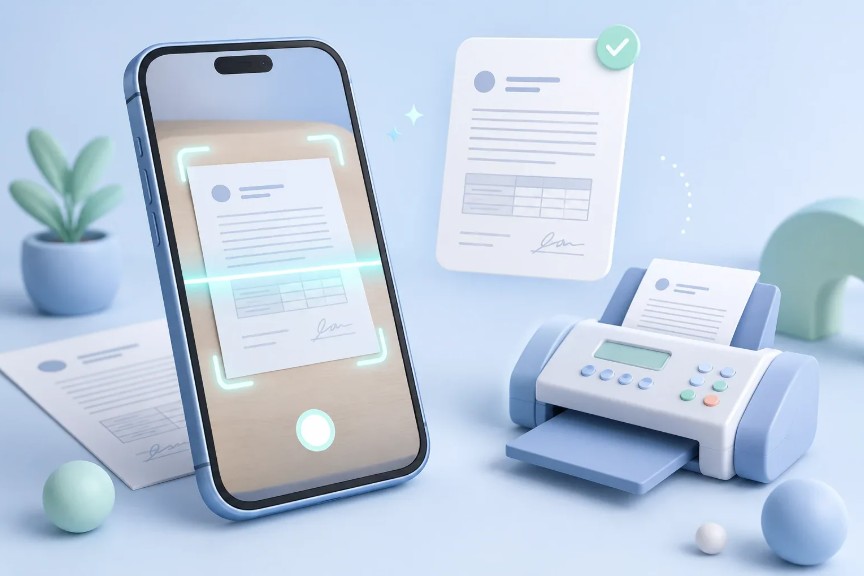
Modern faxing skips the desktop machine entirely. Open your online fax service’s web portal or mobile app, upload a PDF or image file, enter the recipient’s fax number, add a cover page if needed, and click send. Most services deliver within minutes and confirm delivery via email. No phone line or hardware required; internet connection suffices. Municorn, Fax.Plus, and SendItFax all offer this workflow.
How can I send a test fax?
Most online fax services offer a free test fax. Municorn Fax App provides one test fax before purchase. SendItFax allows 5 free faxes per day with branding. To test: create an account (if required), upload a sample PDF, enter a known fax number you control, and send. Delivery status appears immediately in your dashboard or via email confirmation within minutes.
Which online fax service is best for small businesses in 2026?
For small businesses, Municorn Fax App ranks highest because unlimited weekly plans cost under $10 and include HIPAA encryption without per-page surprises. Fax.Plus works for minimal monthly volume (free tier). Teams needing receive capability and HIPAA should consider iFax or SRFax. Occasional senders should use SendItFax’s pay-per-fax model to avoid wasted subscriptions.
Do I need HIPAA compliance for my fax service?
HIPAA compliance is mandatory if you transmit protected health information (PHI) for patients, insurance claims, or healthcare administration. If your business handles medical, insurance, or patient data, choose a HIPAA-ready service (eFax, Municorn, iFax, or SRFax) and sign a Business Associate Agreement. Non-healthcare businesses do not require HIPAA; standard encryption suffices for general business faxing.